Ofc. Vic
Members
-
Joined
-
Last visited
Everything posted by Ofc. Vic
-
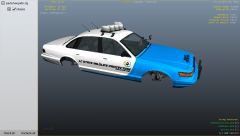
From the album: [wip] LC STATE WILDLIFE PROTECTION
-
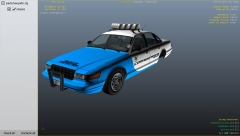
From the album: [wip] LC STATE WILDLIFE PROTECTION
-
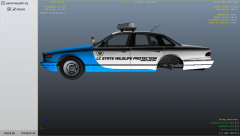
From the album: [wip] LC STATE WILDLIFE PROTECTION
Side view of my car. -
It wont work, well, i can live without the tazer... Sigh.
-
Hello there, well, i am planning on starting doing different videos for YouTube, and i need a banner. Can anyone help me? PM me for details.
-
That can run IV, yes. It's better then mine, and i can run IV modded at 30-50 fps, depending which mods im using.
-
-
I called the Swedish customer support, as mailing can take a looooong time to answered. I don't remember what they did as it was about a year ago.
-
Hello, when my mail wasn't verified, I called EA support and they solved it out. I don't think you can make a new account and transfer the games, as EA is dicks about things like that and wants there customers to buy new games if they can't access the old ones.
-
Well, recently i began a project, that i would drive modded cars around the Vinewood Racetrack, and taking the time that a car does a lap, and writing them down. I am planning to do all of the cars, but then i would to have your help. Any one that's up to help me do do this project? Be sure to write (fully modded) or (un-modded) in the post, and the cars name, manufactor and time. RULES: 1. Singleplayer only. 2. Do not use special abilities. 3. Do not take times when wanted. 4. Have fun! MODDED CARS & BIKES UN MODDED CARS & BIKES
-
Anyone up for vannila GTA IV only w/trainer? I need some one to mess around with. Also open for EFLC. //The desperate gamer, Officer Vic
-
Don't work for me. Did that, still the same problem.
-
Hello, well, i want a custom background for my PC, and i would like it to be like.... [LCPDFR LOGO] [OFFICER VIC STYLIZED AS LCPDFR LOGO] [AWESOME CARS W/ ENB (ELKABS)] That is how i would like it. Also a few officers in the pic. I suck at making BG's, so i'm asking here.
-
Still don't work.
-
So, when i try to install the tazer, opening the GTA.dat it is just random letters, nothing else. Thats my problem.
-
I looked trough BIOS and found these lines: --------------- Display Devices --------------- Card name: AMD Radeon HD 5570 Manufacturer: Advanced Micro Devices, Inc. Chip type: AMD Radeon Graphics Processor (0x68D9)
-
No, it can't be the drivers. I haven't installed/uninstalled any drivers. It's like when i found out my GPU was better then i thought my pc was getting worse... Or i might have imaged that...
-
I will thank you once again. But do any one have an idea why its being kinda yellow?
-
THANK YOU! I will sure as hell hug you if this wasn't only a website, but, screw it. *hugs my 23" screen" EDIT: Hmmm... When i browse pics it looks kinda yellow... But not websites and such.
-
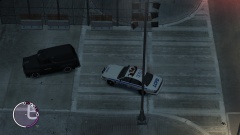 LOOK! I MADE ONE!!!! 10-12345678910110987654321
 -
-
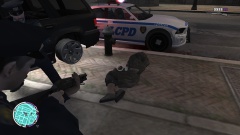 THE VSPI IS A CAR! BWAAAA
 -
Hmm... when i try to use a vga cable the screens says "no signal", so i can't use VGA.
-
Alright, some thing we need is a intro. Cops style with the "inner circle's" Bad Boys song. A decent plot, focusing on the beat cop's, with some other things, like "assistance to pursuit" and "ESU in need of assistance", etc... A TS idk
-
Well, a few weeks ago i found out that my GPU was a ATI HD5570, and not a HD4650 that i thought i was, and the 5570 is better then the 4650, but after i found out that my GPU was better then i thought, my PC have gotten slower and more laggy... WTF?