


Ofc. Vic
Members
-
Joined
-
Last visited
Everything posted by Ofc. Vic
-
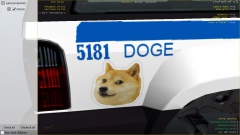
From the album: Officer Vic's random GTA 4 pics
-
What, the serious fuck? TOO MUCH THINGS ON ONE CAR D:Well, here is my first attempt on doing a YouTube video. https://www.youtube.com/watch?v=Ugn1oxzpqUQ The songs in the video are Lizard (Original Mix HD by Dj ArQue) and Hours (Original Mix HD by Dj Arque) What do you guys think?I know that. I read trough the readmes carefully, but nothing. Should i considering trying xliveless instead of dsound?For once i actually (!) Read the readmes, but i still don't work. They worked perfectly before, but i guess i can live without two scripts.
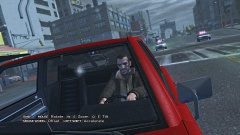
From the album: Officer Vic's random GTA 4 pics
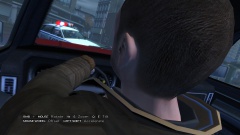
From the album: Officer Vic's random GTA 4 pics
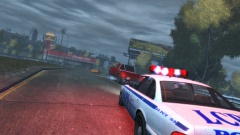
From the album: Officer Vic's random GTA 4 pics
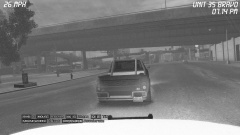
From the album: Officer Vic's random GTA 4 pics
Well, recently i uninstalled LCPDFR, and installed some other realism/Roleplaying scripts, but only one are loading. I use the First Person script, the Less Overtaking and the brakelight script. Help? I have a ASI loader and the scripthook.It... It looks worse than that walmart truck.... I... I just gonna make a toast in my bathtub...Well, AFAIK, 1.0 have a problem with ped mods so it can't be used. I dunno if 1.0 B have this bug.It looked like someone drove a 18-wheeler into the back of a supercar, and just welded them together.I don't know how to install them. D: PLES HALP ME!Well, i have been looking for a good GTA SA trainer, but i can't find one? Help?Well, i was wondering what font the OPP uses, for a texture i am making.Well, here's what i think. GTA IV Pros: Has a deep story, that are both fascinating and awesome. Very dark and realistic. The map is based on New York. It's such a good game you could play it for days. Long story that make's you climb up the criminal ladder. Police are not terminators. The city feels so real and alive. The map have a good size, so you can find things easier. Cons: Bad PC port. Too many sub-plots. (The Diamonds, The Heroin, etc) Some ugly cars. The handling of cars are just terrible. GTA V Pros: Very nice and sunny setting. Good heists. Beautiful graphics. Nice police cars. Cons: Too many super cars. Police are terminators. The wanting system is ridiculous. The fact that the army uses about six tanks on a suspect is bad. Bad story, that are too short. Boring characters. Cars handle like they're were made of plastic. A dead-looking city. Absolutely the most boring map. So, in the end, GTA IV wins for me. Whats your opinion?F*** it. Now i get the bug with an unmodded copy... :(Yes. It was the first one. Thx! :DNope, i think i remember seeing a marked one.Here we go. http://www.lcpdfr.com/uploads/monthly_04_2014/post-110328-0-48840500-1397395578.jpghttp://www.lcpdfr.com/uploads/monthly_04_2014/post-110328-0-29227000-1397395570.jpghttp://www.lcpdfr.com/uploads/monthly_04_2014/post-110328-0-00557200-1397395564.jpghttp://www.lcpdfr.com/uploads/monthly_04_2014/post-110328-0-16894000-1397395558.jpghttp://www.lcpdfr.com/uploads/monthly_04_2014/post-110328-0-36051000-1397395552.jpghttp://www.lcpdfr.com/uploads/monthly_04_2014/post-110328-0-78680400-1397395546.jpghttp://www.lcpdfr.com/uploads/monthly_04_2014/post-110328-0-74190800-1397395541.jpgWell, i know there is a non-ELS modified merit out there, but i can't find it. Help?It wasn't that i ran out of space, i had to reformat my hard drive. But i only have a 700GB hard drive and a external 500 GB one. But i only have 5 games installed at a time so it's fine.Thx! Found it! '?do=embed' frameborder='0' data-embedContent>> that one :)


