


aparna
Members
-
Joined
-
Last visited
Everything posted by aparna
-
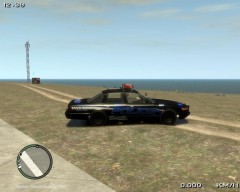
From the album: Random Police
Skin by dotgamma, model by Lt.Caine and Converted for Police Cruiser(Not a tough task to take credits) by me....!!!! -
Its better than it was before bro, so am sticking to your handling line now...!!! +1 for you..!!!
-
@molten: Can you share you handling line for the pstockade please...???
-
 As nicolai said sad fake...!!!!
 -
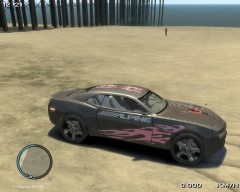 Thanks bro...!!!
 -
Ok bro I will try it out and see..!!! Edit:- That is a fine replacement for the Police Stockade..!!! Thanks a lot bro..!!!
-
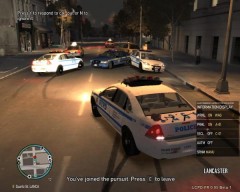 @Jack bro u can upload images from fraps if they are in jpg or jped format but the default for fraps is bmp which will be large..!!! So change the capture format to jped or jpg and then you can upload it here..!!! I hope u already know this..!!! Cheers..!!!
 -
Hey bro nice police pack..!!! +1 for you..!!! But i do have a question and that is you have the suburban as pstockade right, but the default pstockade is like a van, so if i mod that with the suburban you have added, will it be ok..???
-
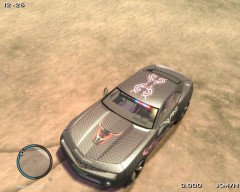
From the album: Random Police
The Bull is a symbol of power and similar to the mighty animal, this FIB car can plough through any obstacles with minimum effort and maximum ease...!!!! -
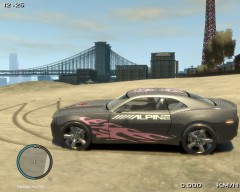
From the album: Random Police
Totally customizable decals for effective undercover operations -
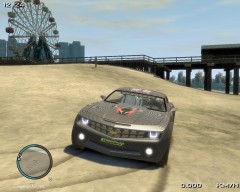
From the album: Random Police
Totally undercover car with highly tuned performances boasting of a LED Headlamps with Fog lamps for polarised light meaning you will never be in dark. -
From the album: Random Police
The latest Addition to the LCPDFR Fleet A high performance Chevrolet Camaro with carbon fibre body to minimize body weight without any loss of build quality. -
Try recovering deleted files using any recovery programs for the Project files bro so you can regenerated it back. Here is a progam I use to recover my files if I deleted them unknowingly..!!! Then since you have use the live messenger, there wont be any chat history saved by it so try to regenerated the chat history by this software here...!!! It can currently find: [*]Facebook
-
Thanks a lot bro..!! That is a great charger mod...!!!
-
Hey nice video bro...!!! I didnt know the half of what you had done, especially the part where you went to search for the running suspect...!!! Great video and great tutorial...!!!
-
Thanks bro and I know what you mean ...!!! I was just trying it out and i came out very nicely so i will try to retexture some other cars... :happy:
-
Hey guys, I was just modding my CVPI by Lt.Caine when i came across these decals and so decided to use them on the fbi. I just thought it would be cool to have vinyls of an undercover police car, as everyone will think its not a cop car with all the decals...!!!! Just tell me your opinions as I am curious..!!!
-
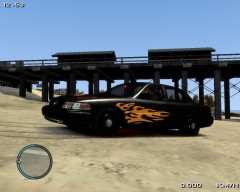 Thanks bro...!!!!
 -
Good video, as molten said nice use of Subs...!!! Have no problem for me...!!! +1
-
Thank you so much bro...!!!!
-
Hey bro i tried as you said with the xlive and in a new area and this time i could play 4 callouts but the only callout that failed to spawn was the Mugging Callout.!!!! What to do bro???
-
I deleted the dsound.dll, and I will try to patrol a different area bro as you suggested. But u were right as the mugging callout does not work, I only get the Domestic Disturbance in Breachwood(Not sure if correct) and the suicidal callout in Hove Beach. All the other callouts, I get the select Y or N option, but when i press Y nothing happens and I just force a new callout by Alt+F11..!!!
-
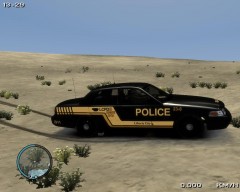 Thanks guys, its a default blue LCPD livery by Lt. Caine, i just inverted the colors and changed the CVPI carcols to black...!!!
 -
Just hit the P key again and it will return to normal. It is the key control for the definition option in the Graphics menu ( Either Definition option or the Vsync) Modify the controls so that the P key not assigned to it..!!!
-
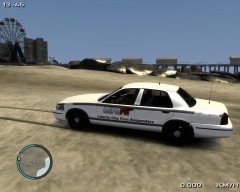
From the album: Random Police
The newest acquisition by the LCPD First Response Department


