


aparna
Members
-
Joined
-
Last visited
Everything posted by aparna
-
Good information Iconography bro...!!! +1 for you...!!!
-
Thanks you will try it out bro..!!!!
-
Place the "ELS.ini", "ELS.asi" and the dsound.dll(if not installed yet) into the root folder your GTAIV. The if you want the brightlights, move to visualsetting.dat file to GTAIVcommondata folder. And then you are done, use the J,K,L keys for the toggling of lights, alt+y for hazard indicator, alt+t for auto mode and alt+m for the ELS panel, which will be controlled by the U,I,O keys alone.!!!!
-
Bro this is the error logging text file, you need to post your "LCPDFR.log" file from the gta IV root folder. Search the GTA IV root folder to find two files named LCPDFRErrorLogging and the other will just be LCPDFR. So you need to post the latter file as it contains the logs of the LCPDFR mod.
-
Ok bro got it...!!! Thanks for clearing that up....!!!
-
You cannot play the cracked versions without xliveless, since the razor crack has it included and it will interfere with the mod scripts as it is also an asi loader. So i suppose you should remove the dsound.dll from the GTAIV root folder if you have it and try to run LCPDFR 0.95RC1 and it may run then. I got the info from the link Edit:- LCPDFR the xliveless may not function properly but it is worth trying..!!!
-
Easier said than done bro but no in HD(LOL)... Anyways you will have to do these steps in order to modify the cars. 1. Download vehicle mods from a respective website of your choice. 2. Download SparkIV or OpenIV and extract the rar file, now in OpenIV you can choose GTAIV or EFLC and in SparkIV you have two seperate versions. 3. Change your GTAIV folder properties to make it moddable(remove readonly). 4. Open vehicles.img file using sparkIV or openIV, from GTAIVPCmodelsCDimages 5. Scroll/Search to the car you want to change, select import and import the new car mod into the img. 6. Save and rebuild the vehicles.img 7. Edit the Handling.dat, Vehicles.ide and carcols.dat files in the GTAIVCommondata according to your mod's readme file. 8. Save and run the game, check for the car mod. Make sure to make a backup of all your files.
-
For steam or non steam the save game will be stored in C:UsersUser AccountAppDataLocalRockstar GamesGTA IVsavegame but as I mentioned earlier, xliveless moves your saved games to C:UsersUsernameDocumentsRockstar GamesGTA IVsavegame. So check these two folders and the AppData folder is hidden by default.
-
Like gnat326 said, open your trainer.ini file, then search KeyBindingsDisabled=0 and the change the value one (KeyBindingsDisabled=1) so that it will disable all the keybinds except the menu keys...!!!!
-
Ok thanks skynet now i got it..!!!
-
Thanks bro will do...!!! But another question is that will the texture size affect the ingame rendering because some of the car mods i download contains texture files of 4mb etc. So will they affect the performance of my game since i have a moderate build computer.
-
Hey guys i was wondering if anyone could recommend me a good car pack for GTA IV. I had tried some car mod packs, but then my game loaded with missing textures.!!!
-
Or you can delete your save game, the download the respective save game till which u finished from the link below... http://www.gtaforums...howtopic=390264 Mostly your saved game will be in C:UsersUser AccountAppDataLocalRockstar GamesGTA IVsavegame But if you have the xliveless.dll file then your save game will be moved to C:UsersUsernameDocumentsRockstar GamesGTA IVsavegame So delete the file and download the respective savegame...!!!
-
No probs interference bro +1 for your laziness and thanks a ton Justin bro +1 for your helpfulness....!!!
-
Hey interference bro can you provide the links to respective mods in the first post please...??? It will be helpful for everyone so that they can download and try it...!!!
-
Congrats to the new staffs...!!! And also thank you for the great news about the RC2..!!! Looking forward to it...!!!
-
I would like that feature too bro but it should only enabled when the siren is active, in that way the AI will also give way and they wont be standing still at intersections...!!!!
-
Ok tell me how it works bro..?? I have tried out some fuel mods but with no success...!!!
-
I am not sure if i understood your question correctly but if you want to add or edit textures, You should use an application like photoshop to edit the picture and add different layers...!!!! Open the image u like to edit, add a new layer-> modify its properties(opacity, additive, multiply etc) paste the logo/new content. Check the picture with both layers selected, and click save...!!!
-
Hey guys i am gonna get a new retail version because that is more cheaper than the steam...!!! Here the Retail DVD's cost only abt $10(Rs500) where as from steam i have to pay $30(Rs1500)..!!! So a very big thank you to everyone who tried to help... :yes:
-
Ok then i will try searching for how to clean a disc and if it fails will try to download from steam and with my 4Mbps connection I suppose it might take a long time... !!!! Thank you guys for the quick reply..!!!
-
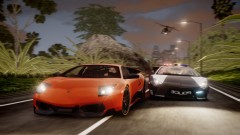 Hey where is this location..??? Awesome greenery LilQ..!!!
 -
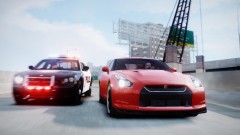 Great pic bro...!!!!
 -
Hey guys..!!! I brought myself an legit copy of the GTA 4 PC game in 2009, and its been 3 years and so disc 1 is pretty bad in shape due to some scratches. Usually I just play the game, finish it and keep the disc safe, but GTA has been something different thanks to the third party modifications and since me installing LCPDFR(most epic mod ever) I have been playing whenever i get free time. So here are my questions guys.. 1. Is there anyway i can clean the scratches and make the disc playable?? 2. Is there anyway i can play the game skipping the disc check(I know silly but i can barely run my disc without it getting stuck)..?? 3. If i buy GTA IV from steam, will i have to download the game or will I get two discs retail copy as the one i have..??? Please help me guys to come to an conclusion as I read that LCPDFR does not support cracks and it is the only reason i play the GTA 4 game..!!!
-
There is absolutely problem with SNT and LCPDFR..!!! SNT is just a trainer which uses scripthook and dsound and it works flawlessly with LCPDFR v0.95RC1 using advancedhook and dsound and of course .net scripts(hope I am correct)...!!!


