


aparna
Members
-
Joined
-
Last visited
Everything posted by aparna
-
You mentioned pressing alt+p..!!! Did you try pressing left alt+P..??? It is the key combination for starting LCPDFR bro...!!!
-
I suppose you could look here bro..!!! http://www.techradar.com/reviews/pc-mac/pc-components/processors/amd-fx-6100-black-edition-1044580/review
-
Hey guys my very first CVPI's I got the Unlocked Ford CVPI and added the Go Rhino Rambar by Bxbugs as I love the pushbar. I was made one skin (Metropolitan Transport Authority NY) by my good friend Dhruv of GPM. Then I was too lazy to do skins on my own so I downloaded from GPM, and edited(colours inverted) them. The PCT version boasts of a ELS-H compatible FS Streethawk Lightbar and as mentioned above the Go Rhino Pushbar from GPM and mapped taillights. The HWY version consists of a ELS compatible Whelen Edge Lightbar and new rims. If I add anything more(like laptop or antenas) i get the RC20 error, so this is what I am releasing now. Vehicle model and Parts from of GPM I hope I can learn more complex modeling and do better models. Below are the screens and this is a work in progress..!!!! Advanced To everyone at LCPDFR
-
Well said bro..!!! You gave him a break didnt ya..:P!!!
-
I ban myself from this thread because I cannot ban anyone else...!!! LoL...!!! And I wish a merry christmas and advanced happy new year to everyone...!!!!
-
Use the desert eagle/pistol or shotgun. Aim and press T.
-
This is no where near decent bro...!!! See the requirements...!!! So either reconsider or wait and get a better pc than hurrying to get a low spcecs one..!!!
-
Sirens work as usual, but you wont be able to access the police computer(it is the only drawback). But it gives a good variety of cars, which dont spawn normally.
-
Guys you can add extra vehicles to GTA4 very easily...!!!! Check this mod out which provides all the TBOGT vehicles to GTAIV..!!! I am using this currently..!! http://www.www.gtain...at=370&id=31873 And more over if you want the police3 and police4 to spawn ingame you can try editing the cargrp.dat file under commondata This is default line police, police2, polpatriot, noose, predator, pstockade, nstockade, fbi # POPCYCLE_GROUP_COPS This is what I changed to police, police2, polpatriot, noose, predator, pstockade, nstockade, fbi, police3 # POPCYCLE_GROUP_COPS Now I get the police3 along random police vehicles...!!! @edit: When I added policeb to the line, the game crashes and I dont know if this happens only to me.
-
Google GWFL or Games for Windows Re-distributable 3..!!! And this is not related to LCPDFR support...!!!
-
I dont think it is the graphics card's fault as long as the game runs bro...!!!! Do you have scripthook and an ASI loader installed..?? If yes are you using the correct keys..??? LCPDFR - Left Alt+P to Start LCPDFR () ELS v6 - Open ELS.ini in the games root folder and check for the key configs..!!!!
-
Aaah..!!! Let me try it out and see then..!! Thanks bro..!!!
-
Run game as admin..!!! And you have to press left alt+P..!!!! If it doesn't work read http://www.lcpdfr.com/forum-20/announcement-5-need-support-read-this-first/
-
Do you mean in the hierarchy bro..??? I added them to the lightbar's extra5 and extra 6 and the lightbar is above the original taillights..!!!
-
Ford Crown Victoria Police Interceptor Testing Take 1 Lightbar and Pushbar added by me Just learn to map ELS to lightbar of the Ford CVPI from GPM Thanks to Cj24 for the instructions Testing Take 2 Mapped the headlights to ELS along with the lightbar. Thanks again to Cj24 and Dhruv for the tutorial video. Testing Take 3 Finally learnt to map the taillights to ELS along with the headlights and lightbar. Most likely the final version but the tail lights should be made brighter as I dont know how to do it and if I try the car just starts to shake very rapidly. So any help is welcome. FYI: Videos taken using Fraps in my HCL Laptop so sorry if the quality is bad..!!! Now am just editing some default textures by Bxbugs for my CVPI.
-
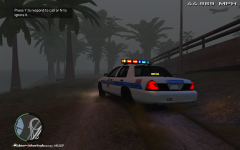 Hey what lightbar is this..???
 -
Taillights and Headlights mapped to ELSv6. Need to make the taillights brighter but I have no idea and if I do anything wrong the car starts to shake damn vigorously...!!! So if anyone can help please tell me..!! If any one knows how to add components(like laptop etc) please help me because when I add a laptop I get the RC20 error.
-
You need to extract vehshare.wtd using sparkIV. Then add it to the materials editor in Zmodeler with the png files of the lightbar, rambar and the Crown Vic. Then edit it in zmodeler. edit: Press E in Zmodeler to open the materials editor tab.
-
Yes you can install vehicle mods like as much as you want...!!! The vehicle mods must be downloaded separately from other sites as LCPDFR does not come with them..!!
-
I also use the middle mouse button for siren on/off..!!! And I use the caps lock for toggling the siren modes..!!!
-
Update: Sorry video uploading guys..!!! Taillights and Headlights mapped to ELSv6. Need to make the taillights brighter but I have no idea and if I do anything wrong the car starts to shake damn vigorously...!!! If any one knows how to add components(like laptop etc) please help me because when I add a laptop I get the RC20 error.
-
Isn't it better to update the game to v1.0.7.0 and play LCPDFR to the fullest...!!! In that way all the features are available instead of some unwanted bugs...!!!
-
Thanks bro..!!! Am trying to map the tail lights too...!!!
-
Nope your game patch is still old...!!! Read http://www.lcpdfr.com/forum-20/announcement-5-need-support-read-this-first/
-
Update the game to 1.0.7.0..!!! http://www.lcpdfr.com/cops/forum/forum-20/announcement-5-need-support-read-this-first/


