Drift_91
Members
-
Joined
-
Last visited
Everything posted by Drift_91
-
 @hashbrown Just a heads up this might need to be updated again for A Safehouse in the Hills, as the galaxy brains that the FiveM devs are, they decided to straight up delete gamebuild 3717 and change the build number to 3751 out of nowhere. While most of the code treats the build numbers as interchangeable, last I tested the ASI loader does not.
 -
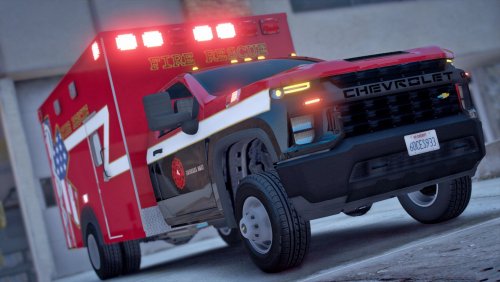 Hey, for some reason the vehicles.meta seems to be empty. What I mean by that is there's no actual vehicles listed in it, just some opening and closing XML tags. Did you delete the contents by accident before uploading the file? The ambulance seems to use the handling line "3500HDCHA", which doesn't exist in the vanilla game, so I'm assuming the file should include that. I'm currently using the vanilla "AMBULAN" handling line, which isn't too bad. But if you have the time to fix the file that'd be great, thank you.
 -
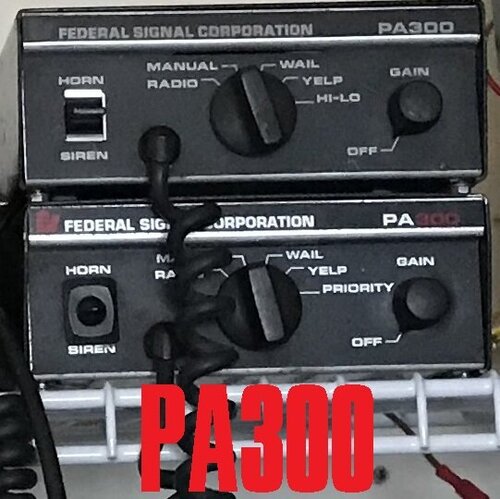 Ah, alright. I wasn't aware that it was more expensive than most other sirens. Perhaps hopefully someday someone might donate one. 🙂
- 11 comments
- 3 reviews
-
I've been looking for a professionally recorded Motorola Spectra for a while now. I'm using your Federal Signal Smart Siren for police mixed with ShotsFired932's Motorola Spectra for Fire/EMS in a custom pack I made. No offence to ShotsFired, but because they don't have the same recording equipment as you, there's a huge difference in quality.
- 11 comments
- 3 reviews
-
Alright, ended up finding a solution. I'm putting together a pack for personal use using other authors' sirens. What I didn't notice was that these authors had used sample rates well above what Rockstar uses in the vanilla sound files. Once I noticed that the files were all in 44.1KHz and 48KHz 16-bit PCM I realized I could dramatically reduce the file sizes by resampling them to 32KHz. It didn't quite do the job but it got me close enough that all I had to do was resample the vanilla train undercarriage sound to 24KHz and was well under the size limit.
-
I've already tried reverse engineering your mod and I can't figure out how you made the vehicles.awc to begin with. Did you shorten other sounds to make everything fit like everyone suggests, or is there another way around it? Your earlier posts come across to me as you suggesting there's a way to better compress the awc library. For now I'll try dropping the bits-per-sample of the train undercarriage and hope GTA doesn't freak out over the encoding. Not sure what 8-bit will sound like though. 😅
-
And you do this, how, exactly? Could you provide an example assembly.xml? I've tried the following: Would really appreciate some guidance on how to get it done. I really want to get these sirens I've assembled to work on my client but they go over the size limit; And I'm pretty sure it's due to OpenIV recompressing the entire archive like you said.
-
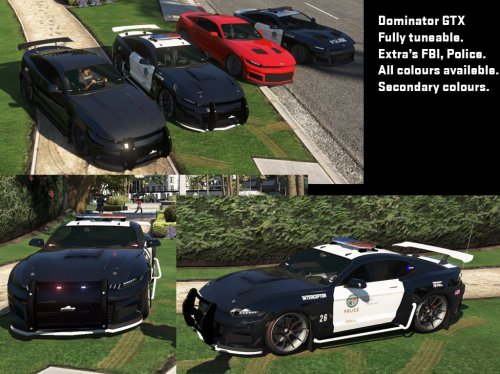 Seems to be a bug in the way the dirt texture is mapped. Would an eventual fix be possible? Not a major issue since we can just clean the car with a trainer, but would be nice to not have to do that. Absolutely love this car by the way. So much customization, both marked and unmarked.
 -
 For some reason the CompleteUpdate.rar crashes my game. I installed it from all the other archives except CVPI update and it runs just fine. Is anyone else able to use it? Btw, love these pursuit models and the sheriff Bison. For some reason I can't find the black and white Bison though. And as a suggestion, sheriff liveries of the pursuit cars would be amazing.
- 371 comments
- 38 reviews
-
Are you willing to release the source code? People would probably be a lot more willing to help if they can see what's going on in your code. Although I understand if you don't want to have to worry about plagarism. It's just that GTA is inherently unstable with mods installed and making the game more stable isn't really a simple thing. If it was simple then the LCPD:FR mod would almost never crash. :P
-
If anyone's good with scripting for GTA IV, it seems that Husky needs some help with making the mod run more stable: '?do=embed' frameborder='0' data-embedContent>>
- 68 comments
- 12 reviews
-
Anyone interested in taking this and turning it into an ELS v8 version? I'd love to have the vanilla lightbar in ELS form with a working traffic adviser. :) Guess I'm stuck using a realistic Fedsig Vector for now. :P
- 9 comments
- 1 review
-
Excuse the double post, but I just remembered something else I'm having trouble with now. Is there an easy way that I can reposition objects in the pedprops.img such as glasses? Or would I need to use 3DMax or something to readjust it on the skeleton?
-
Yep, just found that out yesterday. Got desperate and started googling every combination of keywords I could think of till I found it on the SNT post on gtaforums.com. Thanks for the reply though. I feel like a tool for assuming it wasn't anything to do with SNT. :P For anyone else having the same problem, go in your trainer.ini and look for "Modelhats" and change the value.
-
Would you be able to tell me what I've done wrong here? http://pastebin.com/yaW4jXBg I'm trying to copy the glasses off the m_m_gunnut_p model. It shows up perfectly in OpenIV but Simple Native Trainer only shows the default glasses being available.
-
Alright, that explains a lot. :P Doesn't seem to be the case, but we'll give it another try since we were focusing mainly on callout sync to see if we were connected or not. Understood. That's why I was asking if the command even worked yet. Thanks again.
-
For some reason it's still not working. Isn't "net connect" supposed to synchronize callouts and suspect blips on the minimap/radar? I understand that netcode is still very much in alpha. But I want to make sure I'm not trying in vain. Is there a way to synchronize callouts or am I just out of luck? I've attached my LCPDFR.log in case it helps.
-
Thank you very much, this was my main concern. Using netstat I found that GTA was listening on 55781 UDP and had assumed that was the LCPD:FR port but wasn't sure. Thanks for correcting me. :) I'll give that a try and see if that makes a difference. Should clients do that as well? Once again, thanks for your help.
-
Now I understand that Multiplayer isn't supported, but if anyone could help me out It'd be great. Basically me and my friend are trying to get our callouts and radar blips synchronized. We managed to achieve this the first few times but now it no longer happens. I'm assuming it has to do with the "net connect IP" command that has to be put in the console? What I'd like to know is when we have to type in the command in the console (eg. before or after ALT+P) and if we need to have any ports forwarded (I don't use UPnP on my router)? Or does the "net connect IP" command not actually do anything yet? I'd assume it's what helps synchronize the callouts and such. Thanks for your time guys.
-
I'm having the same problem at night. Daytime is fine, but night looks like the streetlights are burning phosphorus everything is so blindingly bright.
- 59 comments
- 19 reviews
-
-
More bug reports: The last error above pretty much rendered LCPD:FR unusable. Unfortunately I just reinstalled the game and deleted my log, forgetting that I had a bunch of errors in there that I hadn't reported yet. :/ I'll try to report errors imediately after I close the game from now on. Edit #1: Heard a siren in the underground parking lot near the corner of Bismarck and Topaz. Went in to investigate after arresting a drunk. As I was pulling in the siren stopped and I got the above error. Found a cop in his car and a homeless guy driving a PMP 600. Arrested the guy because I was sure he'd stolen it plus he was drunk. When I got into the PMP to park it the car's alarm went off. Edit #2: This one crashed my game. Edit #3: Got a whole bunch more over the past two days. I also get this one every time I use LCPD:FR now. [Edit: Something went wrong when I linked my account. The API key in the config got replaced with an error message. Fixed it now.] Edit #4: Edit #5: Including the entire session in this log since a lot of quirky stuff was happening. Towards the end I called for a prisoner transport and about 10 to 20 cops spawned, one by one, in the middle of the street gradually making a congo line of officers. I feared a crash was imminent and started shooting them with the semi-auto shotgun, which actually made the lag worse. I figured I'd just drive away and they'd despawn like every other body does if I so much as look away for one second. Unfortunately they wouldn't go away even after burning them with molotovs and reloading scripts. I didn't mention this for the last edit, but I also had a problem with officers spawning "inside" my car during a pursuit. I called noose backup (spammed the alt-N keybind 3 times in about a second) and after a while noose officers would spawn in groups of 10 inside my car and would explode/ragdoll all over the place from the collision and damage my car. By "inside" I don't mean passengers, I'm talking about clipping. I've experienced a similar problem for a long time where when I call a prisoner transport officers would spawn on top of my head and ragdoll to the ground. --- I am using other scripts at the moment. But I tested without them and found this kinda stuff still happened, just not as frequently. I think edit 4 and 5 are the only ones that had more than just Simple Native Trainer and OvertakingFix.net.dll.
-
Logging in isn't mandatory. It's only to upload your crime statistics.
-
Definitely a different problem from what I was having then. All those logs show you have mods installed. Could you please try playing for a bit without anything other than LCPD:FR and then upload the logs. It will most likely be easier for someone to see where the problem is if no mods show up in the log. Also, is EFLC crashing the instant you launch LCPD:FR, or is it running for 30 minutes or so before crashing? Your LCPDFR.log is showing no errors from runtime, which is unusual.
-
You mentioned in the other thread that you had a legit copy. That means no modified .exe's right? That LaunchEFLC.exe that Ineseri told me to remove was what was causing it for me. If you haven't modified any .exe's than I'll have to leave it up to someone else to help. Although I'd recommend uploading your lcpdfr.log and uploading the other two logs from when you have no mods installed.