Skip to content
View in the app

A better way to browse. Learn more.

LCPDFR.com

A full-screen app on your home screen with push notifications, badges and more.

To install this app on iOS and iPadOS
  1. Tap the Share icon in Safari
  2. Scroll the menu and tap Add to Home Screen.
  3. Tap Add in the top-right corner.
To install this app on Android
  1. Tap the 3-dot menu (⋮) in the top-right corner of the browser.
  2. Tap Add to Home screen or Install app.
  3. Confirm by tapping Install.

Nothing to see here folks, please disperse!

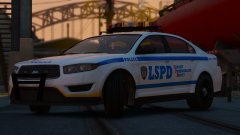
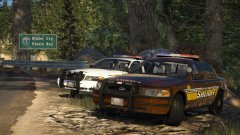
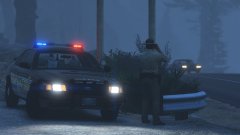
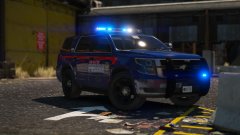
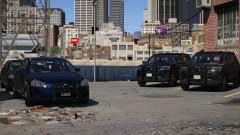
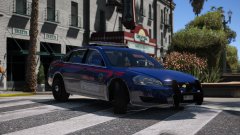
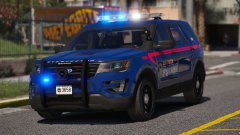
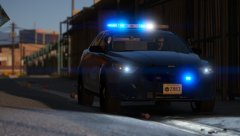
Two types of unmarked units added to the Atlanta themed pack. Might add one or two more, but these two are definitely going in. They have transparent skins so you can choose the colour of your units. Only thing the liveries will have control over are the variations on the license plates.


I might add some more side lighting the the unmarked units before I release the pack.


20180219173602_1.thumb.jpg.391dd7fb3d168663fb36dab1b983b557.jpg

20180219173727_1.thumb.jpg.428edc2d5770a01874ee3f9c3d0c766d.jpg

20180219173656_1.thumb.jpg.d348019a0acced57ec813613b1d3ecd4.jpg

20180219173820_1.thumb.jpg.b781be61f5b5820a6d133b436a108fc8.jpg

20180219173758_1.thumb.jpg.6de80902f66b798a36315b7245a1aa5c.jpg

20180219173541_1.thumb.jpg.75b122a67c338c6711b8f98dbd0fba8d.jpg

From the album:

Jed's Models

· 124 images

Account

Navigation

Search

Search

Configure browser push notifications

Chrome (Android)
  1. Tap the lock icon next to the address bar.
  2. Tap Permissions → Notifications.
  3. Adjust your preference.
Chrome (Desktop)
  1. Click the padlock icon in the address bar.
  2. Select Site settings.
  3. Find Notifications and adjust your preference.