


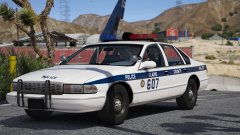

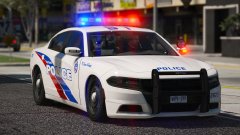
![LSMPD 'Addon DLC' [Part two]](http://s3-gallery.int-cdn.lcpdfrusercontent.com/monthly_2017_12/small.20171226213955_1.jpg.92f6ff687061ce5cff145a96d57d7e63.jpg)
![LSMPD 'Addon DLC' [Part one]](http://s3-gallery.int-cdn.lcpdfrusercontent.com/monthly_2017_12/small.20171226123659_1.jpg.557c579427066aec6ffa2890157864fc.jpg)

Broad Daylight

By Jedahdiah
- 2,018 views
- View Jedahdiah's images
'Los Santos Police Service (LSPS) arrested a male suspected of trying to escape the country via LSIA. Suspect was seen bolting for a Taxi as officers arrived, and was stopped and detained. He matched the description of the APB and was arrested for further questioning. He car was also seized and searched in a nearby parking lot.'
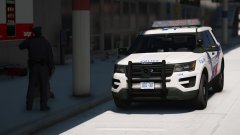
I changed my decision on adding a '13 FPIU and went with the newly release '16 FPIU.
Probably won't post anymore screens on here until the pack is near completion, you know... suspense...


Credit
The Hurk (FPIU base), me, other Devs for their stuff
Copyright
© Jedahdiah
Recommended Comments
Join the conversation
You can post now and register later. If you have an account, sign in now to post with your account.