


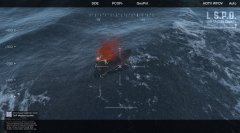







USCG 25' Defender Class

By PNWParksFan
- 3,777 views
- View PNWParksFan's images
Improvements to the USCG 25' Defender Class Small Boat by @SkylineGTRFreak continue. Now the lights are working properly, realistic instruments have been added to the interior, the flag has been replaced with the USCG Ensign, and the doors have been separated out into toggleable extras (since actual doors don't work on boats). Still working on the layout so peds can enter/exit the vehicle naturally.

Credit
Model converted, edited, and optimized for GTA V by SkylineGTRFreak. Model purchased from 3D model site by nathanjamesddg151. Model edits and custom layout and lighting by PNWParksFan. Model editing help by FoxtrotDelta.
Copyright
© PNWParksFan
Recommended Comments
Join the conversation
You can post now and register later. If you have an account, sign in now to post with your account.