



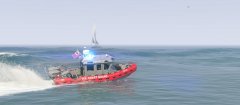



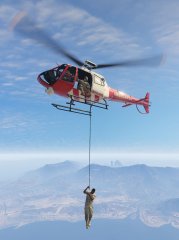
Coast Guard Rescue Swimmer in Action

By PNWParksFan
- 4,359 views
- View PNWParksFan's images
Custom EUP Coast Guard rescue swimmer ped ✔️
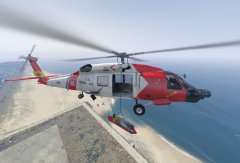
Working rescue hoist (up and down) ✔️
Medevac stretcher attaches to hoist ✔️
Ped can be put in stretcher and raised to helicopter ✔️
Player can ride the hoist up and down too ✔️

For more details on development progress:
Special thanks to @SkylineGTRFreak for creating the excellent MH-60 Jayhawk model seen in these screenshots.
Credit
Coastal Callouts: WIP by PNWParksFan;
EUP USCG Swimmer ped: Model by EUP team, template adapted by PNWParksFan;
MH-60 Jayhawk model: SkylineGTRFreak
Copyright
© PNWParksFan 2016
Recommended Comments
Join the conversation
You can post now and register later. If you have an account, sign in now to post with your account.