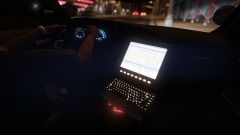
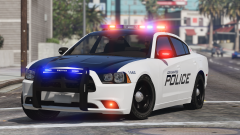
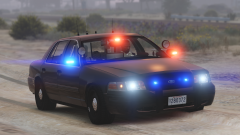
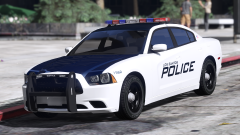
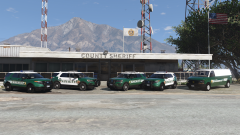
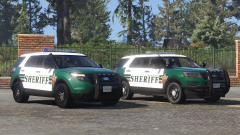
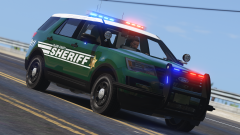
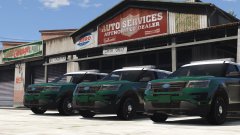
BCSO Pack (Spokane Co) Update Share https://www.lcpdfr.com/gallery/image/73844-bcso-pack-spokane-co-update/ Share on Facebook Share on X {lang="reddit_text" More sharing options... Followers Fixed the texture issue on the '16FPIU, template got fucked up in PS, but everything lines up now. Started working on a transport van. The van will have a Whelen Edge, an extra T/A in the back, and grill lights
SHERIFF/EMS/FIRE Members October 27, 20169 yr Author stats Very nice! Is there still plans for the Taurus?
Deactivated Member Deactivated October 27, 20169 yr Author stats These look great! I can't wait to use these. Thank you for the hard work :)
Black Jesus Members October 27, 20169 yr Author stats 7 minutes ago, SHERIFF/EMS/FIRE said: Very nice! Is there still plans for the Taurus? Probably in the PD if the dept. I base it on has them.
Him1250 Members October 27, 20169 yr Author stats 3 minutes ago, Black Jesus said: Probably in the PD if the dept. I base it on has them. Maybe you should like get on some sort of Social Media where I've sent the damn base.
10 DAVID 01 Members October 27, 20169 yr Author stats you probably already know this, but incase you don't its a good resource for refrence. policecarwebsite.net
Black Jesus Members October 27, 20169 yr Author stats 7 minutes ago, 10 DAVID said: you probably already know this, but incase you don't its a good resource for refrence. policecarwebsite.net Flickr is a lot better imo. policecarwebsite doesn't have much updated content in comparison to https://www.flickr.com/groups/1909862@N22/
PolGuin255 Members October 27, 20169 yr Author stats Cant wait for this pack, its turning up to be the best one on LSPDFR at the moment , cant wait, great work!
GreenAid Members October 27, 20169 yr Author stats That texture with the brown looks very nice, good job.
FishtheDestroyer Members October 29, 20169 yr Author stats On 10/26/2016 at 9:38 PM, Black Jesus said: Flickr is a lot better imo. policecarwebsite doesn't have much updated content in comparison to https://www.flickr.com/groups/1909862@N22/ Question will the pack on certain vehicles have the older livery and newer livery? While the newer cars such as the 2016 explorer with just have the new one?






Recommended Comments
Join the conversation
You can post now and register later. If you have an account, sign in now to post with your account.