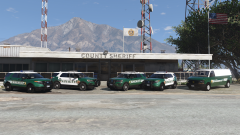
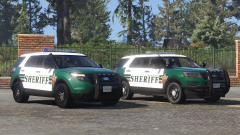
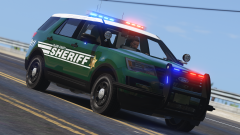
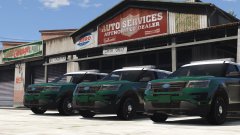
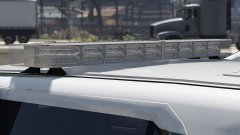
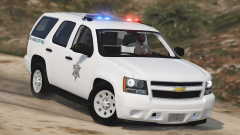
BCSO's 2017 FPIUs Spotted at an Emergency Vehicle Upfitter Share https://www.lcpdfr.com/gallery/image/73679-bcsos-2017-fpius-spotted-at-an-emergency-vehicle-upfitter/ Share on Facebook Share on X {lang="reddit_text" More sharing options... Followers Finally started on the 2016-17 FPIU for the Spokane Sheriff pack. Still have a small edits to make on the base model. Cars will have Freedom IV lightbars and similar lighting to the other BCSO cars. Credit Black Jesus Copyright © Black Jesus
thegreathah Friends of LSPDFR October 22, 20169 yr Author stats Oooh Boy. I see myself making a lot of textures for those bad boys.
OfficerFive0 Members October 22, 20169 yr Author stats are you planning to have duo/trio lighting with the freedom iv?
Black Jesus Members October 22, 20169 yr Author stats 2 hours ago, OfficerFive0 said: are you planning to have duo/trio lighting with the freedom iv? No, just gonna have the basic lighting, and maybe an extra t/a for the bottom modules on the rear
nh1256 Members October 22, 20169 yr Author stats Looks great so far Black Jesus. Can't wait to see the finished product.







Recommended Comments
Join the conversation
You can post now and register later. If you have an account, sign in now to post with your account.