


![[W.I.P] Brute Heavshit](http://s3-gallery.int-cdn.lcpdfrusercontent.com/gallery/album_285/gallery_3182_285_689640.png "[W.I.P] Brute Heavshit")


![[W.I.P] Brute Heavshit](http://s3-gallery.int-cdn.lcpdfrusercontent.com/gallery/album_285/sml_gallery_3182_285_689640.png)


[W.I.P] Brute Heavshit

By Harper
- 980 views
- View Harper's images
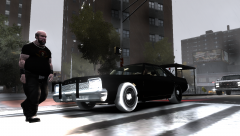
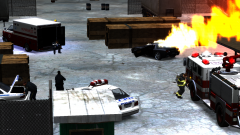
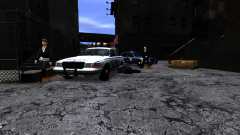
Brute have released prototypes of their new vehicle, the "Heavshit". Our reporter had the chance to test drive this new vehicle the other day, below is his verdict;
"Commercial vehicles are rare in Liberty City and therefore most companies just stick to what they know best and Brute knows how to make commercial vehicles. The ride itself is very heavy and 3-point turns are out of the question. The speed is fairly decent due to the Brute's traditional V8 engine, found in the ambulance models, the fuel consumption is worse than that of a CVPI. One thing I will applaud the Heavshit on is its ability to carry a huge amount of weight. I managed to fit thirty dead bodies into the back and still had room for my huge collection of guns! This will surely please any underground criminal or mob boss!"
On a more serious note, this vehicle is a combination of the Ambulance and the Yankee. I took the ambulance and deleted the back of it. I then grabbed the back of the yankee and modified it extensively so that it'd fit onto the back of the ambulance. As you can see, the car still needs some work doing to it. The collision box has been modified to fit the new body frame and the inside of the box now has an interior. At the moment this could possibly be a "add on" vehicle, I.E: It'll have its own slot in the game. At the moment it replaces the Yankee and needs an obvious handling line as it still handles like the Ambulance
Recommended Comments
Join the conversation
You can post now and register later. If you have an account, sign in now to post with your account.