


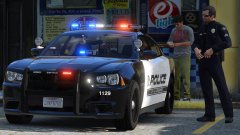
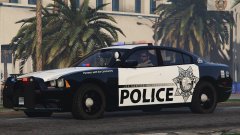
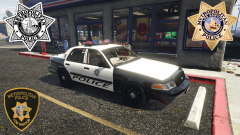
Sgt. De Santa Admiring his New Cruiser

By Black Jesus
- 1,396 views
- View Black Jesus's images
Credit
- 2011 Dodge Charger R/T from Real Racing 3, ripped by DMN.
- Converted and edited into a 2013 Dodge Charger Pursuit by (author requests not to be named)
- Taillights, headlights & interior by Forza.
- Steelrim made by GerryStudio, textured and converted to GTA by (author requests not to be named)
- Camera by Dannyboy, furthed edited(buttons) by Black Jesus
- Console by Evanscornelius
- Spotlight, Bodyguard and Intersectors by Deco
- Rambar, Antenna GPS and Ions by Vertex3d
-Lightbar and Avengers by EVI
-Guns by Grim
- Antennas by Priman
- Console by Vertex3d, NickieB, Ironic Rainbow
Skins and uniform by Black Jesus
Copyright
© Black Jesus
Recommended Comments
Join the conversation
You can post now and register later. If you have an account, sign in now to post with your account.