


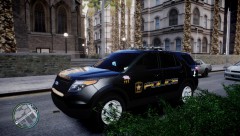


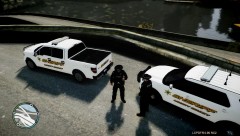

LCSO in persute of a homicide suspect

By Deactivated Member
- 842 views
- View Deactivated Member's images
LCSO deputies became suspishous of this gray car, it surcled the same area twice. the depute attempted a traffic stop with no success. the suspect increased his speed to dangerous speeds. 2 patrol cars followed the suspect to the south of hove beach when the passenger whos name is still
classified opened fire on the deputes. the Sargent who was passenger in the primary vehicul was killed instantly. the supervisor gave the officers permition to shoot back. the two suspects were killed after 30+ rounds were fired into the cab of the car. the sheriff department is said to be increasing patrols in the hove beach are as the local Russian mafia increases its presents by preforming drive byes and setting car bombs in public servants vehicles. the LCSO clame to have the situation under control. more updates as the crime wave spreads.
( i must stress that the skins are not mine i simply altered them to work with some other cars)
Recommended Comments
Join the conversation
You can post now and register later. If you have an account, sign in now to post with your account.