


soutar4x game4vidioes enb screenshots
Album created by Deactivated Member ·
Updated
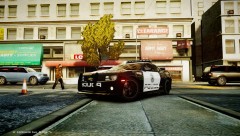
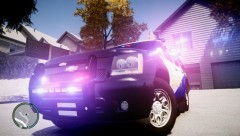
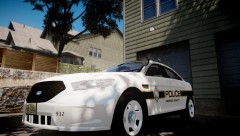
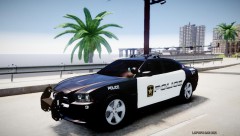
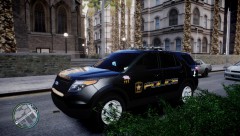
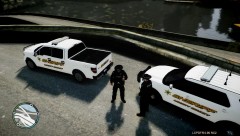
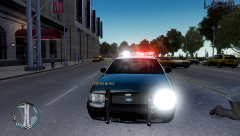
this album is just to show you what my enb settings will look like in your game. i have been asked to relece it so i will. i did stress that the only edits i made were to the lighting ,visual settings and ELS. my laptop in is the equivalent to a medium edge PC so i get almost a consent 20 to 30 FPS and most people here have high end PCs so this wont be a problem.
51 images
-
By
Deactivated Member· 7 comments -
By
Deactivated Member· 6 comments -
By
Deactivated Member -
By
Deactivated Member· 1 comment -
By
Deactivated Member· 1 comment -
By
Deactivated Member· 16 comments -
By
Deactivated Member· 12 comments -
By
Deactivated Member· 4 comments -
By
Deactivated Member -
By
Deactivated Member -
By
Deactivated Member -
By
Deactivated Member· 5 comments -
By
Deactivated Member -
By
Deactivated Member· 4 comments -
By
Deactivated Member -
By
Deactivated Member· 4 comments -
By
Deactivated Member -
By
Deactivated Member· 2 comments -
By
Deactivated Member -
By
Deactivated Member· 4 comments -
By
Deactivated Member -
By
Deactivated Member· 5 comments -
By
Deactivated Member· 8 comments -
By
Deactivated Member -
By
Deactivated Member· 9 comments -
By
Deactivated Member -
By
Deactivated Member -
By
Deactivated Member· 3 comments -
By
Deactivated Member· 2 comments -
By
Deactivated Member -
By
Deactivated Member -
By
Deactivated Member -
By
Deactivated Member -
By
Deactivated Member -
By
Deactivated Member -
By
Deactivated Member -
By
Deactivated Member -
By
Deactivated Member -
By
Deactivated Member -
By
Deactivated Member· 2 comments -
By
Deactivated Member -
By
Deactivated Member -
By
Deactivated Member -
By
Deactivated Member -
By
Deactivated Member· 2 comments -
By
Deactivated Member -
By
Deactivated Member -
By
Deactivated Member -
By
Deactivated Member -
By
Deactivated Member

















Recently Browsing 0
- No registered users viewing this page.
0 Album Comments
There are no comments to display.
Join the conversation
You can post now and register later. If you have an account, sign in now to post with your account.