


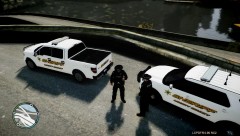

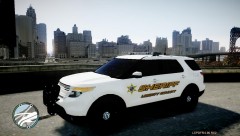


LCSO is in a joint operation with the county and interceptor task forces to stop cars braking the barricades at the tole gates.

By Deactivated Member
- 1,406 views
- View Deactivated Member's images
the county and interceptor task forces stop to make spot checks on cars and crate a valuebe show of force to the bridge that was absent before witch lead to the barikades to be knocked down and smashed to pieces. the isu became majure when a sheriff deputy manning the tole gates lost his temper with a driver who deliberatlys ran the barrier, he shot 17 rounds of his glock handgun into the cab of the vehicle killing the driver. the deputy has been suspended pending investigation with the liberty high court.
Recommended Comments
Join the conversation
You can post now and register later. If you have an account, sign in now to post with your account.