


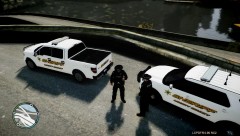

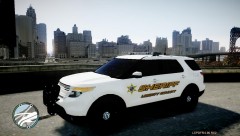


LCSO responding to shots fired at the local train station.

By Deactivated Member
- 1,563 views
- View Deactivated Member's images
earlier today LCSO investigated a report of shots fired on a train. 2 foot patrol officers entered the train and came under-fire by 20 to 30 armed men. LCSO imeadietly mobilize all of the hove beach forces including the elite SWAT unit. this was one of the meany crown vics that responded to the call.
all 30 armed men ware swiftly taken down, 2 officers and a station security guard lost their life in this battle. there funeral dates are unknown ulltho a vehical parade in there honer is scheduled for the 1st of may 2013.
Recommended Comments
Join the conversation
You can post now and register later. If you have an account, sign in now to post with your account.