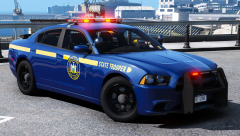
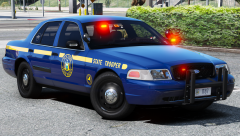
New York State Police L106 and T203 (CITE) Share https://www.lcpdfr.com/gallery/image/96165-new-york-state-police-l106-and-t203-cite/ Share on Facebook Share on X {lang="reddit_text" More sharing options... Followers Coming Soon... Screenshots by @Chappie liveries by @Slendis Credit t0y, Slendis, Matt, Carper, Sean, BxBugs, KevinDV, Chappie/Problematic, Iansonwheels, OfficerUnderwood, RobertTM Copyright © t0y, Slendis, Chappie
Deactivated Member Deactivated February 26, 20188 yr Author stats Simple, unmarked cars are what I like. I hate unmarked cars that are obviously police cars. And the antennas I like.
motive007 Members February 27, 20188 yr (edited) Author stats Well then my friend you like the NYSP. Edited February 27, 20188 yr by motive007
Trooper Pippy Members February 27, 20188 yr Author stats Any chance there will be a 2015 tahoe in this pack?
New York Modz Insiders November 5, 20232 yr Author stats On 11/2/2023 at 6:41 AM, LIPDProductionsInc said: What is CITE? CITE stands for Concealed Identity Traffic Enforcement aka an Unmarked Car





Recommended Comments
Join the conversation
You can post now and register later. If you have an account, sign in now to post with your account.