Skip to content
View in the app

A better way to browse. Learn more.

LCPDFR.com

A full-screen app on your home screen with push notifications, badges and more.

To install this app on iOS and iPadOS
  1. Tap the Share icon in Safari
  2. Scroll the menu and tap Add to Home Screen.
  3. Tap Add in the top-right corner.
To install this app on Android
  1. Tap the 3-dot menu (⋮) in the top-right corner of the browser.
  2. Tap Add to Home screen or Install app.
  3. Confirm by tapping Install.

Oxides WIP Vehicle Skins

Featured Replies

I will post updates to all of my current projects here. Check out the latest image post on this topic by me for the most recent updates on my projects.

_______________________


Requests welcome, also if you have any suggestions to improve any of my WIP projects please leave them here.

_______________________


Here is a list of all my released projects.


Spoiler

1. LSIA LSFD Skin for Game68240's HydraMax AERV Fire Truck

http://www.lcpdfr.com/files/file/14254-lsia-lsfd-skin-for-game68240s-hydramax-aerv-fire-truck/


2. Simple Win8 Background for Computer+ With Regional Maps of San Andreas

http://www.lcpdfr.com/files/file/14344-simple-win8-background-for-computer-with-regional-maps-of-san-andreas/


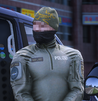
Currently working on a stealth skin inspired by the O.P.P. for MattJeter's 2015 Ford Police Interceptor Sedan 

This is the look I am going for. i will also release the skin with each in-game police departments badge and text abbreviations.


D9E6Spj.jpg


This is currently what I have in game. Its missing a few things and others need to be scaled properly but that will hopefully be done soon.

2XekPp5.png


Join the conversation

You can post now and register later. If you have an account, sign in now to post with your account.

Guest
Reply to this topic...

Recently Browsing 0

  • No registered users viewing this page.

Account

Navigation

Search

Search

Configure browser push notifications

Chrome (Android)
  1. Tap the lock icon next to the address bar.
  2. Tap Permissions → Notifications.
  3. Adjust your preference.
Chrome (Desktop)
  1. Click the padlock icon in the address bar.
  2. Select Site settings.
  3. Find Notifications and adjust your preference.