
Oxide
Members
-
Joined
-
Last visited
Reputation Activity
-
 Oxide got a reaction from
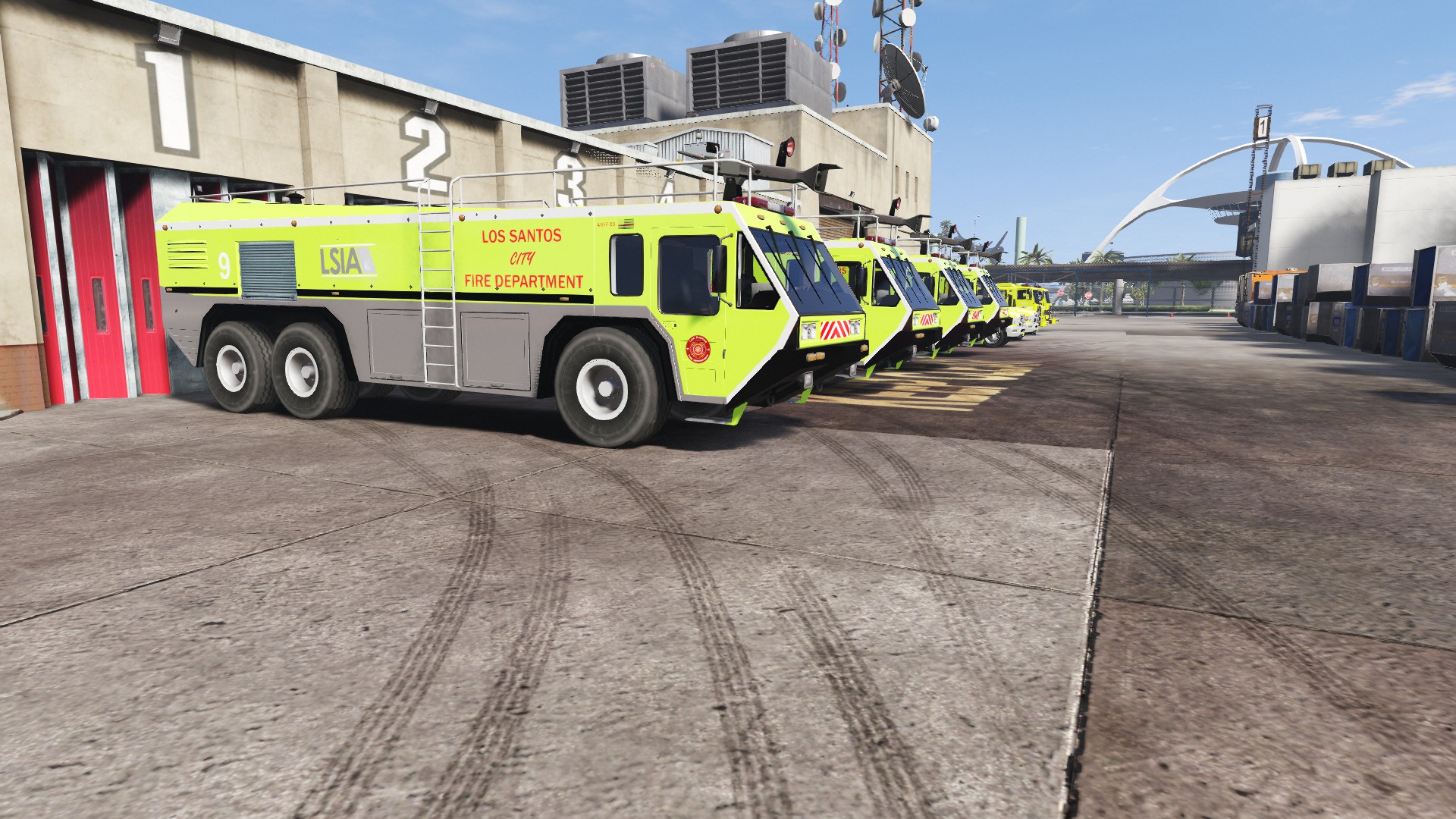
Deactivated Memberin [REL] LSIA LSFD Skin for Game68240's HydraMax AERV Fire TruckThanks for checking out my first skin! Feedback is always appreciated.
This skin was inspired by the real life LA-X fire trucks and uses in-game logos for Los Santos International Airport and the Los Santos Fire Department.
Check out the real life inspiration if you so choose
_______________________
Thanks to Game68240 for the original model of this truck. Check out his other files on http://www.lcpdfr.com/profile/289284-game68240/ and also https://www.gta5-mods.com/users/Game68240
Also thanks to Kizacudo for the original template. Check out his other work here https://www.gta5-mods.com/users/kizacudo
_______________________
Install
1. First, download the skin at the bottom of the page or here: Download
2. Download and install Game68240's HydraMax AERV http://www.lcpdfr.com/files/file/11670-hydramax-aerv-5-skins-template/
3. After you have installed the HydraMax, in OpenIV (edit mode) open the new .ytd and +hi.ytd for the HydraMax and replace aerv_sign_1 with the image in the download
4. Save the file.
5. Launch GTA V and check out your new vehicle skin
_______________________
Screenshots
LSIAfiretruck.zip
-
Oxide got a reaction from Skin Works in Oxides WIP Vehicle SkinsI will post updates to all of my current projects here. Check out the latest image post on this topic by me for the most recent updates on my projects.
_______________________
Requests welcome, also if you have any suggestions to improve any of my WIP projects please leave them here.
_______________________
Here is a list of all my released projects.
Currently working on a stealth skin inspired by the O.P.P. for MattJeter's 2015 Ford Police Interceptor Sedan
This is the look I am going for. i will also release the skin with each in-game police departments badge and text abbreviations.
This is currently what I have in game. Its missing a few things and others need to be scaled properly but that will hopefully be done soon.
-
Oxide got a reaction from Bueno in [SOLVED] Need a little help regarding creating custom skinsMany thanks, solved everything. Ill be sure to give credit when its released.