Skip to content
View in the app

A better way to browse. Learn more.

LCPDFR.com

A full-screen app on your home screen with push notifications, badges and more.

To install this app on iOS and iPadOS
  1. Tap the Share icon in Safari
  2. Scroll the menu and tap Add to Home Screen.
  3. Tap Add in the top-right corner.
To install this app on Android
  1. Tap the 3-dot menu (⋮) in the top-right corner of the browser.
  2. Tap Add to Home screen or Install app.
  3. Confirm by tapping Install.

ELS Scene Lighting Issues
Featured Replies

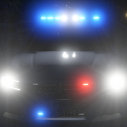
I am currently working on some ELS  firetrucks and the scene lights do not work properly when the ELS config reads this <SceneLights AllowUse="true" IlluminateSidesOnly="true" />. The Lighting effect for the scene lights face backward instead of to the sides like it should. If anyone knows of a fix please let me know.


P.S. - I have also tried moving the dummy for Extra 12 to different locations to fix this issue but has not worked. 


Thanks,


Patrol 31    

3 hours ago, Raddz said:

I didn't think IV worked with extra12?


For GTA IV, the ELS extras have only ever gone up to extra9, so you are correct in your thought that IV doesn't/ won't work with extra12. (No disrespect intended, but I believe the OP meant to post in the respective Grand Theft Auto V forum)

I've listed the hierarchy below for IV ELS. The L0s & L1s below are the actual lights, & in zModeler would be "under" their respective dummies


Your primaries for ELS are:

extra_1

    -> extra_1_L0

    -> extra_1_L1
extra_2

    -> extra_2_L0

    -> extra_2_L1
extra_3

    -> extra_3_L0

    -> extra_3_L1

extra_4

    -> extra_4_L0

    -> extra_4_L1


Your Warning Lights/ Wig Wags are:

extra_5

  -> extra5

      -> extra5_L0

      -> extra5_L1

extra_6

  -> extra6

      -> extra6_L0

      -> extra6_L1


Your secondaries/ traffic advisers are:

extra_7

    -> extra_7_L0

    -> extra_7_L1

extra_8

    -> extra_8_L0

    -> extra_8_L1

extra_9

  -> extra9

        -> extra9_L0

        -> extra9_L1

Edited by KN1IGHT
Reworded a few things

If replying to one of my topics or a post, please quote one of my replies, so I am notified smile.png
Enermax Ostrog GT Mid Tower - Intel Core i5 4690 @ 3.5 GHz
Windows 8 64-bit
EVGA GeForce GTX 960 FTW 4GB Graphics Card - Asus VG245H 24" Console Gaming Monitor
16GB DDR3 RAM @ 1600MHz (2x8GB)
2 TB HDD (OS/ Primary HDD) - 4 TB SSHD (Storage/ Secondary HDD)

Topic moved to Grand Theft Auto V/Modding Discussion & Information, as this is not Grand Theft Auto IV related.

http://i.imgur.com/I0B5P1Y.png

This topic has been moved to the appropriate forum. Please post in the correct location in the future.

http://i.imgur.com/4KzXo.jpg

  • Author
23 hours ago, Original Light said:

Topic moved to Grand Theft Auto V/Modding Discussion & Information, as this is not Grand Theft Auto IV related.

http://i.imgur.com/I0B5P1Y.png

This topic has been moved to the appropriate forum. Please post in the correct location in the future.


Sorry about that, I must have scrolled down too far when choosing the location. 

Join the conversation

You can post now and register later. If you have an account, sign in now to post with your account.

Guest
Reply to this topic...

Recently Browsing 0

  • No registered users viewing this page.

Account

Navigation

Search

Search

Configure browser push notifications

Chrome (Android)
  1. Tap the lock icon next to the address bar.
  2. Tap Permissions → Notifications.
  3. Adjust your preference.
Chrome (Desktop)
  1. Click the padlock icon in the address bar.
  2. Select Site settings.
  3. Find Notifications and adjust your preference.