Skip to content
View in the app

A better way to browse. Learn more.

LCPDFR.com

A full-screen app on your home screen with push notifications, badges and more.

To install this app on iOS and iPadOS
  1. Tap the Share icon in Safari
  2. Scroll the menu and tap Add to Home Screen.
  3. Tap Add in the top-right corner.
To install this app on Android
  1. Tap the 3-dot menu (⋮) in the top-right corner of the browser.
  2. Tap Add to Home screen or Install app.
  3. Confirm by tapping Install.

Minnesota State Patrol 1.0.1

(0 reviews)

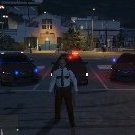
5 Screenshots

MINNESOTA STATE PATROL

This file contains three skins, the interceptor the stanier, and the grainger.

Contact me if you wish to re-upload.


Make sure you have Lt.Caine's Interceptor and grainger:

and 

LtMattJeter's Stanier:

If you do not have these, it will not work!


Works Great With:

What's New in Version 1.0.1

Released

Added Commercial Vehicle Enforcement Grainger.

User Feedback

Recommended Comments

Halo.

Members

thanks for making this, i'm from Minnesota and this is awesome  

Aborator

Members Author

What are these, screenshots for ants?

I will work on making them bigger.

Halo.

Members

also how do you install the skins i cant get them to work when i put the skin on it makes the car all multi-colored


Aborator

Members Author

(Stanier)

1. In OpenIV, go to x64e.rpf > levels > gta5 > Vehicles.rpf

2. From there, go into police.ytd, and select on one of the preloaded skins. 

3. Then click "replace", and select the stanier file.

4. Click "Save"

(Interceptor)

1. In OpenIV, go to update > x64 > dlcpacks > patchday4ng > dlc.rpf > x64 > levels > gta5 > vehicles.rpf

2. Select police3.ytd and click on a preloaded skin

3. Then click "replace", and select the Interceptor file.

4. Click "Save"

engholm1989

Members

does not work. every time i go to replace there are no ytd files there 

Aborator

Members Author

You do not want to replace the ytd file. You want to select the skin for the car. Located IN the ytd file. 

engholm1989

Members

(edited)

You do not want to replace the ytd file. You want to select the skin for the car. Located IN the ytd file. 

i do that but everytime i open the folder and go to the file they are not there. i go back to my desk top and opne the file and they are there.(update i found them i did not read fully the instructions lol im dumb)

Edited by engholm1989

Aborator

Members Author

I don't really know how to help. The files should be there. :unsure:

If others are having this problem, let me know and I will reupload the files.

Create an account or sign in to comment

Account

Navigation

Search

Search

Configure browser push notifications

Chrome (Android)
  1. Tap the lock icon next to the address bar.
  2. Tap Permissions → Notifications.
  3. Adjust your preference.
Chrome (Desktop)
  1. Click the padlock icon in the address bar.
  2. Select Site settings.
  3. Find Notifications and adjust your preference.














