Skip to content
View in the app

A better way to browse. Learn more.

LCPDFR.com

A full-screen app on your home screen with push notifications, badges and more.

To install this app on iOS and iPadOS
  1. Tap the Share icon in Safari
  2. Scroll the menu and tap Add to Home Screen.
  3. Tap Add in the top-right corner.
To install this app on Android
  1. Tap the 3-dot menu (⋮) in the top-right corner of the browser.
  2. Tap Add to Home screen or Install app.
  3. Confirm by tapping Install.

Added Cars 1.1

(6 reviews)

1 Screenshot

***Please note that this is only supporting Police Vehicles at the moment.***

***A secondary file+tutorial will be uploaded soon to support all non-police vehicles***

What is this?

Simple! This is a few .meta files that will add custom cars to the game without having to replace vanilla vehicles


Tutorial on how to add the vehicles

https://www.youtube.com/watch?v=-ziLnWfrbAU&feature=youtu.be


Link to Century's Model

http://www.lcpdfr.com/files/file/8243-gta-v-sahp-buffalo-s/

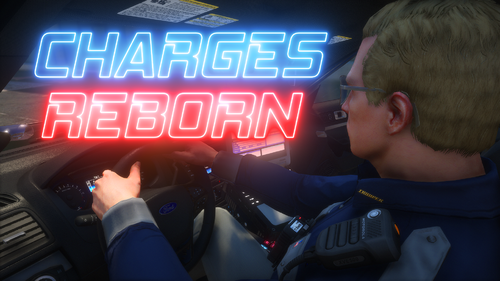
The picture in the thumbnail is his Model ;)


This is intended for use of police cars, instead of replacing the car this will add the car to the game.

I added the new SAHP Buffalo S by Century, but this can be done with ANY police vehicle made in the future.

Untitled.png

What's New in Version 1.1

Released

*Support for 5 added vehicles

*New tutorial

User Feedback

Recommended Comments

Tom S.

Members

Does this mean that it will spawn in traffic as well or does it just add the car?

So you don't need to modify carvariations.meta at all?

footballmatt

Members Author

Does this mean that it will spawn in traffic as well or does it just add the car?

This only adds the car to the game, adding it to traffic would be a little harder but possible.

So you don't need to modify carvariations.meta at all?

In carvariations.meta the only thing you need to edit is where it says "newcar1". You'd change this to whatever you renamed your model files to

RyanG

Members

What is the name of the trainer you used in the video to spawn the car?

Cartres

Members

Hey there,

Your video was really easy to follow, I'm sorry to say it didn't go so easily for me. I don't know what mistake I've made, but the game crashes while loading into Story Mode. I've double-checked the carvariations and vehicles files you've included and ensured they're changed to 'newpolice2', what I named the car, but I've not had any luck. For the record, I was trying to install the same car.


I've attached photos, hopefully you can provide some insight? Thanks a bunch.


carvariations.png

OpenIV.png

vehicles.meta 2.png

Vehicles1.png

footballmatt

Members Author

Hey there,

Your video was really easy to follow, I'm sorry to say it didn't go so easily for me. I don't know what mistake I've made, but the game crashes while loading into Story Mode. I've double-checked the carvariations and vehicles files you've included and ensured they're changed to 'newpolice2', what I named the car, but I've not had any luck. For the record, I was trying to install the same car.


I've attached photos, hopefully you can provide some insight? Thanks a bunch.


carvariations.png

OpenIV.png

vehicles.meta 2.png

Vehicles1.png

The best thing I can say is to probably put in unedited files back in, and restart the process over again. I've run into this issue myself a couple times and I've found it was mostly a mistake I made in one of the .meta files. So my best advice is to get the backup files(Which I will provide just in case you need them) and put them back in and restart the process over again.


Backup files download: http://goo.gl/TxoFQF

Betarays

Members

Putting the file paths in the README (or somewhere) would be helpful, too. Maybe in the update?

DeputyP

Members

Anyone who can help please reply 

  I have 3 new vehicles spawning in game and they drive, look, and sound fine but when I get out of the vehicle I cannot get back in. I can get into other cars just not the 3 that I added . help would be greatly appreciated.

Hudi

Members

Anyone who can help please reply 

  I have 3 new vehicles spawning in game and they drive, look, and sound fine but when I get out of the vehicle I cannot get back in. I can get into other cars just not the 3 that I added . help would be greatly appreciated.

Hi are you needing help? Go to https://www.gta5-mods.com/vehicles/more-police-cars-to-add-v1-2

Putting the file paths in the README (or somewhere) would be helpful, too. Maybe in the update?

Here is my version: https://www.gta5-mods.com/vehicles/more-police-cars-to-add-v1-2 If you need any help please contact me in the comments. 


joe25

Members

can i just use the police car slots that adds 20 slots for both ped and police. what if i want to add police cars and ped cars, do i need both police slots and ped slots or just one ?

joe25

Members

(edited)

please help me out. i followed the instructions clear and concise but my game crashes on load menu. i looked through the video and cant find out where i went wrong ??

i know its this mod because my game ran fine before this mod adding these files / modifying

UPDATE: i just removed the modified files and replaced them back with the original and the game runs fine. it has something to do with the modified files. please help!!!!!!!!

Edited by joe25

joe25

Members

On 8/13/2015 at 6:07 PM, Cartres said:

Hey there,

Your video was really easy to follow, I'm sorry to say it didn't go so easily for me. I don't know what mistake I've made, but the game crashes while loading into Story Mode. I've double-checked the carvariations and vehicles files you've included and ensured they're changed to 'newpolice2', what I named the car, but I've not had any luck. For the record, I was trying to install the same car.


I've attached photos, hopefully you can provide some insight? Thanks a bunch.


carvariations.png

OpenIV.png

vehicles.meta 2.png

Vehicles1.png

did you ever figure it out, im having same issue

joe25

Members

 Never heard back from you since I last heard from you. Where you able to figure it out?

On 02/01/2016 at 9:55 PM, joe25 said:

did you ever figure it out, im having same issue


Create an account or sign in to comment

Account

Navigation

Search

Search

Configure browser push notifications

Chrome (Android)
  1. Tap the lock icon next to the address bar.
  2. Tap Permissions → Notifications.
  3. Adjust your preference.
Chrome (Desktop)
  1. Click the padlock icon in the address bar.
  2. Select Site settings.
  3. Find Notifications and adjust your preference.