

Skip to content
View in the app

A better way to browse. Learn more.

LCPDFR.com

A full-screen app on your home screen with push notifications, badges and more.

To install this app on iOS and iPadOS
  1. Tap the Share icon in Safari
  2. Scroll the menu and tap Add to Home Screen.
  3. Tap Add in the top-right corner.
To install this app on Android
  1. Tap the 3-dot menu (⋮) in the top-right corner of the browser.
  2. Tap Add to Home screen or Install app.
  3. Confirm by tapping Install.

Emergency uniforms pack - Law & Order 9.3.1

(236 reviews)

10 Screenshots


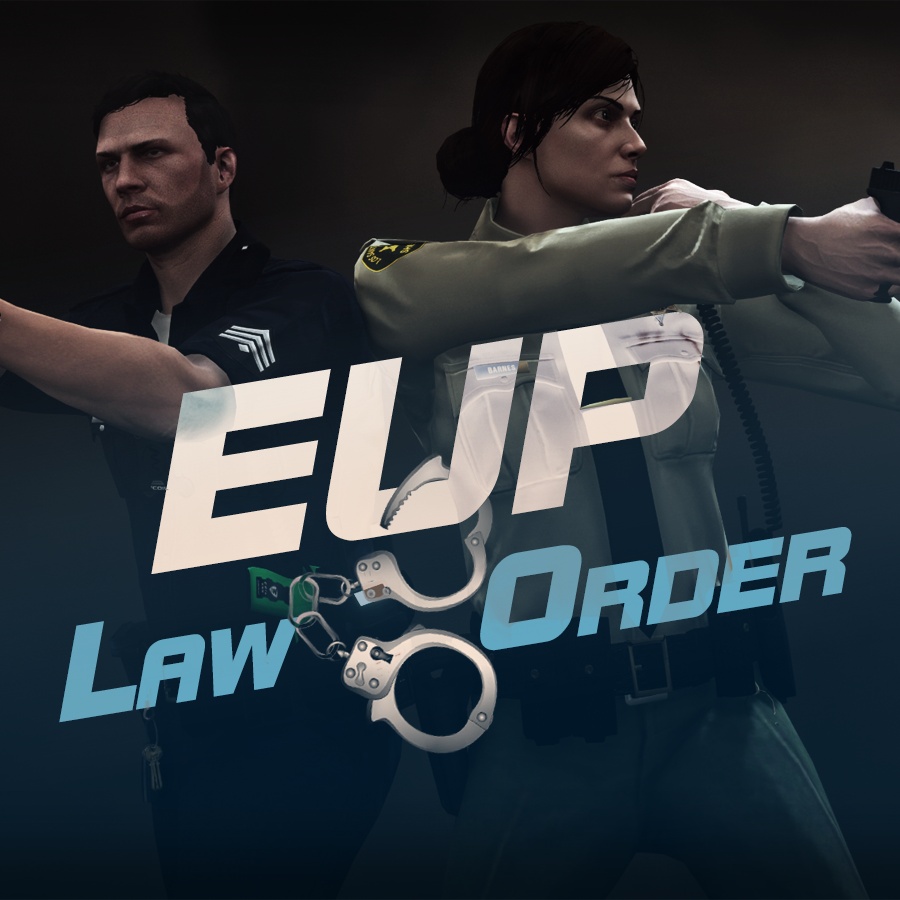
632635363_EUPlw.png.08a8e4d613dc7a278fc352b6b57ce8a2.png

EUP is an all-in-one modification that gives us the free range to create your own law enforcement officer as you patrol the streets and roads of San Andreas. U mad Ronson?

This time, play different - be different. Adapt your style to the situation. Get your gear on - use a High-Vis vest to direct traffic, a waterproof jacket on a rainy day or a tactical outfit when the situation gets hot. Choose from various lore-friendly departments base of real life. Customize various components of your outfits.

The mod that started as a holster and a vest retexture, now so expansive, most Australians finish downloading it right when an update comes out. Emergency Uniforms Pack Law & Order 8.2 offers an unrivaled catalog of lore-friendly California-inspired law enforcement uniforms for both male and female multiplayer characters. From tasteful evolutions of the classic LSPD outfits, you see AI cops wearing, to dozens of uniforms for entirely new lore-friendly law enforcement departments based on real-world California departments. Emergency Uniforms Pack has it all, and when tied with partner mods such as EUP Serve and Rescue, EUP Menu, and EUP LSPDFR Configs, you can totally transform your LSPDFR experience.

Creative Commons License
This work is licensed under a Creative Commons Attribution-NonCommercial-ShareAlike 4.0 International License.


If you were you were looking for the latest version of EUP and wish to support our work click the button down below:

Patreon

 
This mod is a free mod, the beta versions of EUP accessible only through our patreon page, is a tool for us to support the development of the mod and create a platform to interact with the community, 5 years later this mod became my main ''job'' and source of income, thanks to all the fans and supporters. Which means more quality and enhancements, since I can allow all my time to it and invest money into assets and programs.

The public version is still important to us and will receive updates, which is only made possible through our membership system.


For General discussions, beta registration, support, images contest and more follow join our Discord Server:


EUP Discord


Add-Ons


In order to select and customize outfits, you NEED to get the menu here:


Need help? Something went wrong? Not sure how to proceed?
Leave the comments and reviews alone, we don't really monitor them.


Follow the link to EUP Discord for help or comments


Edited by Alex_Ashfold
Links update

What's New in Version 9.3.1

Released

jsut updating the version umber to display a more accurate one. No need to downloand and reinstall, no new content.


Short Description

https://www.patreon.com/alex_ashfold

User Feedback

Recommended Comments

saaaaahhh

Members

On 7/31/2015 at 3:37 AM, Alex_Ashfold said:

I did try, but there is something weird with the textures, when I try to do it, i'll keep trying though

You can go online, but I should not recommend it, so the safest way it to go in Director mode, if you play LSPDFR force duty and then load your online character and set the uniform correctly.

Yes the holster can be worn with any outfits, with or without the duty belt

You need a GTA V trainer, do you want me to upload  video on how to get it, in the game?

can we use it in fivem?


hydrazombie

Members

openiv wont let me install it in the mods folder, only in the games files and when i do that and run rageplugin it says the game files are corrupt and stops the game from loading

michiganboy313

Members

I dont have a problem with this mod but I am running into an issue with openiv. I cannot run rage plugin hook with openiv.asi installed which means that I cannot get pack. What I mean is everytime i run rage plugin with openiv.asi installed I get an infinite loading screen but when i uninstall it runs fine minus the fact i cant get the pack. Any solutions are welcome and helpful

OfficerTopher

Members

The automatic installation for EUP Law & Order says the installation failed when I try installing in the mods folder. If I install it into the games folder, it corrupts the game and I have to verify the game files through steam before the game will work again. @Alex_Ashfold is there a fix for this?


Here's my installation log:

[2/17/2020 6:33:23 PM] [6360] INFO  -> Current GameId: "Five"
[2/17/2020 6:33:23 PM] [6360] INFO  -> Current GamePlatform: "pc"
[2/17/2020 6:33:23 PM] [6360] INFO  -> Current GamePath: "D:\SteamGames\steamapps\common\Grand Theft Auto V\"
[2/17/2020 6:33:23 PM] [10444] INFO  -> Loading package
[2/17/2020 6:33:23 PM] [10444] INFO  -> Loading package from "D:\Desktop\EUP L&O 8.1.oiv"
[2/17/2020 6:33:23 PM] [10444] INFO  -> Package file was opened successfully
[2/17/2020 6:33:23 PM] [10444] INFO  -> Loading assembly from "assembly.xml"
[2/17/2020 6:33:23 PM] [10444] INFO  -> Reading assembly file "assembly.xml"
[2/17/2020 6:33:23 PM] [10444] INFO  -> Format version: "2.0"
[2/17/2020 6:33:23 PM] [10444] INFO  -> Package info class: "TPackageInfo20"
[2/17/2020 6:33:23 PM] [10444] INFO  -> Reading package info
[2/17/2020 6:33:23 PM] [10444] INFO  -> Package ID: "{64DE0490-6A4B-468E-B963-4B7DB6223FAA}"
[2/17/2020 6:33:23 PM] [10444] INFO  -> Package target: "Five"
[2/17/2020 6:33:23 PM] [10444] INFO  -> Package name: "EUP: Law & Order 8.1"
[2/17/2020 6:33:23 PM] [10444] INFO  -> Package version: "8.1"
[2/17/2020 6:33:23 PM] [10444] INFO  -> Package author: "EUP Team"
[2/17/2020 6:33:23 PM] [10444] INFO  -> Package contains changes for RPF archives
[2/17/2020 6:33:23 PM] [10444] INFO  -> Package format supports "mods" folder
[2/17/2020 6:33:23 PM] [10444] INFO  -> Loading package icon from "icon.png"
[2/17/2020 6:33:23 PM] [10444] INFO  -> Package loaded successfully
[2/17/2020 6:33:23 PM] [6360] INFO  -> Current package have only one content to install
[2/17/2020 6:33:23 PM] [6360] INFO  -> The "mods" folder supported by current game.
[2/17/2020 6:33:23 PM] [6360] INFO  -> Show install options dialog before installation
[2/17/2020 6:33:23 PM] [6360] INFO  -> Show confirm install dialog before installation
[2/17/2020 6:33:23 PM] [6360] INFO  -> Begin installation
[2/17/2020 6:33:23 PM] [6360] INFO  -> No other running installation found
[2/17/2020 6:33:23 PM] [5956] INFO  -> Install options
                                    {
                                        Content Index: "-1"
                                        Use "mods" Folder: "True"
                                    }
[2/17/2020 6:33:23 PM] [5956] INFO  -> Package installer class: "TPackageInstaller20"
[2/17/2020 6:33:23 PM] [5956] INFO  -> Validate content files
[2/17/2020 6:33:23 PM] [5956] INFO  -> Validate content files SUCCEEDED
[2/17/2020 6:33:23 PM] [5956] INFO  -> Installation
[2/17/2020 6:33:23 PM] [5956] INFO  -> Process ARCHIVE "GTA V" with path "D:\SteamGames\steamapps\common\Grand Theft Auto V\"
[2/17/2020 6:33:23 PM] [5956] INFO  -> ARCHIVE "update\update.rpf" is exists
[2/17/2020 6:33:23 PM] [5956] INFO  -> ARCHIVE "update\update.rpf" is already in the "mods" folder
[2/17/2020 6:33:23 PM] [5956] INFO  -> Process ARCHIVE "update.rpf" with path "D:\SteamGames\steamapps\common\Grand Theft Auto V\mods\update\update.rpf"
[2/17/2020 6:33:23 PM] [5956] INFO  -> Delete file in archive
                                    {
                                        Path: "dlc_patch\mpimportexport\content.xml"
                                        Archive: "D:\SteamGames\steamapps\common\Grand Theft Auto V\mods\update\update.rpf"
                                    }
[2/17/2020 6:33:23 PM] [5956] INFO  -> File with path "dlc_patch\mpimportexport\content.xml" not found
[2/17/2020 6:33:23 PM] [5956] INFO  -> Delete file in archive
                                    {
                                        Path: "dlc_patch\mpimportexport\setup2.xml"
                                        Archive: "D:\SteamGames\steamapps\common\Grand Theft Auto V\mods\update\update.rpf"
                                    }
[2/17/2020 6:33:23 PM] [5956] INFO  -> File with path "dlc_patch\mpimportexport\setup2.xml" not found
[2/17/2020 6:33:23 PM] [5956] INFO  -> Delete file in archive
                                    {
                                        Path: "x64\eup\script_txds.rpf"
                                        Archive: "D:\SteamGames\steamapps\common\Grand Theft Auto V\mods\update\update.rpf"
                                    }
[2/17/2020 6:33:23 PM] [5956] INFO  -> File with path "x64\eup\script_txds.rpf" not found
[2/17/2020 6:33:23 PM] [5956] INFO  -> Delete file in archive
                                    {
                                        Path: "x64\eup\eup_componentpeds_p.rpf"
                                        Archive: "D:\SteamGames\steamapps\common\Grand Theft Auto V\mods\update\update.rpf"
                                    }
[2/17/2020 6:33:23 PM] [5956] INFO  -> File with path "x64\eup\eup_componentpeds_p.rpf" not found
[2/17/2020 6:33:23 PM] [5956] INFO  -> Delete file in archive
                                    {
                                        Path: "x64\eup\eup_componentpeds.rpf"
                                        Archive: "D:\SteamGames\steamapps\common\Grand Theft Auto V\mods\update\update.rpf"
                                    }
[2/17/2020 6:33:23 PM] [5956] INFO  -> File with path "x64\eup\eup_componentpeds.rpf" not found
[2/17/2020 6:33:23 PM] [5956] INFO  -> Process TEXT FILE "dlclist.xml" with path "common\data\dlclist.xml" in archive "D:\SteamGames\steamapps\common\Grand Theft Auto V\mods\update\update.rpf"
[2/17/2020 6:33:23 PM] [5956] INFO  -> Remove line from text file
                                    {
                                        Line: "*\eup\*"
                                        Search condition: "Mask"
                                        Line Index: "-1"
                                    }
[2/17/2020 6:33:23 PM] [5956] INFO  -> Remove line from text file
                                    {
                                        Line: "*\eupme\*"
                                        Search condition: "Mask"
                                        Line Index: "-1"
                                    }
[2/17/2020 6:33:23 PM] [5956] INFO  -> Remove line from text file
                                    {
                                        Line: "*\euptactical\*"
                                        Search condition: "Mask"
                                        Line Index: "-1"
                                    }
[2/17/2020 6:33:23 PM] [5956] INFO  -> Remove line from text file
                                    {
                                        Line: "*\euprescue\*"
                                        Search condition: "Mask"
                                        Line Index: "-1"
                                    }
[2/17/2020 6:33:23 PM] [5956] INFO  -> Remove line from text file
                                    {
                                        Line: "*\sup\*"
                                        Search condition: "Mask"
                                        Line Index: "-1"
                                    }
[2/17/2020 6:33:23 PM] [5956] INFO  -> Remove line from text file
                                    {
                                        Line: "*/eup/*"
                                        Search condition: "Mask"
                                        Line Index: "-1"
                                    }
[2/17/2020 6:33:23 PM] [5956] INFO  -> Remove line from text file
                                    {
                                        Line: "*/eupme/*"
                                        Search condition: "Mask"
                                        Line Index: "-1"
                                    }
[2/17/2020 6:33:23 PM] [5956] INFO  -> Remove line from text file
                                    {
                                        Line: "*/euptactical/*"
                                        Search condition: "Mask"
                                        Line Index: "-1"
                                    }
[2/17/2020 6:33:23 PM] [5956] INFO  -> Remove line from text file
                                    {
                                        Line: "*/euprescue/*"
                                        Search condition: "Mask"
                                        Line Index: "-1"
                                    }
[2/17/2020 6:33:23 PM] [5956] INFO  -> Remove line from text file
                                    {
                                        Line: "*/sup/*"
                                        Search condition: "Mask"
                                        Line Index: "-1"
                                    }
[2/17/2020 6:33:23 PM] [5956] INFO  -> Insert line into text file
                                    {
                                        New line: "        <Item>dlcpacks:/eup/</Item>"
                                        Search for: "*</Paths>*"
                                        Search condition: "Mask"
                                        Insert: "Before"
                                        Line Index: "-1"
                                    }
[2/17/2020 6:33:23 PM] [5956] ERROR -> The specified line is not found"
[2/17/2020 6:33:23 PM] [5956] INFO  -> TEXT FILE "dlclist.xml" processed
[2/17/2020 6:33:23 PM] [5956] INFO  -> ARCHIVE "update.rpf" processed
[2/17/2020 6:33:23 PM] [5956] INFO  -> ARCHIVE "GTA V" processed
[2/17/2020 6:33:23 PM] [5956] INFO  -> Installation FAILED

Dcibarnaby

Members

(edited)

Same here.. used the installer via OpenIV and now everybody is a clown!


UPDATE:

 
Check this out. I think this has to do with the configurations and or ultimate backup (which I dont have because it isnt found anywhere.
 
 
I installed all the files above and now it works. However I think it might just be the config files
 

Edited by Dcibarnaby

Dcibarnaby

Members

On 12/31/2019 at 10:55 PM, OFC.Tiger13 said:

is anyone else’s NPC police responding with mixed up clothing instead of the original police outfits? 


On 1/17/2020 at 2:30 PM, Gamer0856 said:

I tried to use EUP with LSPDFR 4.6 but it wont work, I get a ton of random outfits from online, Will there be a patch soon?


On 1/22/2020 at 3:08 AM, admpln said:

I am having issues since LSPDFR 0.4.6... EMS shows up wearing brown sweaters, the rank chevrons on character selections won't appear, and half the backup officers show up in white t-shirts and jeans...

Is this a known issue or is it isolated to me? And if it is known, is there a fix yet?


On 1/28/2020 at 3:42 PM, Doidaoo said:

man, when I call some kind of support or even policemen on the street they wear totally random EUP clothes and not the right uniforms. could I fix this?


On 1/31/2020 at 10:50 PM, Doidaoo said:

Why is this happening?


Screenshot_9.png


For all above:


Check this out. I think this has to do with the configurations and or ultimate backup (which I dont have because it isnt found anywhere.)


I installed all the files above and now it works. However I think it might just be the config files
 

Cautio

Members

(edited)

how  can i use the sp guys (michael...) as characters?

Edited by Cautio

19151918

Members

(edited)

Problem found in LML package.
If you install EUP with LML, the character will be transparent.
Removing the EUP solves this problem, so I think the LML package is the cause.
I searched and confirmed past cases, but it seems that other plugins had the same problem before.

TOUMEININGEN (2).jpg


Edited by 19151918

PieRGud

Members Contributor

(edited)

11 hours ago, 19151918 said:

Problem found in LML package.
If you install EUP with LML, the character will be transparent.
Removing the EUP solves this problem, so I think the LML package is the cause.
I searched and confirmed past cases, but it seems that other plugins had the same problem before.


Seems like a lot of people are having this issue. Going to disable LML install option for now.

Edited by PieRGud

JacobFord

Members

So just a simple question, when i installed it and followed the instructions and installer it corrupted my install. Anyone know how to install it correctly?

cristian304

Members

Now its compatible with lml?? I can install this with lml or standard setup?? 

JordanStyp

Members

I'm confused because when I clicked the package installer in OpenIV, it cant find the package. I placed the WinRaR file in a more obvious location and it still can't find it. Am I doing something wrong??

romciowski

Members

When i openIV and click packge instaler, openIV is no see this

xxxxxxxxd.png

DatzeScaniaV8

Members

On 3/10/2020 at 11:01 AM, romciowski said:

When i openIV and click packge instaler, openIV is no see this

xxxxxxxxd.png

You have to unpack the file! not the rar file!!

grape1352

Members

(edited)

How can I solve this problem after I  use the openIV installed the document? THX

截图20200319184058.png

Edited by grape1352

LTH43

Members

hi! so i dowloded EUP following everything this youtube did and it wont work for me but my game still works. any ideas why?


eli.

Members

This doesn't let me download the file, when I click download this file, it brings me to a separate link saying this site can't be reached

Junkyard

Members

Hi dude i wanna install this but my GTA V version is 1180 and my LSPDRF ver is 0.3.1 can i still install this?

I'm trying to install this but every time I try to use the package installer on Open IV on the .oiv file it always says "error loading package". Any advice for how to deal with this?

grape1352

Members

On 3/19/2020 at 6:42 PM, grape1352 said:

How can I solve this problem after I  use the openIV installed the document? THX

截图20200319184058.png


cristian304

Members

On 2/3/2020 at 17:09, 19151918 said:

Problema riscontrato nel pacchetto LML.
Se installi EUP con LML, il personaggio sarà trasparente.
La rimozione dell'EUP risolve questo problema, quindi penso che il pacchetto LML sia la causa.
Ho cercato e confermato casi passati, ma sembra che altri plugin abbiano avuto lo stesso problema prima.

TOUMEININGEN (2) .jpg


Io ho risolto facendo copia e incolla delle cartelle mods in quelle lml o viceversa... In poche parole ho le stesse e così non mi da questo errore di invisibile. 

On 3/3/2020 at 04:14, PieRGud said:


Sembra che molte persone abbiano questo problema. Andando per disabilitare l'opzione di installazione LML per ora.

Io ho risolto facendo copia e incolla delle cartelle mod in quelle lml o viceversa ... In poche parole ho le stesse e così non mi da questo errore di invisibile. 

Mints

Members

Must have when playing LSPDFR.

SasiiDK

Members

Any way i can customize my own SWAT outfit, and then make somehow the backup SWAT units will have them?

(edited)

i looked up videos online and followed them exactly and everything was working up until i logged on and when i pressed the f10 o f11 buttons the EUP menu wouldn't  pop up any advice

Edited by thegreatone99526

F5544

Members

(edited)

chevrons still not visible in character selection or eup menu

Edited by F5544

Create an account or sign in to comment

Account

Navigation

Search

Search

Configure browser push notifications

Chrome (Android)
  1. Tap the lock icon next to the address bar.
  2. Tap Permissions → Notifications.
  3. Adjust your preference.
Chrome (Desktop)
  1. Click the padlock icon in the address bar.
  2. Select Site settings.
  3. Find Notifications and adjust your preference.












