
Skip to content
View in the app

A better way to browse. Learn more.

LCPDFR.com

A full-screen app on your home screen with push notifications, badges and more.

To install this app on iOS and iPadOS
  1. Tap the Share icon in Safari
  2. Scroll the menu and tap Add to Home Screen.
  3. Tap Add in the top-right corner.
To install this app on Android
  1. Tap the 3-dot menu (⋮) in the top-right corner of the browser.
  2. Tap Add to Home screen or Install app.
  3. Confirm by tapping Install.

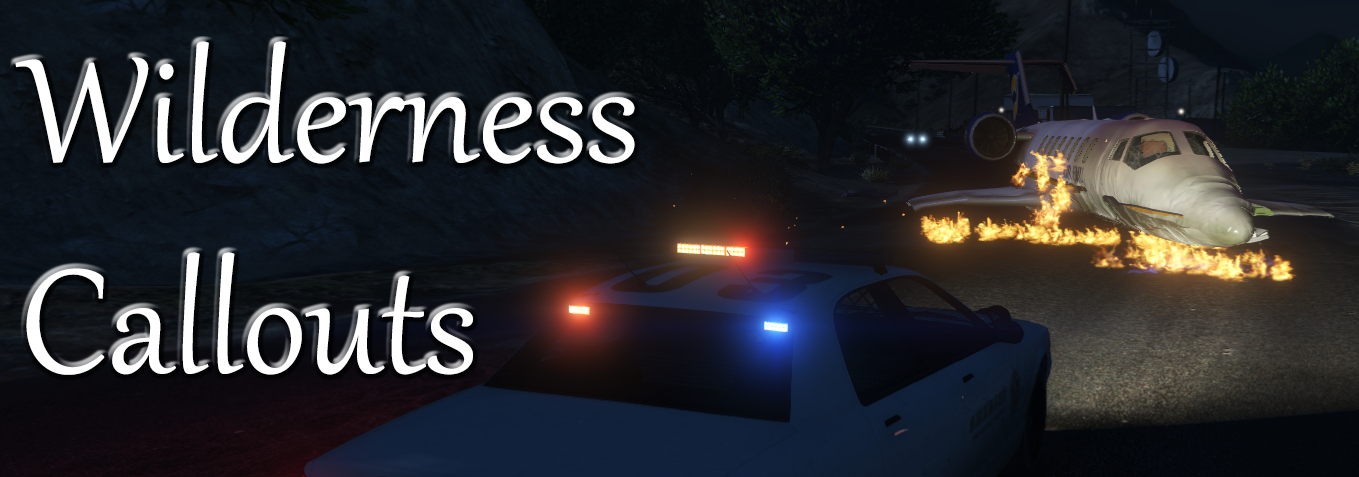
Wilderness Callouts 0.6.0

(66 reviews)

16 Screenshots

Gx2GCQD.png
Requires RAGEPluginHook 0.65+LSPDFR 0.4.1+ and RAGENativeUI 1.6.3+

Current Callouts

  • Possible illegal hunting
  • Rocks blocking the road
  • Aircraft crash
  • Wanted felon in vehicle
  • Suicide attempt
  • Animal attack
  • Missing person
  • Public disturbance
  • Hostage situation
  • Arson
  • Officer needs transport
  • Attacked police station
  • Demonstration


Extra Features

  • Air ambulance
  • Vet
  • Binoculars
  • Hunting and fishing license check
  • Helicopter camera


Ambient Events

  • Someone hunting
  • Public intoxication


Post

To see development progress, suggest ideas or report bugs go to this post: 

Videos


What's New in Version 0.6.0

Released

v0.6.0

Special thanks to @PeterU for contributing to this update.

  • Updated for LSPDFR 0.4.
  • Added integration with Police SmartRadio
    • Vet and air ambulance can now be called from the radio.
  • Fixed typos.
  • Source code released on GitHub.

User Feedback

Recommended Comments

alexguirre

Members Author

18 minutes ago, Schecter004 said:

Crashes my game:


PlugIn Report.txt

The log didn't register any crash, can you try with only Wilderness Callouts in the Plugins\LSPDFR folder? 

Schecter004

Members

32 minutes ago, alexguirre said:

The log didn't register any crash, can you try with only Wilderness Callouts in the Plugins\LSPDFR folder? 

Well, now it works fine.

Must be a problem with an other plugin.

Sorry for the inconvenience.

billc5123

Members

Alexg,  when the vet comes he says" its alive" and takes the animal, but when he drives away the animal is laying on the ground where the vehicle was. Is this normal?

alexguirre

Members Author

21 minutes ago, billc5123 said:

Alexg,  when the vet comes he says" its alive" and takes the animal, but when he drives away the animal is laying on the ground where the vehicle was. Is this normal?

Yeah, the reason is that GTA V unloads the collisions to the objects/vehicles/characters out of camera. If you keep looking at the vet you will see that the animal doesn't but once you turn around just a second and go back and look again you will see that the animal is on the ground.

Hopefully I will find a way to fix this and it'll be in a future update.

kcoynejr

Members

I can't seem to load any of the wilderness callouts. Pretty sure I installed them correctly. Any suggestions?

alexguirre

Members Author

(edited)

1 hour ago, kcoynejr said:

I can't seem to load any of the wilderness callouts. Pretty sure I installed them correctly. Any suggestions?

Once you load LSPDFR and go on duty open the RPH console and you shoulld see few lines similar to this:

[06/12/2015 11:07:55.896] LSPD First Response: Registering callout WildernessCallouts.Callouts.IllegalHunting

If you have that LSPDFR is loading the callouts, You can try to press X and force the callouts and you will end up having one of mines.


@fireboy6117  I don't have any issues where I can't arrest anyone, if you still have this issue try playing LSPDFR with only Wilderness Callouts

Edited by alexguirre

fireboy6117

Members

(edited)

Thanks I will try it I don't know what happened before. Also I never get the missing person call even though I have it so it can happen.

Edited by fireboy6117

alexguirre

Members Author

30 minutes ago, fireboy6117 said:

Thanks I will try it I don't know what happened before. Also I never get the missing person call even though I have it so it can happen.

That callout is a bit rare, you should patrol around mount Chiliad, at the north, and you can press X to force callouts if you still don't get it.

fireboy6117

Members

thanks

torbeng86

Members

Hey. I love this mod. But after the update, my game keep crash. Also when i only have this one mod install.

See my logfile.

log.txt

Kilyin

Members

14 minutes ago, torbeng86 said:

Hey. I love this mod. But after the update, my game keep crash. Also when i only have this one mod install.

See my logfile.

log.txt

There's no crash in that log. It also doesn't look like a full log.

torbeng86

Members

43 minutes ago, Kilyin said:

There's no crash in that log. It also doesn't look like a full log.

I know but the game just crash to desktop. An it's start after i install this mod. 

5 minutes ago, torbeng86 said:

I know but the game just crash to desktop. An it's start after i install this mod. 

Ful log

RagePluginHook.log

Kal74

Members

17 minutes ago, torbeng86 said:

Your log is empty, completely blank, but the strange thing is it acts like there is text there.. Its just a white page.

Just open up your RagePluginHook logfile and copy everything in it and paste it to http://pastebin.com/  Click the submit button on the page and copy/paste the link from the address bar here.

torbeng86

Members

15 minutes ago, Kal74 said:

Your log is empty, completely blank, but the strange thing is it acts like there is text there.. Its just a white page.

Just open up your RagePluginHook logfile and copy everything in it and paste it to http://pastebin.com/  Click the submit button on the page and copy/paste the link from the address bar here.


http://pastebin.com/LqLqPDM5

Kilyin

Members

17 minutes ago, torbeng86 said:

I still don't see a Rage crash. What error do you get when the game crashes to desktop?

torbeng86

Members

27 minutes ago, Kilyin said:

I still don't see a Rage crash. What error do you get when the game crashes to desktop?

Rage writes, games have crash. I have copy the log its pop ud when its crash.

http://pastebin.com/cNLDetny


Kilyin

Members

(edited)

1 hour ago, torbeng86 said:

Rage writes, games have crash. I have copy the log its pop ud when its crash.

http://pastebin.com/cNLDetny


Sorry, not really sure. Have you tried temporarily removing all callouts except Wilderness Callouts to see if it still crashes?

Edited by Kilyin

torbeng86

Members

2 hours ago, Kilyin said:

I still don't see a Rage crash. What error do you get when the game crashes to desktop?

Yes. Still the same problem :(

12 minutes ago, torbeng86 said:

Yes. Still the same problem :(

Some call outs work fine, but it always crash when i accept 

  • Illegal hunting
  • Hostage situation.
  • and prison person escape.

Kilyin

Members

(edited)

56 minutes ago, torbeng86 said:

Yes. Still the same problem :(

Some call outs work fine, but it always crash when i accept 

  • Illegal hunting
  • Hostage situation.
  • and prison person escape.

Hm, well prison escape isn't part of Wilderness Callouts.  Did you remove alexguirre.common.dll from your GTA5 main folder? Also make sure the RageNativeUI.dll is there and says version 1.2.0. Barring all of that, the only other thing I could think of is maybe an .rpf mod or something is crashing your game.

Edited by Kilyin

CASHMONEY0986

Members

everything works great but for some reason when i try and use the binoculars lspdfr crashes and the ped gets stuck in that view, comes up with message unhandled exception...where am i supposed to put the template for the binoculars?

Kilyin

Members

Just now, CASHMONEY0986 said:

everything works great but for some reason when i try and use the binoculars lspdfr crashes and the ped gets stuck in that view, comes up with message unhandled exception...where am i supposed to put the template for the binoculars?

Plugins\LSPDFR\WildernessCallouts\BinocularsTexture.png if you installed the mod correctly.

CASHMONEY0986

Members

1 minute ago, Kilyin said:

Plugins\LSPDFR\WildernessCallouts\BinocularsTexture.png if you installed the mod correctly.

just stick it in the plugins folder? you cant open the dll

Kilyin

Members

1 minute ago, CASHMONEY0986 said:

just stick it in the plugins folder? you cant open the dll

Put it where I said. :p

That texture is literally located in the plugin archive under that path -   Plugins\LSPDFR\WildernessCallouts\BinocularsTexture.png

Create an account or sign in to comment

Account

Navigation

Search

Search

Configure browser push notifications

Chrome (Android)
  1. Tap the lock icon next to the address bar.
  2. Tap Permissions → Notifications.
  3. Adjust your preference.
Chrome (Desktop)
  1. Click the padlock icon in the address bar.
  2. Select Site settings.
  3. Find Notifications and adjust your preference.









