Skip to content
View in the app

A better way to browse. Learn more.

LCPDFR.com

A full-screen app on your home screen with push notifications, badges and more.

To install this app on iOS and iPadOS
  1. Tap the Share icon in Safari
  2. Scroll the menu and tap Add to Home Screen.
  3. Tap Add in the top-right corner.
To install this app on Android
  1. Tap the 3-dot menu (⋮) in the top-right corner of the browser.
  2. Tap Add to Home screen or Install app.
  3. Confirm by tapping Install.

BCSO K-9 vest texture 1.0.2

(0 reviews)

1 Screenshot

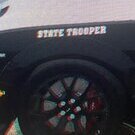
it replaces the accs_diff_000_e_uni.ytd also i have a patreon now so please go check me out at Eddie Perez king on patreon and show ya boy some love

What's New in Version 1.0.2

Released

this is a reupload im so sorry that file was empty please forgive me at the time of uploading that mod it was 5 am and i was stressed out so sorry


Short Description

enjoy this mod you guys

User Feedback

Recommended Comments

Kbujno

Members

file is empty

gugimon

Members Author

Uh let me check bro should have something in there if not I’ll release an update patching it im so sorry please forgive me this was my first mod

8 minutes ago, Kbujno said:

file is empty

9 minutes ago, Kbujno said:

file is empty

How about this you can request any K-9 vest texture you want im so sorry

gugimon

Members Author

everyone who downloaded this there will be a new version up within an hour

so sorry for dilemma with my first mod—it was an oversight on my part, and I appreciate your patience as I work to fix it

Kbujno

Members

brother it is all good. I understand. Thank you for making this game better.

gugimon

Members Author

26 minutes ago, Kbujno said:

brother it is all good. I understand. Thank you for making this game better.

oh that's so sweet you actually made my day

Create an account or sign in to comment

Account

Navigation

Search

Search

Configure browser push notifications

Chrome (Android)
  1. Tap the lock icon next to the address bar.
  2. Tap Permissions → Notifications.
  3. Adjust your preference.
Chrome (Desktop)
  1. Click the padlock icon in the address bar.
  2. Select Site settings.
  3. Find Notifications and adjust your preference.