





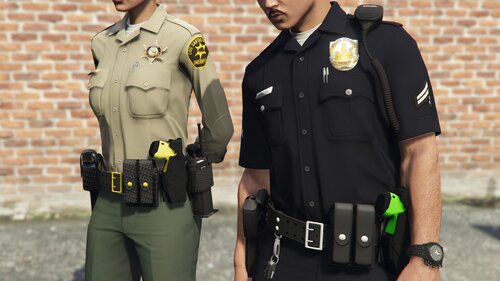
A full agency renaming pass for EUP 9.11, swapping every fictional Los Santos department for its real Los Angeles-area counterpart. Over 1,000 presets updated with lore-friendly, California-based names — no ID or texture changes, just a clean naming overhaul. Drop-in install.
What's Included:
Law Enforcement — LAPD, LASD, KCSO, CHP, CSP, BHPD, SMPD, FBI, HRT, CIA, DEA, CDFW, CDPR, LACPR, POLAPD, LAXPD, NSP
Fire & Medical — LAFD, LACoFD, KCFD, CalFire
Hospitals — Cedars-Sinai Medical Center, LAC+USC Medical Center, St. Francis Medical Center, Central LA Medical Center, Ridgecrest Regional Hospital, Eureka Community Hospital
Private Companies — Vanguard (Security), Sentinel (Security), Titan Armored Transport, Apex Tactical Security, Coastal Security Solutions, Pacific Ambulance Services
Locations — Los Angeles, California, Kern County, Eureka, Ridgecrest, LA Metro
Real-world agencies left untouched where already accurate (NPS, USFWS, USMS, NOAA, BLM, USAF Security Forces, etc.)
Compatibility: Built for EUP 9.11.
Short Description
AI disclosure
The author has disclosed that AI tools were used in creating the following aspects of this file:
- Description









![[ELS] 2025 CHEVROLET TAHOE PPV](http://s3-screenshots.int-cdn.lcpdfrusercontent.com/monthly_2026_10/GrandTheftAutoVScreenshot2026_10.30-12_14_12_74.thumb.png.b5ad272a14139c6076c3bf6e3c16ee11.png)

Recommended Comments
Create an account or sign in to comment