Skip to content
View in the app

A better way to browse. Learn more.

LCPDFR.com

A full-screen app on your home screen with push notifications, badges and more.

To install this app on iOS and iPadOS
  1. Tap the Share icon in Safari
  2. Scroll the menu and tap Add to Home Screen.
  3. Tap Add in the top-right corner.
To install this app on Android
  1. Tap the 3-dot menu (⋮) in the top-right corner of the browser.
  2. Tap Add to Home screen or Install app.
  3. Confirm by tapping Install.

SirenMastery - UI only mode 1.8.5.0

(7 reviews)

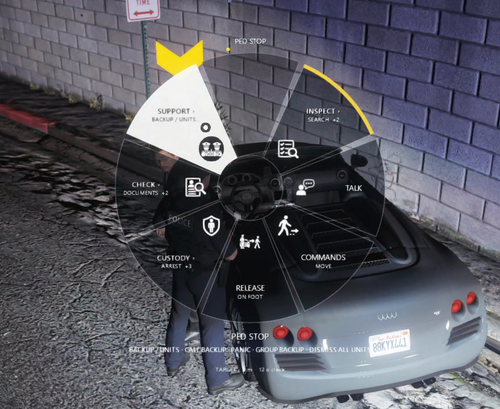
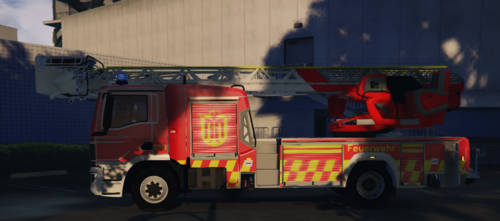
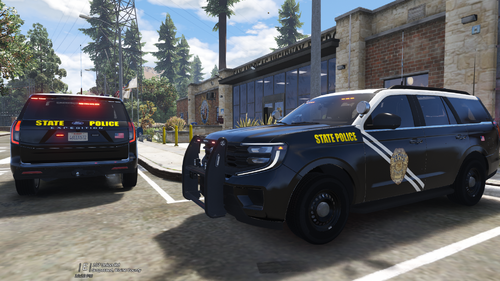
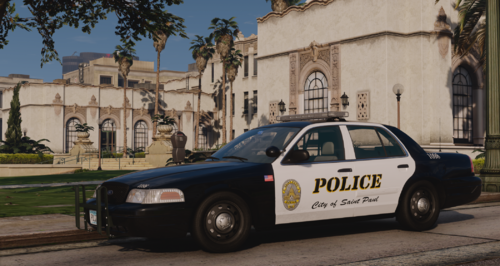
4 Screenshots

SirenMastery - UI ONLY MODE

PLUGIN UPDATED PLEASE REMOVE ANY OLD VERSIONS.

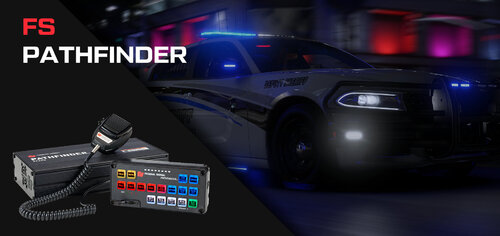
Finally the modified version of SirenMastery (UI ONLY MODE) is here for the public, credits to Albo1125 for making this mod.

In this version the plugin will need to be in Plugins\LSPDFR to make it work so far the mod has been working fine without any major problems working with ELS and DLS, I recommend to see the KeyboardConfig.ini to learn and match the ELS/DLS settings for your build.

There's also new features added where you can edit the UI in game and will be saved to their respective ini files.

  • Pressing LSHIFT + ENTER will send you to edit mode (if you see two cursors that's ok, I plan to remove the regular windows in a next update).

  • Scrolling UP and DOWN will make the UI size bigger or smaller by 0.02 decimals, you can also change it in UIConfig.ini.

There isn't siren sound files from the regular version with this plugin, therefore NAudio files are removed.

If you decided to make your own UI design, just make sure you are using the same names that UI folder and ON folder has.

Credits goes to Albo1125 this is edited from the open source code in GitHub, this plugin is not intended to be stolen or make any profit with it.

Showcase/Tutorial

LSPDFR Comish Support & Hangout: https://discord.gg/p3f3dtVBDy

Edited by xDuvii

What's New in Version 1.8.5.0

Released

SOME PEOPLE ARE ASKING IF THE PLUGIN GOES IN PLUGINS FOLDER. IT DOESN'T OTHERWISE IT WILL CRASH ON RPH CONSOLE SO MAKE SURE IT'S IN PLUGINS/LSPDFR (as always it has been)
FILE REUPLOADED WITH THE RIGHT DIRECTIONS.


Changelog v1.8.5.0

  • Fixed an issue where UI would not appear after unpausing the game.

  • Renamed VehicleSirenSetup.xml to VehicleUISetups.xml.

  • Added new UI Sounds replacing SirenSwitch.wav and SirenToggle.wav (Credits to Powletsky).

Changelog 1.8.0.0

  • Updated Stage system code

  • Added UI Stages 1 to 3

  • Fixed unable to hide the UI when pressing determinate key bind in KeyboardConfig.ini (L)

  • Fixed Overlap conflicts in code

  • Fixed a bug where UI Resets to Stage 0 when pressing ForceSirenKeys


Short Description

SirenMastery - UI ONLY MODE

User Feedback

Recommended Comments

Can there be an update for this mod where the UI pops up whenever you turn your lights on. Could that be a thing?

Alenjix

Members

Im confused how do I make the UI popup?

Also do I install the original sirenmastery first and then this? Because the original goes to plugins>sirenmastery. Your sirenmastery ui goes to plugins >lspdfr>sirenmastery

xDuvii

Members Author

1 hour ago, Alenjix said:

Im confused how do I make the UI popup?

Also do I install the original sirenmastery first and then this? Because the original goes to plugins>sirenmastery. Your sirenmastery ui goes to plugins >lspdfr>sirenmastery

this is a complete different code from the original. the original has nothing to do with this plugin follow the instructions and you'll be able to make it work.

MasterWolf

Members

@xDuvii What are the main controls to reposition the SirenMastery UI once we hit the edit keybinds?

xDuvii

Members Author

23 hours ago, MasterWolf said:

@xDuvii What are the main controls to reposition the SirenMastery UI once we hit the edit keybinds?

right click to move it around, scroll wheel to make it bigger or smaller

hgfbgfds

Members

Does this mod work with addons vehicles I've tried to edit the files but it work work. Does it only work with replace vehicles?

xDuvii

Members Author

(edited)

On 9/12/2026 at 2:53 AM, hgfbgfds said:

Does this mod work with addons vehicles I've tried to edit the files but it work work. Does it only work with replace vehicles?

make sure your addons have their vehicle class correctly. ( <vehicleClass>VC_EMERGENCY</vehicleClass> ) other than that it should work the corvette showing in the video is a vehicle addon.

Edited by xDuvii

CriminalJustice

Members

This is a great plugin! The only other thing that I would recommend adding, is a menu for configuration on the UI. For example. To be able to move the UI around, to make it bigger, or smaller. Other than that, this plugin is awesome! Albo would be proud of you brother. Do you plan on adding a menu in future updates by any chance?

TomatFullkeju

Members

how to add more siren boxes ui

xDuvii

Members Author

On 9/15/2026 at 3:06 PM, CriminalJustice said:

This is a great plugin! The only other thing that I would recommend adding, is a menu for configuration on the UI. For example. To be able to move the UI around, to make it bigger, or smaller. Other than that, this plugin is awesome! Albo would be proud of you brother. Do you plan on adding a menu in future updates by any chance?

never though about that i wanted to make it simple just press and move around with the mouse, maybe I bring it up in the next update. Thanks for the support and opinion <3.

On 9/17/2026 at 1:31 AM, TomatFullkeju said:

how to add more siren boxes ui

using photoshop to make them and replace the .png's

TomatFullkeju

Members

no bro i mean how to add more not replace the siren ui that already exist

there's only 2 siren ui for federal signal and some whelen ui

xDuvii

Members Author

On 10/1/2026 at 10:02 AM, TomatFullkeju said:

no bro i mean how to add more not replace the siren ui that already exist

there's only 2 siren ui for federal signal and some whelen ui

you can't the code isn't designed for that

Create an account or sign in to comment

Account

Navigation

Search

Search

Configure browser push notifications

Chrome (Android)
  1. Tap the lock icon next to the address bar.
  2. Tap Permissions → Notifications.
  3. Adjust your preference.
Chrome (Desktop)
  1. Click the padlock icon in the address bar.
  2. Select Site settings.
  3. Find Notifications and adjust your preference.