


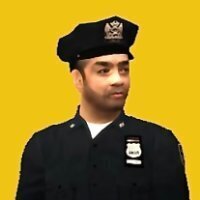


The vanilla LCPD jacket has a glaring issue- The LCPD patch on the original texture is mirrored, resulting in the patch appearing backwards in-game. This mod aims to fix the issue, as well as add a new sky-blue jacket and shirt combo for improved spawning variety! (Entirely optional, of course).
This pack includes:
Fixed LCPD Jacket- Fixes the LCPD patch so that it is no longer mirrored. The patch now faces normally in both directions!
Bonus Blue Shirt Texture- Retro-style Sky Blue shirt variant! Can be added easily to spawn alongside the dark blue shirt version!
Jackets for Niko- Niko-specific versions of the jackets designed for the Officer Bellic mod that feature "N. BELLIC" nametags!
Full WTD replacement- Want to avoid the hassle of importing textures? Just drop in the WTD included and get back to playing!
I hope you enjoy this fix and the added textures!
Edited by GQ Supply Co. LTD
What's New in Version 1.1
Released
Added new "Normal" layer for fixed texture appearances. Available in both the .WTD and individual replacement.











![[ELS-Hybrid | DLC/Addon ] Low-Profile z71 Tahoes](http://s3-screenshots.int-cdn.lcpdfrusercontent.com/monthly_2026_05/25_1(1).thumb.png.7bdf0066d86afe565fac5e2684baa3e8.png)
![Blaine County Sheriff's Office Package [Replace/Addon]](http://s3-screenshots.int-cdn.lcpdfrusercontent.com/resize/500/-/monthly_2026_05/Screenshot2026-05-02002834.thumb.png.c4675a1f9cbe0dc058244f158c7ee8a1.png)



Recommended Comments
Create an account or sign in to comment