Skip to content
View in the app

A better way to browse. Learn more.

LCPDFR.com

A full-screen app on your home screen with push notifications, badges and more.

To install this app on iOS and iPadOS
  1. Tap the Share icon in Safari
  2. Scroll the menu and tap Add to Home Screen.
  3. Tap Add in the top-right corner.
To install this app on Android
  1. Tap the 3-dot menu (⋮) in the top-right corner of the browser.
  2. Tap Add to Home screen or Install app.
  3. Confirm by tapping Install.

Randolph County, WV EUP MEGA Pack 1.0.0

(0 reviews)

5 Screenshots

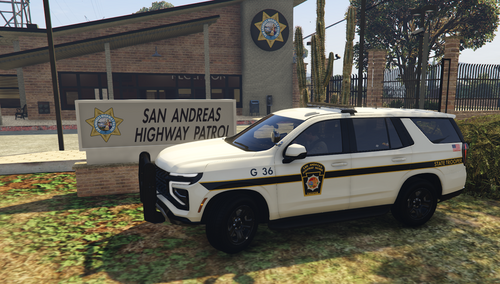
This is skin pack based out of Elkins in Randolph County WV my home town I have put well over 20 hours researching and making this pack as close as i can get it to the real thing so i hope yall enjoy this pack includes


Elkins Police Department


Randolph County Sheriffs Office


West Virginia State Police


questions? Join my discord: https://discord.gg/w56AqWuUQV


Car skins for this pack: 


YT VID SHOWING OFF THE PACK :


Tutorial on how to install skins


Edited by InserGCommando


Short Description

Based off of Randolph county WV and Elkins police.

User Feedback

Recommended Comments

Devin Plays

Members

I visit Elkins once or twice a year, and have family all over Randolph and Tucker County. Love to see it. 

InserGCommando

Members Author

8 hours ago, Devin Plays said:

I visit Elkins once or twice a year, and have family all over Randolph and Tucker County. Love to see it. 

That's pretty cool man hope you enjoy the skins took me well over 20 hours to build this pack so hope you like it

Officerkasey

Members

where you get the vest?


InserGCommando

Members Author

On 7/24/2022 at 11:20 PM, Officerkasey said:

where you get the vest?


Its by reece designs its his safe life defenese carrier 

Create an account or sign in to comment

Latest Mods

Account

Navigation

Search

Search

Configure browser push notifications

Chrome (Android)
  1. Tap the lock icon next to the address bar.
  2. Tap Permissions → Notifications.
  3. Adjust your preference.
Chrome (Desktop)
  1. Click the padlock icon in the address bar.
  2. Select Site settings.
  3. Find Notifications and adjust your preference.