
Skip to content
View in the app

A better way to browse. Learn more.

LCPDFR.com

A full-screen app on your home screen with push notifications, badges and more.

To install this app on iOS and iPadOS
  1. Tap the Share icon in Safari
  2. Scroll the menu and tap Add to Home Screen.
  3. Tap Add in the top-right corner.
To install this app on Android
  1. Tap the 3-dot menu (⋮) in the top-right corner of the browser.
  2. Tap Add to Home screen or Install app.
  3. Confirm by tapping Install.

GrammarPolice 1.8.3

(82 reviews)

4 Screenshots


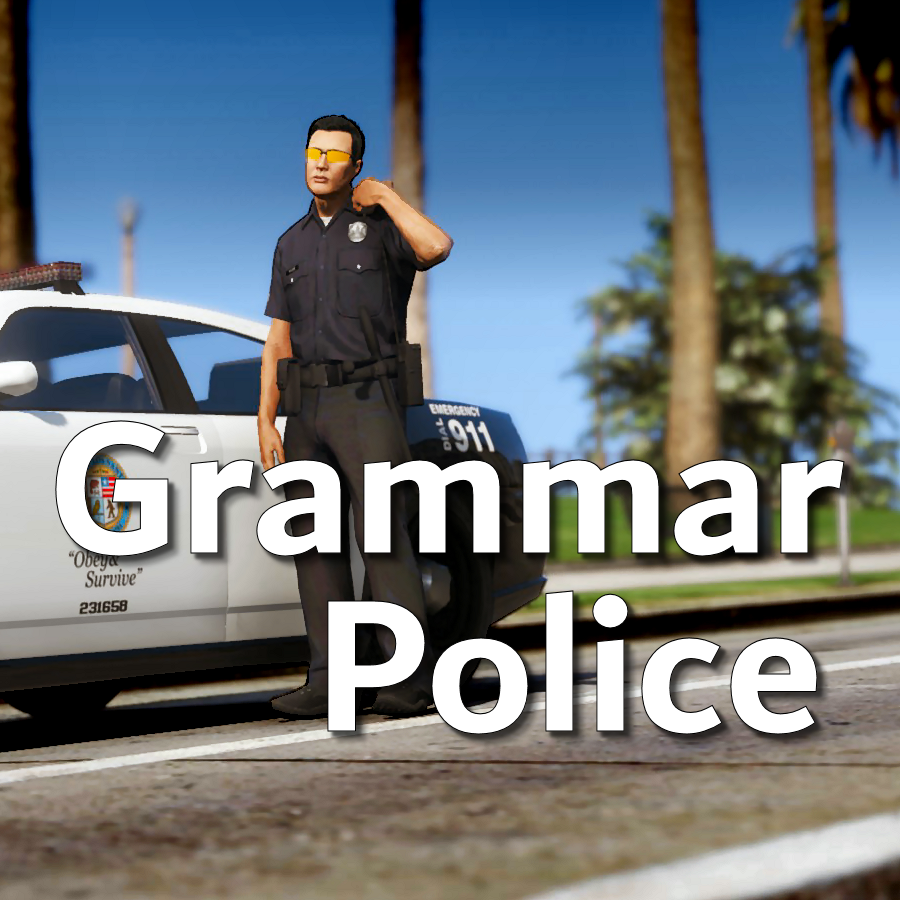
Welcome to Grammar Police!  This plugin began as a replacement for VocalDispatch but has grown into much more!


Speech Recognition

  • Issue commands to the dispatcher using your microphone
  • Includes a "hold to talk" feature that simulates a real radio
  • Supports StopThePed and UltimateBackup out of the box
  • Contains multiple sets of "10 codes" or customize yourself
  • Request backup, run plate checks, accept callouts and more!


Non-Verbal Interactions

  • Use an on-screen radio to interact with the dispatcher
  • Also includes a Officer Plugin Status style menu system
  • Both systems are fully customizable!


Language Support

  • English
  • French
  • German
  • Spanish


Technical Support


Tutorial Videos

Edited by opus49

What's New in Version 1.8.3

Released

Grammar Police 1.8

  • Restored player status display on PTT release (thanks OfficialFlipPlayz)
  • Restored the "say again" and generic response functionality
  • Restored emergency status on panic (thanks L’ère de l’a-paix)
  • Hardened radio check to prevent crash when there aren't any results
  • Adjusted timings of (non-chest) animations to look and sound more natural
  • Invalid callsigns no longer cause a failure but instead fallback to default
  • Moved speech engine handling to a separate thread to minimize UI freezes
  • Updated the radio check feature and added it to the settings menu
  • Fixed bug in felony backup request where it incorrectly saw no pullover
  • Detect Dynamic Traffic Stop from CalloutInterface and set status accordingly
  • Made configuration loading more resilient, no longer crashing on bad values
  • HoldToTalk now defaults to true and should benefit from engine worker thread
  • Made the delay between speech recognition and action execution configurable
  • Added config option for using the LSPDFR animation when using on screen radio
  • Added support for multiple handlers (e.g. UltimateBackup, PolicingRedefined)
  • Added command for cancelling backup without ending callouts, pullovers, etc
  • Fixed bug with INI where it wasn't allowing the hotkey modifier to be none
  • Added script generated HTML-based speech guides for all languages

    NOTE: THIS VERSION REQURES MICROSOFT SPEECH PLATFORM
    Microsoft has removed the interface for Windows Speech Recognition in recent versions of Windows 11.  Starting with this version of Grammar Police you will need to install Microsoft Speech Platform and the language pack you wish to use:


    Instructional video here:

    Microsoft Speech Platform: https://www.microsoft.com/en-us/download/details.aspx?id=27225
    Language Packs:  https://www.microsoft.com/en-us/download/details.aspx?id=27224
    Community Translations:   https://github.com/Immersive-Plugins-Team/GrammarPolice-Translations

Short Description

Interact with the dispatcher.

User Feedback

Recommended Comments

David21.R

Members

Just now, opus49 said:

Are you asking why I want to see your log?

No just curios on what its used for...

opus49

Insiders Author

1 minute ago, David21.R said:

No just curios on what its used for...

Well it contains a bunch of information.  LSPDFR and plugins like Grammar Police write messages to it for all kinds of things.  For GP, I can see how you've configured it, if the speech engine is working, etc.  For example, I can see you used a custom INI file to change your callsign to 1-DAVID-21.


It also tells me that Grammar Police is loading and running but not getting any sound when you press the dispatch key.  GP can only connect to whatever device is set as your default input device in Windows (it has nothing to do with the in-game GTAV setting), so make sure whatever device you are talking into is set as default in Windows.  You should also double check the volume, both physically and within Windows.

David21.R

Members

11 minutes ago, opus49 said:

Well it contains a bunch of information.  LSPDFR and plugins like Grammar Police write messages to it for all kinds of things.  For GP, I can see how you've configured it, if the speech engine is working, etc.  For example, I can see you used a custom INI file to change your callsign to 1-DAVID-21.


It also tells me that Grammar Police is loading and running but not getting any sound when you press the dispatch key.  GP can only connect to whatever device is set as your default input device in Windows (it has nothing to do with the in-game GTAV setting), so make sure whatever device you are talking into is set as default in Windows.  You should also double check the volume, both physically and within Windows.

Oh alright that's pretty cool, Both volume meters are on full volume and I do have the new microphone set as default so I'm not really sure what's going on.

David21.R

Members

59 minutes ago, opus49 said:

Well it contains a bunch of information.  LSPDFR and plugins like Grammar Police write messages to it for all kinds of things.  For GP, I can see how you've configured it, if the speech engine is working, etc.  For example, I can see you used a custom INI file to change your callsign to 1-DAVID-21.


It also tells me that Grammar Police is loading and running but not getting any sound when you press the dispatch key.  GP can only connect to whatever device is set as your default input device in Windows (it has nothing to do with the in-game GTAV setting), so make sure whatever device you are talking into is set as default in Windows.  You should also double check the volume, both physically and within Windows.

Whenever I press the PTT key it plays the sound and I talk into the microphone it dosent send any message like it would to let me know that it didn't understand me but it never puts me 10-8 or sends any 32's. And it dosent respond to 10-99's so I'm not sure what I done wrong? Or if there's any fix for it.

opus49

Insiders Author

12 minutes ago, David21.R said:

Whenever I press the PTT key it plays the sound and I talk into the microphone it dosent send any message like it would to let me know that it didn't understand me but it never puts me 10-8 or sends any 32's. And it dosent respond to 10-99's so I'm not sure what I done wrong? Or if there's any fix for it.

I've only seen your earlier log, but the issue was a lack of sound.  Based on your description, I'm guessing you haven't resolved that problem yet.

You can use the grammar tester for testing: 


David21.R

Members

3 minutes ago, opus49 said:

I've only seen your earlier log, but the issue was a lack of sound.  Based on your description, I'm guessing you haven't resolved that problem yet.

You can use the grammar tester for testing: 


Hey man I figured it out now, everything is resolved I had some other devices enabled in my control panel it didn't like that for some reason but I did have the main microphone on default so not sure why that happened I appreciate the help 🙂 sorry for wasting your time..

3 minutes ago, opus49 said:

I've only seen your earlier log, but the issue was a lack of sound.  Based on your description, I'm guessing you haven't resolved that problem yet.

You can use the grammar tester for testing: 


I will get that download though for later issues I may have. Pretty good timing ..Thank you.

MCannon

Members

(edited)

Hi, my game crashes every 10-20 minutes, can you help me with this?

Here is the crash log

log.txt

Edited by Jemand507

VITALY GAMING

Members

why when I call the transport for the arrested person is playing the file ASSISTANCE_REQUIRE instead of GP_TRANSPORT_01?

watermelon

Members

Absolutely great mod. However I occasionally encountered a problem. Sometimes when use PTT key to call for backup, a message appeared that backup is on the way but I don't see any blip on the map and nobody actually show up. I have to use Enter to dismiss all partner and then redo it several times until one actually show up. I have ultimate backup installed btw.

opus49

Insiders Author

12 hours ago, watermelon said:

Absolutely great mod. However I occasionally encountered a problem. Sometimes when use PTT key to call for backup, a message appeared that backup is on the way but I don't see any blip on the map and nobody actually show up. I have to use Enter to dismiss all partner and then redo it several times until one actually show up. I have ultimate backup installed btw.

Without seeing your log I can only speculate, but that sounds like an ultimate backup problem.


huskyswatgod

Members

What button do i press for it to hear me?


Nonever

Members

Hey brother or anyone that can help me😂🤦‍♂️
 

I’m having this problem that dispatch can’t for some reason hear my verbal commands idk why 


I’ve been trying everything deleting it and reinstalling it 


Checked the files to look at any errors or something that I changed without knowing and nothing,everything’s the same just for some reason my verbal commands are not working 


Whenever I push the button to talk it makes the beeping sound and I talk through my microphone and nothing comes back 


And yes I checked my mic too and it’s working perfectly so I don’t really understand what the problem is.


Can anyone help me? Or you Opus?

opus49

Insiders Author

Log?

Nonever

Members

(edited)

2 hours ago, opus49 said:

Log?

Yeah my bad give me a second 

Edited by Nonever

Nonever

Members

2 hours ago, opus49 said:

Log?

I’m not sure if this is what you need brother just let me know if there’s something more or something else 

Document 4.pdf

2 hours ago, opus49 said:

Log?

This is another just in case the first one wasn’t what you needed 

Document 6.pdf

1XERO1

Members

For some reason dispatch is having trouble correctly interpreting what I'm saying. It mainly has trouble with "ten eleven" and "in pursuit". I'm using US english. Whenever I say "ten eleven" (Which I pronounce as Ten Elevin), dispatch hears it as "ten en route". With "in pursuit" (which I pronounce as written), it either detects it as "en route", "10-1", or "suspect lost". Any idea on why it's having such as hard time understanding me?

opus49

Insiders Author

30 minutes ago, MrRetr0 said:

For some reason dispatch is having trouble correctly interpreting what I'm saying. It mainly has trouble with "ten eleven" and "in pursuit". I'm using US english. Whenever I say "ten eleven" (Which I pronounce as Ten Elevin), dispatch hears it as "ten en route". With "in pursuit" (which I pronounce as written), it either detects it as "en route", "10-1", or "suspect lost". Any idea on why it's having such as hard time understanding me?

Sounds like you are using immersive dispatch. I would suggest removing all custom XMLs and try issuing "show me ten eight" and "request code three backup" and then upload your RPH log.


11 hours ago, Nonever said:

I’m not sure if this is what you need brother just let me know if there’s something more or something else 

Document 4.pdf 423.36 kB · 3 downloads

This is another just in case the first one wasn’t what you needed 

Document 6.pdf 560.74 kB · 2 downloads

Grammar Police isn't getting sound. Try setting up your mic for speech recognition in Windows via the control panel.

DarKKlusteR

Members

Please update your speech recognition for the mod. I've requested for air support several times, and it almost 90% of the time is like "What?? What did you say?? Oh you said code 99? Sending all units!" Same goes for other commands such as 10 - 8 or 10 - 79. It gets really annoying when I'm trying to request for something and GP either doesn't understand me or thinks I've said something totally opposite. 

opus49

Insiders Author

2 hours ago, DarKKlusteR said:

Please update your speech recognition for the mod. I've requested for air support several times, and it almost 90% of the time is like "What?? What did you say?? Oh you said code 99? Sending all units!" Same goes for other commands such as 10 - 8 or 10 - 79. It gets really annoying when I'm trying to request for something and GP either doesn't understand me or thinks I've said something totally opposite. 

Then don't use it. Better yet, write your own.

Chris Michels

Members

I dont have the GrammarPolice.ini file.
How could this happen and how can i fix it? 

It wasnt even in the download files.


But all in all, such a great idea to make the game more realistic! 😉


Greetings to you

opus49

Insiders Author

5 hours ago, TobiMachtAlles said:

I dont have the GrammarPolice.ini file.
How could this happen and how can i fix it? 

It wasnt even in the download files.


But all in all, such a great idea to make the game more realistic! 😉


Greetings to you

Hi.  Please watch the video:  


DarKKlusteR

Members

On 9/15/2021 at 5:03 PM, opus49 said:

Then don't use it. Better yet, write your own.

steamuserimages-a.akamaihd.thumb.jpg.61c95b05fa9d1bcfb0d0c037b456120d.jpg

This is after requesting for a 10 - 28 on a stolen vehicle, and after doing training for speech recognition on my PC.

opus49

Insiders Author

1 hour ago, DarKKlusteR said:

steamuserimages-a.akamaihd.thumb.jpg.61c95b05fa9d1bcfb0d0c037b456120d.jpg

This is after requesting for a 10 - 28 on a stolen vehicle, and after doing training for speech recognition on my PC.

I'll be happy to refund your money.  

DarKKlusteR

Members

8 minutes ago, opus49 said:

I'll be happy to refund your money.  

I'd be happy if you could figure this issue out and stop commenting like this. Especially when this has been reported by several other people. This is a clear issue with the script itself and not individual people. 

Create an account or sign in to comment

Latest Mods

Account

Navigation

Search

Search

Configure browser push notifications

Chrome (Android)
  1. Tap the lock icon next to the address bar.
  2. Tap Permissions → Notifications.
  3. Adjust your preference.
Chrome (Desktop)
  1. Click the padlock icon in the address bar.
  2. Select Site settings.
  3. Find Notifications and adjust your preference.










