Skip to content
View in the app

A better way to browse. Learn more.

LCPDFR.com

A full-screen app on your home screen with push notifications, badges and more.

To install this app on iOS and iPadOS
  1. Tap the Share icon in Safari
  2. Scroll the menu and tap Add to Home Screen.
  3. Tap Add in the top-right corner.
To install this app on Android
  1. Tap the 3-dot menu (⋮) in the top-right corner of the browser.
  2. Tap Add to Home screen or Install app.
  3. Confirm by tapping Install.

Realistic Time Cycle v5

(16 reviews)

9 Screenshots

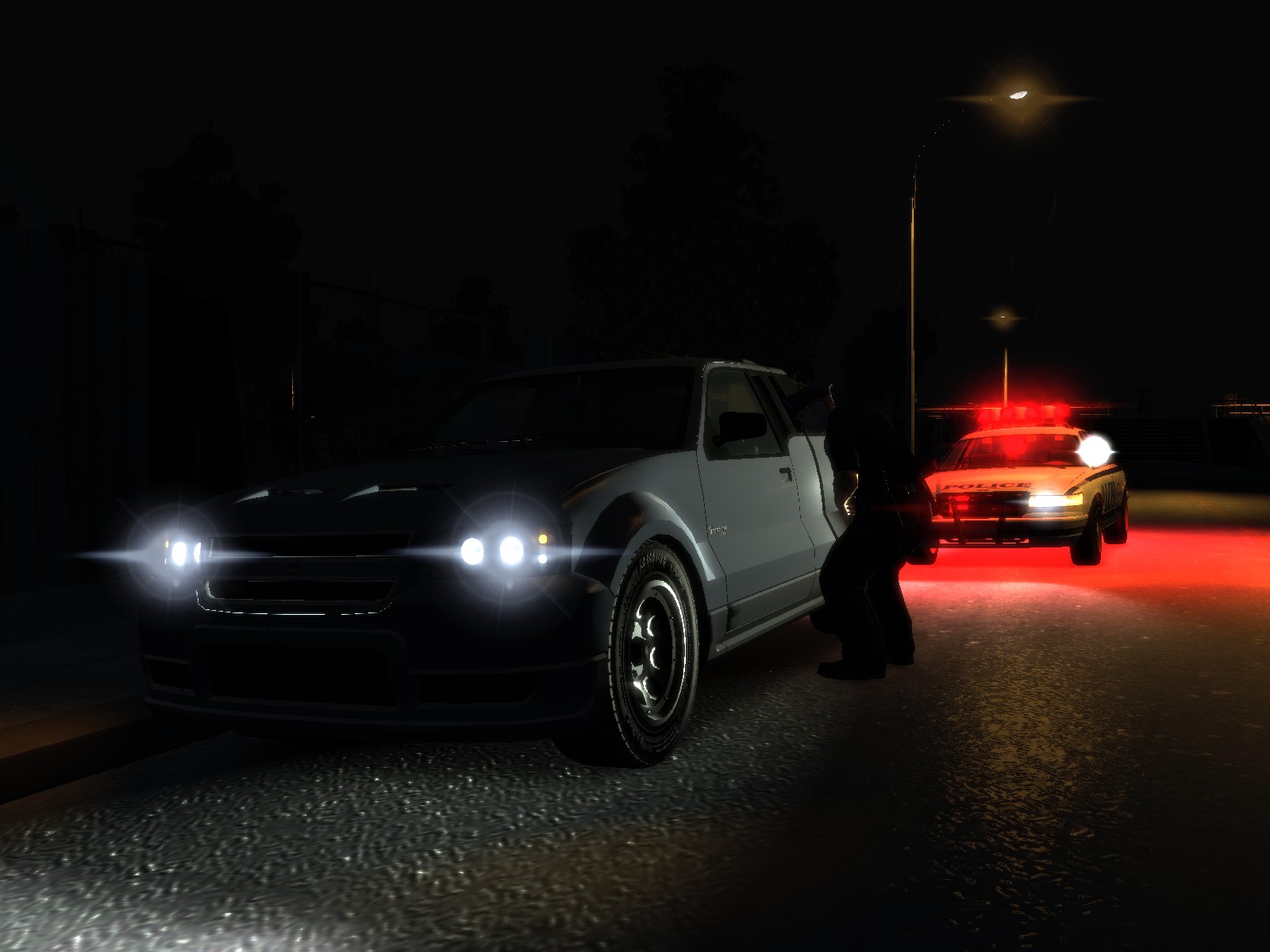
Realistic Time Cycle is a timecyc.dat modification that gives you enhanced graphics, featuring brighter daytime, darker nights, increased reflections, realistic headlights etc.

This mod works on all patches, however it has not been tested with ENB or iCEnHancer.

For those who have the noise effect or grain filter problem, you need to open up The Lost and Damned DLC, when you're in game, go to Display, and turn the Noise Effect off. After that GTA IV or TBoGT won't have the noise effect / grain filter on anymore.

User Feedback

Recommended Comments

xX82XxMadMoniE

Members

Hey great idea but for some reason when I change the game to day there is a bunch of fuzzy stuff on my screen any fix?

Sgt.Kanyo

Members Author

Yeah that fuzzy stuff is the noise effect / grain filter. Try to do the method mentioned above, also please reply back if it worked.

DanielBarberi

Members

I got it. It's really retarded, but it works. All you have to do is open up TLaD go to display settings and disable the noise effect. After you disable the noise effect, it somehow turns it off for GTA IV and TBOGT as well. Don't ask me how, but it worked. I turned on the noise effect in TLAD, and then I had the same bug like you did. Having grainy stuff in GTA IV, then I went back to disable it, and tadaa GTA IV doesn't have the noise effect or grainy filter.

Is that only for TLAD ?

10 DAVID 01

Members

and what happens if we don't have TLAD? and it still is grainy?

dead2self89

Members

sweet mod!

Sgt.Kanyo

Members Author

Is that only for TLAD ?

No, you disable the noise effect in TLAD, and it'll somehow fix it for GTA IV and TBoGT as well. I know it sounds retarded, but it works.

Deactivated Member

Deactivated

Does this work well with non-els lights or is it mainly for ELS?

Bojan

Members

Big problem is the grainy thing in the daytime. Whenever there is sun out, its grainy. When its dark though, it looks amazing. Fix the grainy thing, and its perfect.

ymblack_panda

Members

that is what it was for me except opposite. my was very grainy and terrible. Daytime wasnt too bad but had some grainy texture to it

i had the same exact problem, the night time looks neat but day time looks crappy. and i dont have lost and damned DLC, how do you fix this?

Braveheart

Members

I can confirm I too had the noise/static during daytime, firing up TLAD and changing the grainy option to off fixed this.

Roundy

Members

The streetlights at night seem really really yellow that is the only issue I have tbh, nice mod :)

Lil_phiya

Members

I don't have TLAD dlc, how can I fix it?

Powler

Members

if you can fix the grainy bug i would use this all the time instead of using a ENB.

Love the night time and lighting i think is really really cool :o)

alexks101

Members

I can confirm I too had the noise/static during daytime, firing up TLAD and changing the grainy option to off fixed this.

You ruined my game!!!! I can`t patrol during day cuz they are random bublles and stuff in the middle of the screens and stuff like that... only night I can patrol and play... during day it`s impossible to see were I drive...

kacenas

Members

What mod is that, the one that makes everything like Los Angeles?

xyzqwa

Members

So... is there any way to turn off the grain without the Lost and the Damned DLC? I just have the base game. The grain is not too bad, it would be nice though. If it helps, I am running a GTX 670. Great mod by the way. Stil using it even with the grain. :)

Slayer7744

Members

Yeah, what the other people are saying, what if you don't have TLAD installed? Do I need to download it just to fix this grain problem?

Pendergrass

Members

Yeah its all fuzzy when you get in game idk why though

Powler

Members

if you set your water quality higher it should reduce the fuzz by quite a bit i found :o)

Hope this helps and works for others...

Troy

Members

This mod works best with 1040 only. But as soon as you go back to 1070, you're screwed with all that grain.

ernes

Members

Fuzzy picture... i dont like it

Mercenary22

Members

we need a fix for the noise/grain issue, it is

Harry Callahan

Members

This tymecycle is great. I had to download to download the TLAD dlc again to fix the grain issue, but it was well worth it. To people who are having shiny roads I suggest using DKT70's road textures which came with his HD texture pack. Not all but most roads don't have any reflection except when its raining. As for the bright light I suggest using a corona form Metalwars Corona pack. I have my brightness on 2 saturation on 3 and contrast on 5

FPLCMatthieu

Members

Great mod ! How to desactivate the filter without TLAD ?

Create an account or sign in to comment

Account

Navigation

Search

Search

Configure browser push notifications

Chrome (Android)
  1. Tap the lock icon next to the address bar.
  2. Tap Permissions → Notifications.
  3. Adjust your preference.
Chrome (Desktop)
  1. Click the padlock icon in the address bar.
  2. Select Site settings.
  3. Find Notifications and adjust your preference.