


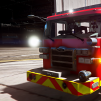


THIS IS NOT A MODEL! YOU NEED THE ORIGINAL MODEL + THIS TEXTURE FILE TO USE THIS.
Can't seem to get the visor lights to work for right now, but here is the texture file. You can find the template in the creator's original file.
This is also running under 50mb for streaming memory.

[Credits]
Model: Peralta
Whelen Legacy: BXBugs / Private
Whelen Lower Edge: UNKNOWN
Whelen Ions: BXBugs
General Linear Light Package: Beuneo
General Dash Light: Beuneo
Side Runners: Raptor2000
Model: Peralta
Whelen Legacy: BXBugs / Private
Whelen Lower Edge: UNKNOWN
Whelen Ions: BXBugs
General Linear Light Package: Beuneo
General Dash Light: Beuneo
Side Runners: Raptor2000





![Los Santos County Sheriff Livery Pack [Berkeley County-based]](http://s3-screenshots.int-cdn.lcpdfrusercontent.com/resize/500/-/monthly_2026_04/20260415155948_1.thumb.jpg.4cd04373ce1cf72df8e99a993cf4a145.jpg)



![Clayton County Sheriff's Office [4K]](http://s3-screenshots.int-cdn.lcpdfrusercontent.com/resize/500/-/monthly_2026_04/Screenshot_2511.thumb.png.e79613aafaa7abfbd34da660fe32acd3.png)

.thumb.jpg.96a3b82b9866eade5618dbec8b4f2fae.jpg)

![[NON-ELS] Unmarked 2018 Ford Taurus - FiveM Ready](http://s3-screenshots.int-cdn.lcpdfrusercontent.com/monthly_2026_04/Screenshot_5040.thumb.png.b1168547b80673783144294d18805701.png)


Recommended Comments
Create an account or sign in to comment