


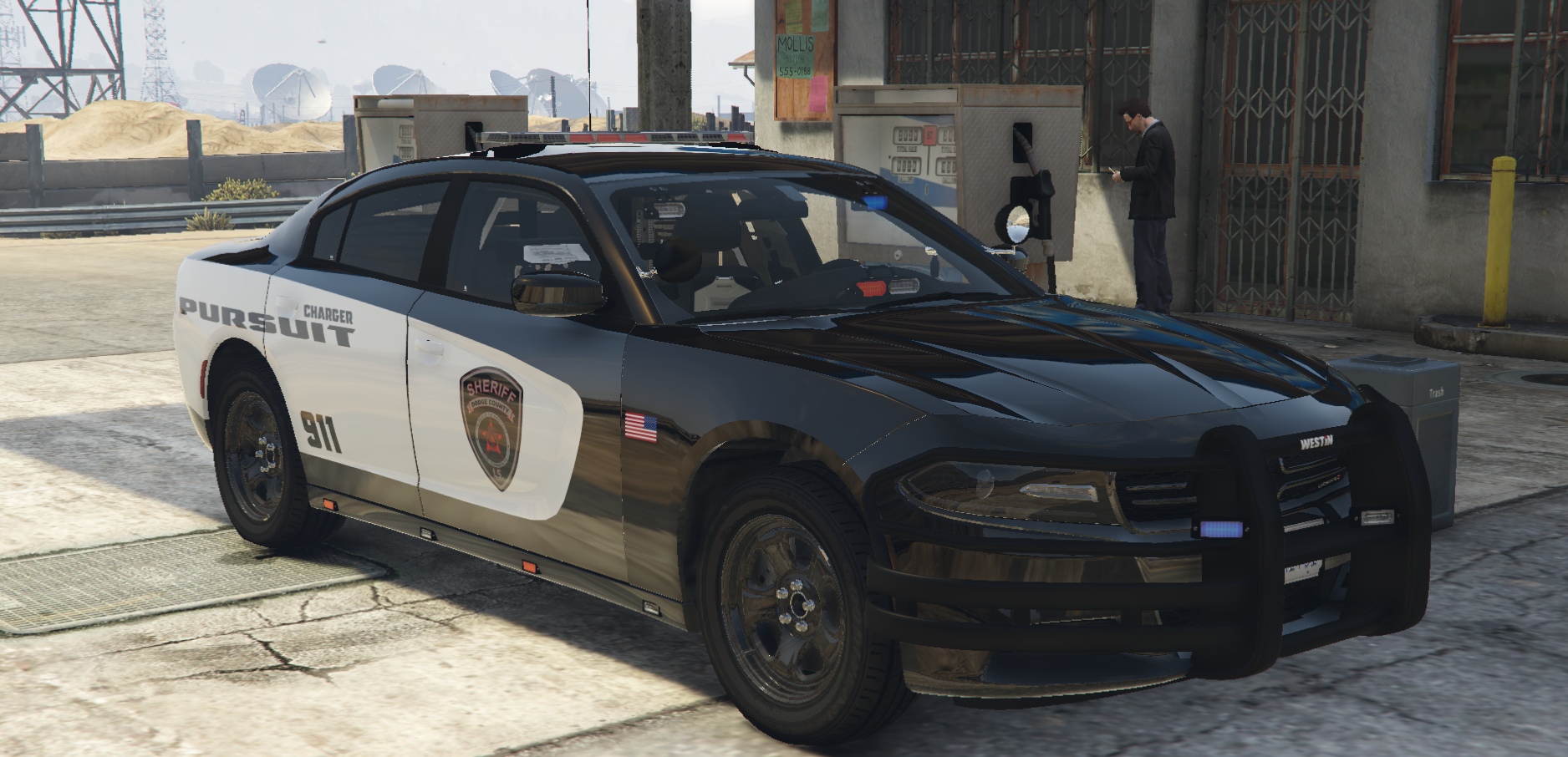
MODEL TAKEN FROM THAT PICTURES
Fictional
Replace Texture in Open IV
Follow path mods\update\x64\dlcpacks\[name of you vehicle mod folder]\dlc.rpf\x64\levels\gta5\vehicles.rpf\
replace textures in .ytd
Skins in this pack
Dodge Charger 2018 (2 different skins)
Get the vehicle models from this pack
Spoiler
you may also be interested in this Pack


What's New in Version 1.0.1
Released
Add the Charger 2014 and the Durango
Charger 2014 you already have it from the same package where is the charger 2018
Durango you can get it from here
Spoiler

GAP
![台灣警車 Taiwan Police Car(2016 Ford Mondeo)[ADD-ON|ELS]](http://s3-screenshots.int-cdn.lcpdfrusercontent.com/resize/500/-/monthly_2026_04/271590_20260403180956_1.thumb.png.553e9d7daaf5ab08616b5417d74f863c.png)
.thumb.png.bee6c481e6f3d26b0515bdb772b4a06b.png)


298398520927620910924095info@mollysrestaurant.com(1).thumb.png.715c04440d69f07f9b66c317b5677b6e.png)
.thumb.png.9b6d5e7bd22a799a9873ad99bd7ae139.png)




![[NON-ELS] 2018 Unmarked F150 - FiveM Ready](http://s3-screenshots.int-cdn.lcpdfrusercontent.com/resize/500/-/monthly_2026_04/Screenshot_5021.thumb.png.bb7a5539a169d339a5e99c1c6ba66e9d.png)

.thumb.png.b9e18d9931090871b064059f2c315cf8.png)



Recommended Comments
Create an account or sign in to comment