


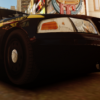


This is my first modded vehicle. CVPI, Lightbars, and Rhino Bar is Bxbugs, i put it all together. Please send me some PM's on how to make it better, please no hate, i am new. The front Wig-Wags are buggy, and only work from a certain angle, can anyone tell me how to fix this? Im working on putting some additional lights on the Rhino bar. Thanks everyone!
Credits:
- Model is Ford Crown Victoria by Bxbugs123
- Whelen justice by Bxbugs123.
- Rhino Bar made by Bxbugs.
- Livery by Allmonator01.
Lightbars: Bxbugs123
Rhinobar: Bxbugs123
CVPI: Bxbugs123
Texture: Allmonator01
Rhinobar: Bxbugs123
CVPI: Bxbugs123
Texture: Allmonator01


![[DLS/Add-on] New York Police Pack](http://s3-screenshots.int-cdn.lcpdfrusercontent.com/resize/500/-/monthly_2026_04/preview.thumb.png.18b807af87cc2bc0f01f1e6156a9ad39.png)

![台灣警車 Taiwan Police Car(2016 Ford Mondeo)[ADD-ON|ELS]](http://s3-screenshots.int-cdn.lcpdfrusercontent.com/resize/500/-/monthly_2026_04/271590_20260403180956_1.thumb.png.553e9d7daaf5ab08616b5417d74f863c.png)











Recommended Comments
Create an account or sign in to comment