Skip to content
View in the app

A better way to browse. Learn more.

LCPDFR.com

A full-screen app on your home screen with push notifications, badges and more.

To install this app on iOS and iPadOS
  1. Tap the Share icon in Safari
  2. Scroll the menu and tap Add to Home Screen.
  3. Tap Add in the top-right corner.
To install this app on Android
  1. Tap the 3-dot menu (⋮) in the top-right corner of the browser.
  2. Tap Add to Home screen or Install app.
  3. Confirm by tapping Install.

2018 Bentley Continental GT [ELS] 1.0.1

(3 reviews)

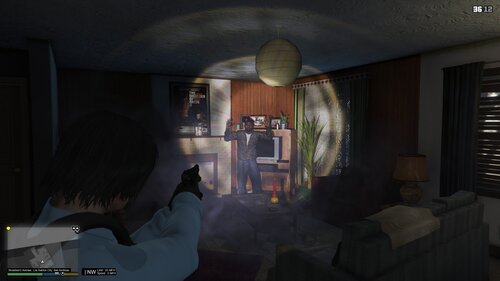
1 Screenshot

I have decided to release a ELS version of my 2018 Bentley Continental GT I made based on the movie LIFE. While I may have added more lights that the Detective had in his Bentley this makes a rare personal vehicle for those wealthy LSPD Detectives. I have included a READ ME for those who feel the need to leave a 1 star review for not providing one. 


Features a Whelen Flatliner Visor light, SoundOff Ultralite 4 series, SoundOff NForce rear deck, Whelen Ions, and integrated lighting in the Foglamps and Headlamps.


Join my discord to see more of my work

https://discord.gg/RyJjNzA

image.png

What's New in Version 1.0.1

Released

Fixed the door issue

User Feedback

Recommended Comments

ahmadrizik

Members

(edited)

Glad that this works in SP as well, gameplay is coming soon

Edited by ahmadrizik

BeastlyGaming

Members

LOL Bentley's gonna have his Bentley now!

Jikes

Members

omg this looks absolutely insane, my favourite car turns into a police car ❤️❤️❤️❤️❤️❤️❤️ 


CodeBlueAlex

Members

Steve the gamer used your model!

Mcgarret.

Members Author

Nice

OFFICERAymaan

Members

OMG THIS IS AMAZING!!! THANK YOU THIS CAR IS MY FAV!


bobj555

Members

Love the look of this but can someone explain how to install this to my game? 


GTA V fan1

Members

Does this work with PlayStation 4

Mcgarret.

Members Author

not at all...

Savon

Members

its for FiveM server.

Create an account or sign in to comment

Latest Mods

Account

Navigation

Search

Search

Configure browser push notifications

Chrome (Android)
  1. Tap the lock icon next to the address bar.
  2. Tap Permissions → Notifications.
  3. Adjust your preference.
Chrome (Desktop)
  1. Click the padlock icon in the address bar.
  2. Select Site settings.
  3. Find Notifications and adjust your preference.