Skip to content
View in the app

A better way to browse. Learn more.

LCPDFR.com

A full-screen app on your home screen with push notifications, badges and more.

To install this app on iOS and iPadOS
  1. Tap the Share icon in Safari
  2. Scroll the menu and tap Add to Home Screen.
  3. Tap Add in the top-right corner.
To install this app on Android
  1. Tap the 3-dot menu (⋮) in the top-right corner of the browser.
  2. Tap Add to Home screen or Install app.
  3. Confirm by tapping Install.

IV Flash light 1.0 1.0.0

(0 reviews)

4 Screenshots

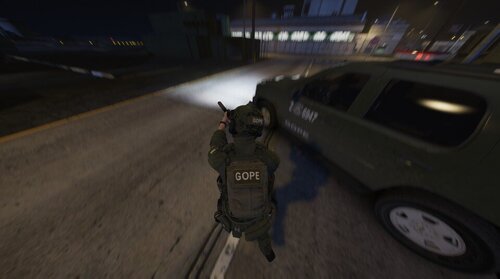
This is a flashlight script for lcpdfr. It add realism and enhances the fun in patrols. 


readme with instructions are in folder. 


Enjoy :) Sorry for poor picture quality. 

User Feedback

Recommended Comments

brandongtr895i

Members

(edited)

i enjoy the look of it let me try it

also if you are using windows 10.. look up in the search bar or "cortana" and type in "Snipping Tool" you can click new and select a spot on your screen to take a picture.. just a little help with the picture thing..

Edited by brandongtr895i

Janis28

Members

wow, thanks! 

NYPDDetectiveODonnell

Members Author

what do you guys think about creating a mod where we can call on female units to frisk female peds?

Janis28

Members

10 hours ago, NYPDDetectiveODonnell said:

what do you guys think about creating a mod where we can call on female units to frisk female peds?


I prefer to some new callouts, shootouts.. but sounds interesting :thumbsup:

Boz

Members

(edited)

It's not perfect but it works and is actually quite useful for me because my ENB makes everything dark at night. Keep up the great work!

Spoiler

20170319185909_1.thumb.jpg.dabf987e971ad0864353285f6c52a96c.jpg

20170319185656_1.thumb.jpg.ca1e481cb0eff151a0f126f95acb39b6.jpg


Edited by Bozza

Hullian111

Members

On ‎19‎/‎03‎/‎2017 at 6:07 AM, brandongtr895i said:

i enjoy the look of it let me try it

also if you are using windows 10.. look up in the search bar or "cortana" and type in "Snipping Tool" you can click new and select a spot on your screen to take a picture.. just a little help with the picture thing..

So does this work in Windowed Mode? Because I have a whole new world of screenshots if so.

Also, this would be really great if I found out it worked with the power cut mod.

NYPDDetectiveODonnell

Members Author

5 hours ago, Janis28 said:


I prefer to some new callouts, shootouts.. but sounds interesting :thumbsup:

Callouts? Ok got ya  :) However, It will not be from lcpdfr's system. It will be my own. Will have sounds etc.. It'll realistic. stay tuned.

Guest

Guest

Guests

I might give it a try. Looks cool. Nice to know there are still people scripting for gtaiv. 


Ooboy

Members

Hello how to use the flashligth i install the flashligth whit the readme but i cant use this.


PD: the mod like cool.

Janis28

Members

23 hours ago, ooboylel said:

Hello how to use the flashligth i install the flashligth whit the readme but i cant use this.


PD: the mod like cool.


In game press left Shift + L, its awesome mode and works perfect ;)

Ooboy

Members

7 hours ago, Janis28 said:


In game press left Shift + L, its awesome mode and works perfect ;)

okay thanks for answer ill try it

RajTech King

Members

On 3/19/2017 at 11:37 AM, brandongtr895i said:

i enjoy the look of it let me try it

also if you are using windows 10.. look up in the search bar or "cortana" and type in "Snipping Tool" you can click new and select a spot on your screen to take a picture.. just a little help with the picture thing..

You can just press printscreen button and then go to paint and press paste. The whole screen would be copied. Then just simply adjust it as you wish.

pcGAMEZguy

Members

Controller support?

Create an account or sign in to comment

Account

Navigation

Search

Search

Configure browser push notifications

Chrome (Android)
  1. Tap the lock icon next to the address bar.
  2. Tap Permissions → Notifications.
  3. Adjust your preference.
Chrome (Desktop)
  1. Click the padlock icon in the address bar.
  2. Select Site settings.
  3. Find Notifications and adjust your preference.