Skip to content
View in the app

A better way to browse. Learn more.

LCPDFR.com

A full-screen app on your home screen with push notifications, badges and more.

To install this app on iOS and iPadOS
  1. Tap the Share icon in Safari
  2. Scroll the menu and tap Add to Home Screen.
  3. Tap Add in the top-right corner.
To install this app on Android
  1. Tap the 3-dot menu (⋮) in the top-right corner of the browser.
  2. Tap Add to Home screen or Install app.
  3. Confirm by tapping Install.

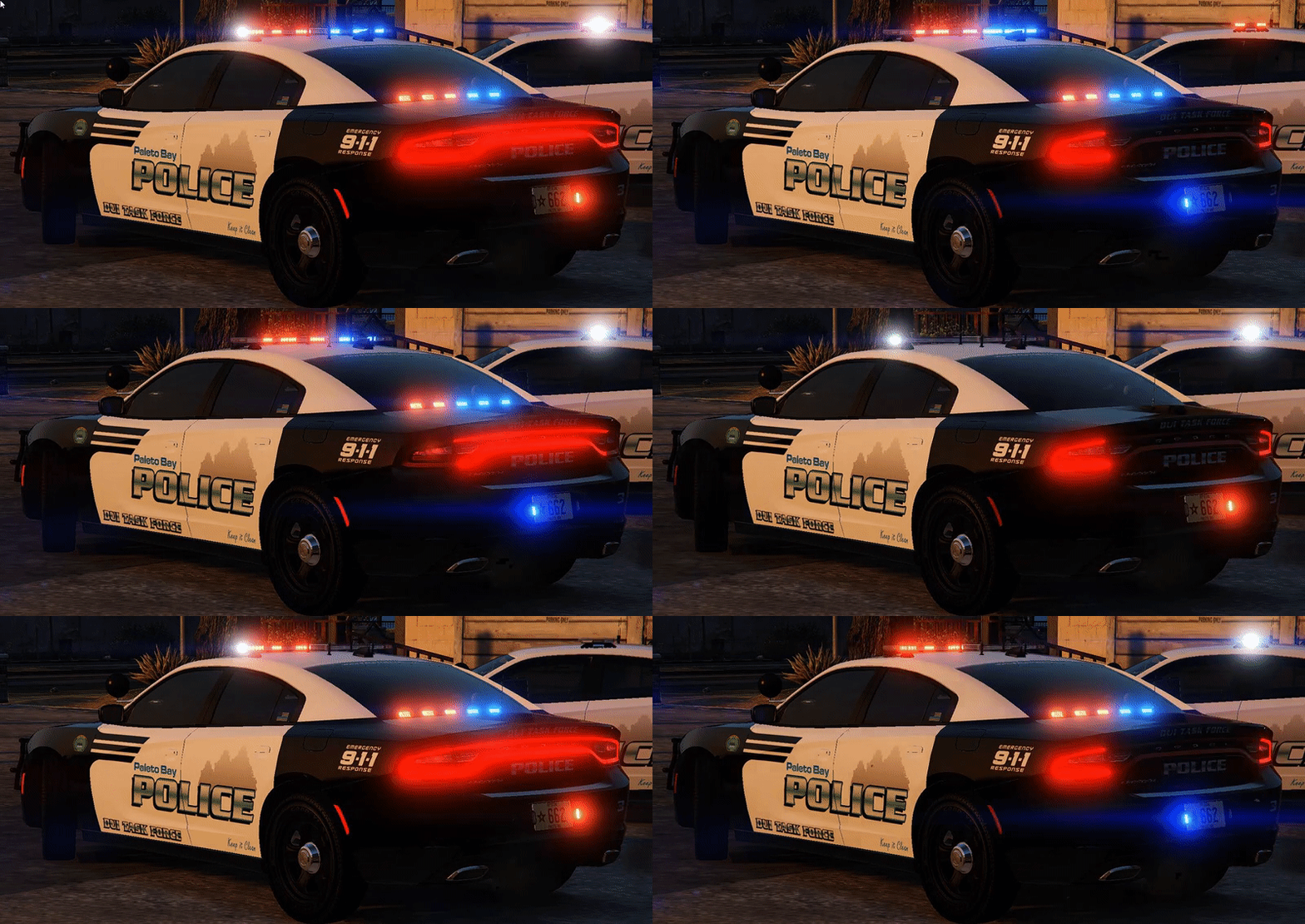
[ELS]2015 Paleto Bay DUI Dodge Charger

(12 reviews)

3 Screenshots

It's New Years eve...People are going to be drinking and having a good time in Paleto tonight...Make sure they don't take that good time to the streets! If you are going to be one of the ones drinking...Please make sure you have a safe way to get home. Drinking and driving is one of the most selfish acts you can do!
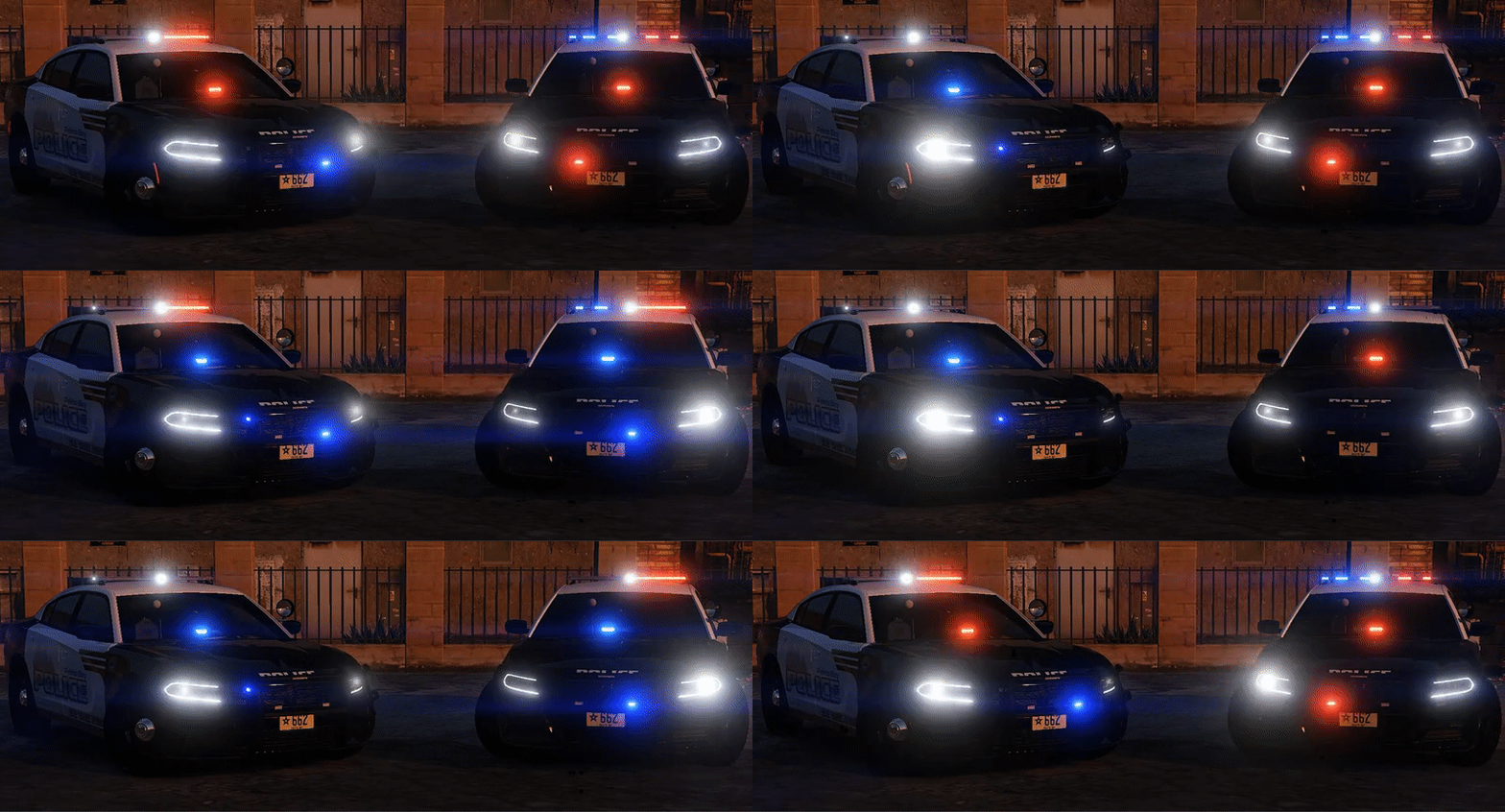
7055bbe7d278fc6b0b5e990c393dc50b.gif

99fafe979901791c84a597e93de5854b.gif

Credits:
-2015 Dodge Charger R/T by Turn 10 Studios
-Modifed into 2015 PPV and converted to GTA V by OfficerUnderwood
-Seats by SimRaceway, Radio by OfficerUnderwood
-Wheels by GerryStudio, converted by unknown?
-Whelen Legacy by TheHurk
-FS Latitude by Moneybagz
-Whelen Tir 6 by CooperCM
-Dashcam by Moneytrickz
-Antennas by Carper
-Rambar by Carper
-Spotlight by BlackJesus
-Radar by HDgamerz
-Console by Sheriff Van Dyke
-Laptop by Ridgerunner
-Whelen Avenger by Truamapak
-Liveries by mroxplay,Gump and Getinmybelly0627
-Put together by Gump



Stay safe,vigil and thirsty my friends..

User Feedback

Recommended Comments

retrocidalTV

Members

(edited)

just for maybe use not very smart people can you add in the readme sucks snowing temp is zero on duty tonight bummer had to tell someone lol ya man i have no clue where to install it 

Edited by retrocidalTV

Alan6234

Members

The governer winner car looks just like the car in my hometown, Byron Ga. is that what you based it on?

TrooperA1868

Members

In a future update can you add Traffic Advisory lights in the back like ur slicktop model

TickleMyElmo

Members

um wtf? ELS but no file for ELS? BRUH!?

A Stranger

Members

Am 1/24/2017 um 06:14 schrieb TickleMyElmo:

um wtf? ELS but no file for ELS? BRUH!?


Use the Original sample one that comes with ELS.

TickleMyElmo

Members

4 hours ago, A Stranger said:


Use the Original sample one that comes with ELS.

I Deleted that ELS one , due to the fact every ELS car comes with a file for ELS except yours lol which is fine i suppose just odd 

Dtoro100

Members

make more cars with the  Whelen Legacy lightbar like a CVPI please 

MathewNT12

Members

I am having trouble with this leaning into corners and flipping easily 

SeikaPuppy

Members

On 12/31/2016 at 5:49 PM, GamingSP said:

Thank you for this model with ELS! Love some of your models keep it up.

I don't know where your ELS is but there isn't one for this file. This shouldn't hold a ELS title when it does not even have one.

JamFan

Members

How can I fix the sailboat issue? whats a good handling line

hamzartefaxx

Members

On 1/1/2017 at 3:33 AM, Slendis said:

Thx for this helpfull info :)


God damnit, if it does not include one use the default one that came with ELS.


cody1

Members

On 12/31/2016 at 9:46 PM, Mattbravo said:

Well maybe he should have stated that or maybe he just forgot to include the VCF in the file? Knowing Gump i feel like he wouldnt make this great of a vehicle without making a custom VCF for it. 

the funny thing is is its still not there and its 2018 that's fuckin sad 😂😂😂😂🤣

MoravianLion

Members

On 1/1/2017 at 7:06 AM, rorywood said:

That is what I did. I just used Buggs' CVPI VCF and it works just fine!

Could you send me here link, please? Cos I couldn't find it no matter what... -.-

Create an account or sign in to comment

Latest Mods

Account

Navigation

Search

Search

Configure browser push notifications

Chrome (Android)
  1. Tap the lock icon next to the address bar.
  2. Tap Permissions → Notifications.
  3. Adjust your preference.
Chrome (Desktop)
  1. Click the padlock icon in the address bar.
  2. Select Site settings.
  3. Find Notifications and adjust your preference.








