
Skip to content
View in the app

A better way to browse. Learn more.

LCPDFR.com

A full-screen app on your home screen with push notifications, badges and more.

To install this app on iOS and iPadOS
  1. Tap the Share icon in Safari
  2. Scroll the menu and tap Add to Home Screen.
  3. Tap Add in the top-right corner.
To install this app on Android
  1. Tap the 3-dot menu (⋮) in the top-right corner of the browser.
  2. Tap Add to Home screen or Install app.
  3. Confirm by tapping Install.

This file has been reported as outdated or no longer maintained. For further information, see the file comments.

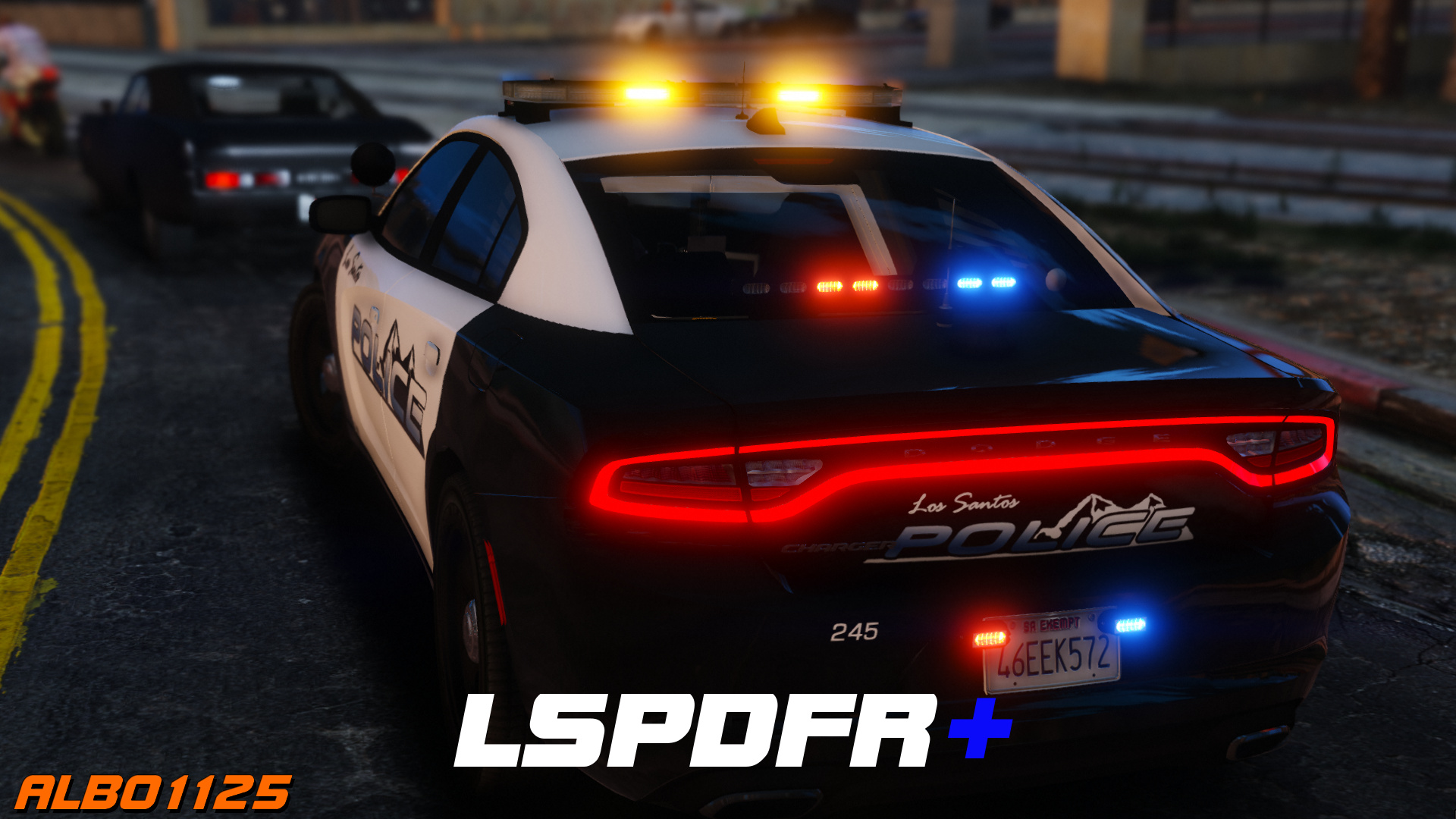
LSPDFR+ (Better Traffic Stops, Court System) 1.9.0.0

(137 reviews)

6 Screenshots

https://www.youtube.com/albo1125

DISCONTINUED & UNSUPPORTED - COMPATIBLE WITH OLDER LSPDFR VERSIONS ONLY - FEEL FREE TO HELP UPDATE THE CODE 

LSPDFR+ is now open source. https://github.com/Albo1125/LSPDFRPlus


Welcome to LSPDFR+! This script modification for LSPDFR greatly enhances your experience as a police officer by enhancing the base LSPDFR modification - LSPDFR+'s was designed to improve upon some of LSPDFR's features, hence its name. With improved pursuit AI, better Traffic Stops and even a fully fledged court system amongst the main features, there's bound to be something you'll love!

Requirements - some of these are included (credits go to their appropriate authors):

  • LSPDFR 0.4.2 (not included)
  • Albo1125.Common 6.6.4.0 or higher (included)
  • RAGENativeUI 1.6.3.0 or higher (included)
  • RAGEPluginHook 0.51 or higher (not included)
  • A legal copy of GTA V (version 1.0.1011.1 or higher).

Overview of LSPDFR+'s Features: Included in LSPDFR+'s documentation and the updated feature video above.

Support - what to do if you encounter a bug or have problems:

  1. Watch the installation video for my modifications here.
  2. Use this tool: http://www.lcpdfr.com/files/file/9755-lspdfr-troubleshooter-by-albo1125/ 
  3. Read the documentation PDF file if you're having trouble getting a specific feature to work.
  4. Suggestions can be made here.
  5. If all else fails: Please leave a comment (not a review). Include your RAGEPluginHook.log file, located in your Grand Theft Auto V folder. Also, please provide an accurate description of what happened. This allows me to help you as fast as possible.

Please do not reupload or redistribute this without my explicit permission. Thank you.

https://www.youtube.com/albo1125


Edited by Albo1125

What's New in Version 1.9.0.0

Released

1.9.0.0 (28-06-2019)
Update for LSPDFR 0.4.2
Update .net targetting to 4.6.1
Code cleanup I couldn't ignore
Fix issues with ordering peds out of vehicles on enhanced traffic stops thanks to new LSPDFR API functionality.


1.7.0.0 (21-12-2018)

DEVELOPERS: Security GUID method overloads in the API are now obsolete and non-functioning (existing plugins won't crash but statistics won't be counted any more). Please update your reference!
Some code cleanup.
Open sourced at https://github.com/Albo1125/LSPDFRPlus 
Updated licence.
Removed obfuscation.

LSPDFR 0.3.1

For some more information on the open-sourcing and my 'retirement'


https://www.youtube.com/albo1125


Use comments to ask for support. Do NOT use reviews to ask for support! You will get ignored and reported as this is against community guidelines.


Short Description

LSPDFR Plus for LSPDFR

User Feedback

Recommended Comments

azazo13

Members

(edited)

Personally, albo mods do not work in version 0.4.1, it's a shame because the most interesting mods work with mods are not up to date, other mods are up to date but unusable 😕

Edited by azazo13

WhityRainbow

Members

just wondering how can i install LSPDFR+ and Stop the Ped together? seems they don't work alone, after I install them game will pop up a in-game error said doesn't work

WinterGull

Members

Every time I download "Traffic Policer,"and "Police Smart Radio" my game always ends up crashing upon when I start Rage Hook. Any help? P.S. I always have end having to take this mod out for my game to not crash, I always see youtubers using them both; I really want to use them.

ALssop86

Members

Same here it crashes every time I start the game or middle. I really like this , is not fun playing without the court system. 

Officer SEAN

Members

 I came back to LSPDFR after 2 years because the Core was never updated. Today found out it was updated 2 months ago but can't get any of these mods working or even loaded.  And just when this gets updated/working 0.4.2 will be released. Is there a way to get an old version of Rage and just used old fashioned mods that work? I noticed Rage only offers the Alpha 0.4.1 right now So am I stuck with Vanilla GTA or FiveM until  this "Dev Hell" stops? This is looking like "what came first the chicken or the egg?" scenario....  

TheRawDizzle

Members

Okay, So every time I stop a suspect (in a car) and ask them to get out of the car, I can't do anything else with the suspect. I've tried hitting "E" (default to stop a perp on foot), I've tried also hitting "LShift Q" like the documentation provided with this plugin says, and i just end up getting in cover...can you help me here, it really sucks not being able to do anything with the suspect after you get them out of the car...oh, I should add: pointing a weapon at them and holding E still works as a lethal takedown or whatever you call it...but I'd like to talk with them outside the vehicle during a routine traffic stop...maybe this just isn't a feature...but i feel like it should be...again any help would be much appreciated.

-Officer Dizzle

Skidkill

Members

Estou com alguns problemas... acho que algum conflito com o lspdfr 0.4. Primeiramente, achei excelente o plugin! Porem sempre fecha o ou cancela o plugin lspdfr quando eu abordo algum veiculo/motorista. As vezes não aparece qual botão é pra apertar (sei que é o botão 'e', mas...) Chega parecer um conflito entre o plugin do lspdfr e este... Eu removi este plugin e reinstalei todo o lspdfr não tenho o log. Alguem mais com este problema? O que eu poderia fazer para resolver?? 

EN:

I am having some problems ... I find some conflict with lspdfr 0.4. Firstly, I found the plugin to be excellent! But it always closes or cancels the lspdfr plugin when I board some vehicle / driver. Sometimes it does not appear which button is to press (I know it's the 'e' button, but ...) It seems like a conflict between the lspdfr plugin and this one ... I removed this plugin and reinstalled all of lspdfr I do not have the log. Anyone else with this problem? What could I do to solve ??

Diggs

Members

On 6/9/2019 at 2:32 PM, TheRawDizzle said:

Okay, So every time I stop a suspect (in a car) and ask them to get out of the car, I can't do anything else with the suspect. I've tried hitting "E" (default to stop a perp on foot), I've tried also hitting "LShift Q" like the documentation provided with this plugin says, and i just end up getting in cover...can you help me here, it really sucks not being able to do anything with the suspect after you get them out of the car...oh, I should add: pointing a weapon at them and holding E still works as a lethal takedown or whatever you call it...but I'd like to talk with them outside the vehicle during a routine traffic stop...maybe this just isn't a feature...but i feel like it should be...again any help would be much appreciated.

I sometimes have the same problem, what I do is make sure I'm standing face to face with the suspect, then double tap "E", you should see in the bottom corner of your screen : "you have 1 ped's attention" or something like that, and youll then have a host of options, and if you have interaction+ installed, you'll have even more options by pressing "T" or "Y", I cannot remember of the top of my head.  Hope that helps...

Kodiaq

Members

(edited)

I have a question regarding the court system. How much time is necessary to have a person in the list of "pending results" or "result"? I gave many court summons and no one appeared yet.
Oh, and can i do roadblocks with this mod?


Thanks,
Simone.

Edited by Simone90

zapmistery

Members

(edited)

Does it work on new 0.4.1 version?

Edited by zapmistery

ChristianM.0498

Members

I was having complications with LSPDFR+ and the .4 compatibility list says LSPDFR+ isn't compatible with .4. Anyone have any success recently or is has it not been updated?

MurkSquadGaming

Members

please help me out brother, idk what the hell to do...


Spoiler

[6/17/2019 11:52:31 AM]: LSPDFR Troubleshooter 1.13.2.0 by Albo1125|
[6/17/2019 11:52:33 AM]: Troubleshooter up to date: True|
[6/17/2019 11:52:33 AM]: RPH Path found automatically: C:\Program Files (x86)\Steam\steamapps\common\Grand Theft Auto V\RAGEPluginHook.exe|
[6/17/2019 11:52:41 AM]: RegGTAVPath: C:\Program Files (x86)\Steam\steamapps\common\Grand Theft Auto V|
[6/17/2019 11:52:44 AM]: WMP version: 12,0,10011,16384|
[6/17/2019 11:52:44 AM]: Windows Folder path: C:\Windows|
[6/17/2019 11:52:44 AM]: Neither C++ redist 2010 exists|
[6/17/2019 11:52:44 AM]: Windows Folder path: C:\Windows|
[6/17/2019 11:52:44 AM]: C++ 2015 VS subkey exists: True|
[6/17/2019 11:52:47 AM]: FileID: 10294. Up to date: False|
[6/17/2019 11:52:49 AM]: FileID: 8107. Up to date: True|
[6/17/2019 11:52:51 AM]: FileID: 8303. Up to date: True|
[6/17/2019 11:54:16 AM]: Starting autofix for Arrest Manager|
[6/17/2019 11:54:16 AM]: Item1 in proper location: C:\Program Files (x86)\Steam\steamapps\common\Grand Theft Auto V\plugins\LSPDFR\Arrest Manager.dll|
[6/17/2019 11:54:17 AM]: FileID: 8107. Up to date: True|
[6/17/2019 11:54:17 AM]: Item2 in proper location: C:\Program Files (x86)\Steam\steamapps\common\Grand Theft Auto V\plugins\LSPDFR\Arrest Manager.ini|
[6/17/2019 11:54:17 AM]: Nodeitem3file fullpath: C:\Program Files (x86)\Steam\steamapps\common\Grand Theft Auto V\lspdfr\audio\scanner\Arrest Manager Audio|
[6/17/2019 11:54:17 AM]: Current user path3: C:\Program Files (x86)\Steam\steamapps\common\Grand Theft Auto V\lspdfr\audio\scanner\Arrest Manager Audio|
[6/17/2019 11:54:17 AM]: System.IO.DirectoryNotFoundException: Could not find a part of the path.
   at System.IO.__Error.WinIOError(Int32 errorCode, String maybeFullPath)
   at System.IO.Directory.InternalMove(String sourceDirName, String destDirName, Boolean checkHost)
   at LSPDFR_Troubleshooter_by_Albo1125.Program.Program.AutoFixInstallationErrors(Tuple`4 node)|
[6/17/2019 11:54:17 AM]: Error in autofix.|
[6/17/2019 11:56:31 AM]: Starting autofix for Arrest Manager|
[6/17/2019 11:56:31 AM]: Item1 in proper location: C:\Program Files (x86)\Steam\steamapps\common\Grand Theft Auto V\plugins\LSPDFR\Arrest Manager.dll|
[6/17/2019 11:56:32 AM]: FileID: 8107. Up to date: True|
[6/17/2019 11:56:32 AM]: Item2 in proper location: C:\Program Files (x86)\Steam\steamapps\common\Grand Theft Auto V\plugins\LSPDFR\Arrest Manager.ini|
[6/17/2019 11:56:32 AM]: Nodeitem3file fullpath: C:\Program Files (x86)\Steam\steamapps\common\Grand Theft Auto V\lspdfr\audio\scanner\Arrest Manager Audio|
[6/17/2019 11:56:32 AM]: Current user path3: C:\Program Files (x86)\Steam\steamapps\common\Grand Theft Auto V\lspdfr\audio\scanner\Arrest Manager Audio|
[6/17/2019 11:56:32 AM]: System.IO.DirectoryNotFoundException: Could not find a part of the path.
   at System.IO.__Error.WinIOError(Int32 errorCode, String maybeFullPath)
   at System.IO.Directory.InternalMove(String sourceDirName, String destDirName, Boolean checkHost)
   at LSPDFR_Troubleshooter_by_Albo1125.Program.Program.AutoFixInstallationErrors(Tuple`4 node)|
[6/17/2019 11:56:32 AM]: Error in autofix.|


GasCanGerry

Members

15 hours ago, MurkSquadGaming said:

please help me out brother, idk what the hell to do...


  Reveal hidden contents

[6/17/2019 11:52:31 AM]: LSPDFR Troubleshooter 1.13.2.0 by Albo1125|
[6/17/2019 11:52:33 AM]: Troubleshooter up to date: True|
[6/17/2019 11:52:33 AM]: RPH Path found automatically: C:\Program Files (x86)\Steam\steamapps\common\Grand Theft Auto V\RAGEPluginHook.exe|
[6/17/2019 11:52:41 AM]: RegGTAVPath: C:\Program Files (x86)\Steam\steamapps\common\Grand Theft Auto V|
[6/17/2019 11:52:44 AM]: WMP version: 12,0,10011,16384|
[6/17/2019 11:52:44 AM]: Windows Folder path: C:\Windows|
[6/17/2019 11:52:44 AM]: Neither C++ redist 2010 exists|
[6/17/2019 11:52:44 AM]: Windows Folder path: C:\Windows|
[6/17/2019 11:52:44 AM]: C++ 2015 VS subkey exists: True|
[6/17/2019 11:52:47 AM]: FileID: 10294. Up to date: False|
[6/17/2019 11:52:49 AM]: FileID: 8107. Up to date: True|
[6/17/2019 11:52:51 AM]: FileID: 8303. Up to date: True|
[6/17/2019 11:54:16 AM]: Starting autofix for Arrest Manager|
[6/17/2019 11:54:16 AM]: Item1 in proper location: C:\Program Files (x86)\Steam\steamapps\common\Grand Theft Auto V\plugins\LSPDFR\Arrest Manager.dll|
[6/17/2019 11:54:17 AM]: FileID: 8107. Up to date: True|
[6/17/2019 11:54:17 AM]: Item2 in proper location: C:\Program Files (x86)\Steam\steamapps\common\Grand Theft Auto V\plugins\LSPDFR\Arrest Manager.ini|
[6/17/2019 11:54:17 AM]: Nodeitem3file fullpath: C:\Program Files (x86)\Steam\steamapps\common\Grand Theft Auto V\lspdfr\audio\scanner\Arrest Manager Audio|
[6/17/2019 11:54:17 AM]: Current user path3: C:\Program Files (x86)\Steam\steamapps\common\Grand Theft Auto V\lspdfr\audio\scanner\Arrest Manager Audio|
[6/17/2019 11:54:17 AM]: System.IO.DirectoryNotFoundException: Could not find a part of the path.
   at System.IO.__Error.WinIOError(Int32 errorCode, String maybeFullPath)
   at System.IO.Directory.InternalMove(String sourceDirName, String destDirName, Boolean checkHost)
   at LSPDFR_Troubleshooter_by_Albo1125.Program.Program.AutoFixInstallationErrors(Tuple`4 node)|
[6/17/2019 11:54:17 AM]: Error in autofix.|
[6/17/2019 11:56:31 AM]: Starting autofix for Arrest Manager|
[6/17/2019 11:56:31 AM]: Item1 in proper location: C:\Program Files (x86)\Steam\steamapps\common\Grand Theft Auto V\plugins\LSPDFR\Arrest Manager.dll|
[6/17/2019 11:56:32 AM]: FileID: 8107. Up to date: True|
[6/17/2019 11:56:32 AM]: Item2 in proper location: C:\Program Files (x86)\Steam\steamapps\common\Grand Theft Auto V\plugins\LSPDFR\Arrest Manager.ini|
[6/17/2019 11:56:32 AM]: Nodeitem3file fullpath: C:\Program Files (x86)\Steam\steamapps\common\Grand Theft Auto V\lspdfr\audio\scanner\Arrest Manager Audio|
[6/17/2019 11:56:32 AM]: Current user path3: C:\Program Files (x86)\Steam\steamapps\common\Grand Theft Auto V\lspdfr\audio\scanner\Arrest Manager Audio|
[6/17/2019 11:56:32 AM]: System.IO.DirectoryNotFoundException: Could not find a part of the path.
   at System.IO.__Error.WinIOError(Int32 errorCode, String maybeFullPath)
   at System.IO.Directory.InternalMove(String sourceDirName, String destDirName, Boolean checkHost)
   at LSPDFR_Troubleshooter_by_Albo1125.Program.Program.AutoFixInstallationErrors(Tuple`4 node)|
[6/17/2019 11:56:32 AM]: Error in autofix.|


From what I can see, your game has a problem with Arrest Manager (more specifically it can't find an audio file). Try installing the Arrest Manager plugin again and make sure to follow the correct locations for the files. 

MurkSquadGaming

Members

9 hours ago, GasCanGerry said:

From what I can see, your game has a problem with Arrest Manager (more specifically it can't find an audio file). Try installing the Arrest Manager plugin again and make sure to follow the correct locations for the files. 

thank you so much LSPDFR 0.4.2 with all plugins work now!!!!!

Severus132

Members

Is this Mod with Traffic Policer compatible?

Johe Doe

Members

does this work with all your other plugins??

ManamalReacts

Members

Hello, is anyone else having a problem when performing a traffic stop and then pressing the E key to bring up the computer the car that you pull over drives away and/or when pressing the L stick on controller to have them pull over faster the car just speeds up out of control and crashes into a wall or whatever is in front of them? Please let me know how I can fix this problem. Thanks.


Rich

21 hours ago, MurkSquadGaming said:

thank you so much LSPDFR 0.4.2 with all plugins work now!!!!!

My game crashed with 0.4.2 and all current plugins.

agent rogers

Members

so is were a patch in works for 0.4.2 ?

TheRedFox

Members

On 6/19/2019 at 10:34 AM, ManamalReacts said:

Hello, is anyone else having a problem when performing a traffic stop and then pressing the E key to bring up the computer the car that you pull over drives away and/or when pressing the L stick on controller to have them pull over faster the car just speeds up out of control and crashes into a wall or whatever is in front of them? Please let me know how I can fix this problem. Thanks.


Rich

My game crashed with 0.4.2 and all current plugins.


The default key for the in car computer is Q, not E. E when you're already pulling a car over will activate the megaphone which will force the car to pull over faster, thus causing the AI to freak out and ram into something on the side of the road usually. 

scaryspikes

Members

Hi folks just need some help. My E key, when held down, sounds the air horn (in an ELS vehicle) which during a traffic stop makes the car in front of me find a different place to pull over. Incidentally, this is the same key (held down) which opens Computer+. Is it LSPDFR+ that is doing that? And if so, how can I change or remove this keybind? (I often use custom pullover location from traffic policer anyway) This is driving me crazy 😛 Thanks!

ManamalReacts

Members

On 6/21/2019 at 7:44 PM, TheRedFox said:


The default key for the in car computer is Q, not E. E when you're already pulling a car over will activate the megaphone which will force the car to pull over faster, thus causing the AI to freak out and ram into something on the side of the road usually. 

Yes the LSPDFR key is Q, however, the problem is that if people are using ComputerPlus the key is E not Q. The problem was resolved (thanks to that person) by me going to the ELS.ini file and changing this line from true to false:  ElsTrafCtrlOn = false


@scaryspikes I think this will resolve your conflict as well since I believe we are both using computerPlus cause traffic stopped vehicle to drive forward out of control.


Happy Patrolling.

geekusa

Members

I can't get this to work with 0.4.2.  Thanks for the effort though.

scaryspikes

Members

5 hours ago, ManamalReacts said:

Yes the LSPDFR key is Q, however, the problem is that if people are using ComputerPlus the key is E not Q. The problem was resolved (thanks to that person) by me going to the ELS.ini file and changing this line from true to false:  ElsTrafCtrlOn = false


@scaryspikes I think this will resolve your conflict as well since I believe we are both using computerPlus cause traffic stopped vehicle to drive forward out of control.


Happy Patrolling.

You, good sir, are an absolute Godsend. Thank you so much! 😄

Create an account or sign in to comment

Latest Mods

Account

Navigation

Search

Search

Configure browser push notifications

Chrome (Android)
  1. Tap the lock icon next to the address bar.
  2. Tap Permissions → Notifications.
  3. Adjust your preference.
Chrome (Desktop)
  1. Click the padlock icon in the address bar.
  2. Select Site settings.
  3. Find Notifications and adjust your preference.











