





New ped, nex agency, the U.S. Marshal !
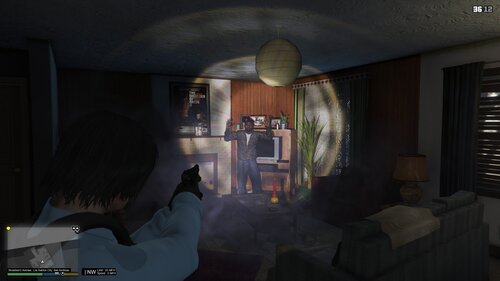
With this ped you can have a short sleeve shirt with a long sleeve skinny shirt under, a shirt with a tie, and a pull over. You've got different type of holster, just the holster, or on a belt with radio and stuff.
This ped replace the chemsec ped.
It was important to me to make a new U.S. Marshal, because I made th first one of LSPDFR, but he is a little bit old know :)
But if you are curious :
------------------------------------------------------------------------------------------------------------------------------------------------------
Next update : - I don't know yet, but I will make one :)
If you have any idea or critics leave a comment, I'm french so I don't really know the US Police, US Marshal.
Enjoy it !
A big thank to Rekram, for helping me with the peds !!
------------------------------------------------------------------------------------------------------------------------------------------------------
Make sure to check the BARO Team Modding website, for more mods, and WIP
We are a french community, but every one can come :)
Rekram
Rockstar Games


![[UNOFFICIAL] Configurator for PR-Backup XMLs. EUP / Addon-Car Compatible!](http://s3-screenshots.int-cdn.lcpdfrusercontent.com/resize/500/-/monthly_2026_06/Screenshot2026-06-21090238.thumb.png.2bcfcc41a62a242b34444609d423727e.png)
.thumb.png.4ae541125774b3d59e60a0636013f9c1.png)










Recommended Comments
Create an account or sign in to comment