Skip to content
View in the app

A better way to browse. Learn more.

LCPDFR.com

A full-screen app on your home screen with push notifications, badges and more.

To install this app on iOS and iPadOS
  1. Tap the Share icon in Safari
  2. Scroll the menu and tap Add to Home Screen.
  3. Tap Add in the top-right corner.
To install this app on Android
  1. Tap the 3-dot menu (⋮) in the top-right corner of the browser.
  2. Tap Add to Home screen or Install app.
  3. Confirm by tapping Install.

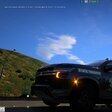
2020FPIU'S CLAY COUNTY MISSOURI VEHICLE TEXTURES. MOOOOREEEEEEEEEEEEEEEE. 1.0.0

(1 review)

2 Screenshots

LOOK AT THE PICTURE THESE ONES ARE DIFFERENT.


Short Description

Do not claim it as yours I worked to make this texture

User Feedback

Recommended Comments

Code 3 Dev

Members

there is nothing in the file

Code 3 Dev

Members

can you make something like a st louis metro pd livery pack and a st louis county sheriff livery pack that would be great

JellyBeans

Members

12 hours ago, officer jackson1 said:

can you make something like a st louis metro pd livery pack and a st louis county sheriff livery pack that would be great

nah dont listen to this dude finish the KC area

Another amazing pack. I really l love the dark grey color that they are using now and you have it down to 100% accuracy. The old livery is also super well made and looks awesome. I cant wait to see the next Kansas City agency you create next!

SimWho20

Members Author

12 hours ago, officer jackson1 said:

can you make something like a st louis metro pd livery pack and a st louis county sheriff livery pack that would be great

right now I can't because I am currently focused on the KC metro area only then can I move abroad. I thank you for the recommendations.

Code 3 Dev

Members

i downloaded you're file opened it and i saw no livery at all

Create an account or sign in to comment

Account

Navigation

Search

Search

Configure browser push notifications

Chrome (Android)
  1. Tap the lock icon next to the address bar.
  2. Tap Permissions → Notifications.
  3. Adjust your preference.
Chrome (Desktop)
  1. Click the padlock icon in the address bar.
  2. Select Site settings.
  3. Find Notifications and adjust your preference.











