



.png.d7e0a6e59e5df4252ae7ad37d1962ce1.png)
.png.5898875ac2eb49abd15c9e6acfa2a6fd.png)


.png.30e7d61837d294df2423212a6b4ff6fb.png)


.png.377ff27d4bfb423dd165bd801df301c9.png)


Hey guys!
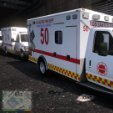
Here's a small pack I did on the Summit Illinois Police Department with a Paleto Lore.
The Durango and Charger do reflect, the FPIU does not reflect as the model is from a different pack.
I forgot to attach a read me file so here is the read me lol
The Charger, and Durango belong to the "LSPD Dodge Durango + Charger Reflective" Pack, sonply place the liveries into the YTD file of the respective vehicle and save.
The FPIU livery belongs to the "Blain/LosSantos County Sheriff Pack" I fitted the re-skin for the liberty unit only HOWEVER, if it fits the other units then have at it lol.
**IMPORTANT**
The FPIU pack came without color, when I added color to the skin the in game color presented as matte, in order to properly color the vehicle black as needed, go into your trainer and use metallic black for the vehicle.
Ultimate Back Up, the vehicle can spawn in black with ultimate back up with the key string value below
<Vehicle chance="33" Vehicle pax="1" pax_chance="25" color="Black">NAME OF VEHICLE YOU REPLACE OR RENAMED</Vehicle>
ENJOY!!!
Edited by JustNvme
Better screenshots





![Los Santos Transit Police EUP [SP/FiveM]](http://s3-screenshots.int-cdn.lcpdfrusercontent.com/resize/500/-/monthly_2026_06/LOGO.thumb.png.87eb35d6634bad9a16689f0bdd04b485.png)


.thumb.png.e3e66e49fc2fbfb99cfb553875b27e7e.png)

![Jed's Mega-Garage Sale [ELS]](http://s3-screenshots.int-cdn.lcpdfrusercontent.com/resize/500/-/monthly_2023_03/BCRP15Charger(3).thumb.jpg.335a5c2afffd469b763c8cb47d7219f9.jpg)






.thumb.png.0b1306bf9de4d0e31da6fe32fb8c4708.png)
Recommended Comments
Create an account or sign in to comment