


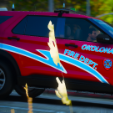


This pack is apart of my YouTube/Insta series where I drop a new Livery every day!
I will post a pack of 5 every 5 days!
Vehicles I used can be found in the Discord!
Most are by Trooper, Ripples, or JA Designs
Join my Discord to get early sneak peaks and early access!
Follow the YT and Insta Seriers Here: https://www.youtube.com/@Hyper56881,https://www.instagram.com/hyper568_yt?utm_source=ig_web_button_share_sheet&igsh=ZDNlZDc0MzIxNw==
Short Description
Day 6-10 FiveM Livery Drop
All Liveries Made By: Hyper568


![[ELS-Hybrid | DLC/Addon ] Low-Profile z71 Tahoes](http://s3-screenshots.int-cdn.lcpdfrusercontent.com/resize/500/-/monthly_2026_05/25_1(1).thumb.png.7bdf0066d86afe565fac5e2684baa3e8.png)




![[ELS][REPLACE] 2020 Skoda Octavia Městská policie Praha (New design)](http://s3-screenshots.int-cdn.lcpdfrusercontent.com/resize/500/-/monthly_2026_05/20260514222354_1.thumb.jpg.dedd1cd5cdf14716666af6abfa71508d.jpg)


.thumb.png.a0f80464539c2dd42ee2519c1bda91f2.png)

![Generic Whelen 2023 F150 B/B [FiveM & Single Player]](http://s3-screenshots.int-cdn.lcpdfrusercontent.com/resize/500/-/monthly_2026_05/enb2026_5_13_15_23_48_06.thumb.png.ecbdfb941234f496e3fd959033f602d4.png)



Recommended Comments
Create an account or sign in to comment