


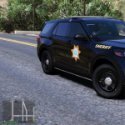


You can use these packs separately or mixed. They all look good together and have similar lighting.
Skins can also be used with any vehicles that use the same templates.
What's New in Version 1.6.0
Released
Edited all skins so I would recommend to download newest version.
Added new screenshots.
Added Impala skin.
Added 14 Charger for Jeds new sheriff vehicles pack. Both FPIU and FPIS are already compatible.
Credits to Jedahdiah, Maurice97, and RangerZ for the models used.






![Los Santos County Sheriff Livery Pack [Berkeley County-based]](http://s3-screenshots.int-cdn.lcpdfrusercontent.com/resize/500/-/monthly_2026_04/20260415155948_1.thumb.jpg.4cd04373ce1cf72df8e99a993cf4a145.jpg)



![Clayton County Sheriff's Office [4K]](http://s3-screenshots.int-cdn.lcpdfrusercontent.com/resize/500/-/monthly_2026_04/Screenshot_2511.thumb.png.e79613aafaa7abfbd34da660fe32acd3.png)

.thumb.jpg.96a3b82b9866eade5618dbec8b4f2fae.jpg)

![[NON-ELS] Unmarked 2018 Ford Taurus - FiveM Ready](http://s3-screenshots.int-cdn.lcpdfrusercontent.com/monthly_2026_04/Screenshot_5040.thumb.png.b1168547b80673783144294d18805701.png)


Recommended Comments
Create an account or sign in to comment