Skip to content
View in the app

A better way to browse. Learn more.

LCPDFR.com

A full-screen app on your home screen with push notifications, badges and more.

To install this app on iOS and iPadOS
  1. Tap the Share icon in Safari
  2. Scroll the menu and tap Add to Home Screen.
  3. Tap Add in the top-right corner.
To install this app on Android
  1. Tap the 3-dot menu (⋮) in the top-right corner of the browser.
  2. Tap Add to Home screen or Install app.
  3. Confirm by tapping Install.

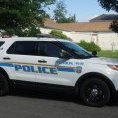
LOS SANTOS MINI SWAT PACK 1.0.0

(0 reviews)

12 Screenshots


 !! I DO NOT OWN THE CARS!! a link will be down below. i will be working on some more vehicles later on.

plz comment how i did on my first pack in tell me what i can improve on and  what u think  PLZ RESPECT THE TIME IT TOOK TO MAKE THIS PACK do not claim this as your own fill free to edit but leave credits and links to there vehicles and my skins  !! QUICK NOTE!! THE BLACK WHEELS ARE MADE BY MEDIC4523 THEY ARE INCLUDED IN HIS Ford F350 light duty resuce and my pack to [same location] were you would replace the skins at                                                                                                                                                                                                                                                                                                                                     


User Feedback

Recommended Comments

Ragnrok

Members

a good idea. like the color combo and emblem style. i think its something you can enhance as your skins develop more. i however recommend moving the "swat" on the rear of the pickup from the center to the left side, so the letters are not split up.

officerjohnson14

Members Author

On 8/20/2018 at 7:36 AM, ReaZzor Graphics said:

I have an Issue with it... Texture Bug.. Do you have an Help for me?


https://i.imgur.com/EnP4GGM.jpg

let me see if he updated his truck then ill try reinstalling it in see if i get the same problem sorry for the late response 

officerjohnson14

Members Author

(edited)

On 8/20/2018 at 7:36 AM, ReaZzor Graphics said:

I have an Issue with it... Texture Bug.. Do you have an Help for me?


https://i.imgur.com/EnP4GGM.jpg

ok you might have accidentally installed it in the wrong spot try reinstalling it make a folder on your desk top and drag in drop the skin in the riot truck in there this is how i  installed mine mods>update>x64>dlcpacks> pacthday15ng or what ever pacthday you used to install it>dlc.rpf>x64>levels>gta5>vehicles now go to the top right in select edit mode now drag in drop riot truck in there then go to riot.ytd  now this step is critical scroll down till your find rescue_sign1 now you must click rescue_sign 1 make sure its highlighted like the pick below now go to the top right in click replace now you should see a pop up now go to  desktop find your folder now once you found it open that folder in click rescue_sign1 now go to the bottom right and select open that pop up should close now got the bottom right in select save and there you go :yes: hopefully that worked 


Edited by officerjohnson14

On 9/2/2018 at 9:49 PM, officerjohnson14 said:

ok you might have accidentally installed it in the wrong spot try reinstalling it make a folder on your desk top and drag in drop the skin in the riot truck in there this is how i  installed mine mods>update>x64>dlcpacks> pacthday15ng or what ever pacthday you used to install it>dlc.rpf>x64>levels>gta5>vehicles now go to the top right in select edit mode now drag in drop riot truck in there then go to riot.ytd  now this step is critical scroll down till your find rescue_sign1 now you must click rescue_sign 1 make sure its highlighted like the pick below now go to the top right in click replace now you should see a pop up now go to  desktop find your folder now once you found it open that folder in click rescue_sign1 now go to the bottom right and select open that pop up should close now got the bottom right in select save and there you go :yes: hopefully that worked 

IMG_2040.jpg

It was not an Bug or Glitch from the Model OR of your Skin, the Graphic Mod just caused it but thanks for the Answer 😉

Create an account or sign in to comment

Account

Navigation

Search

Search

Configure browser push notifications

Chrome (Android)
  1. Tap the lock icon next to the address bar.
  2. Tap Permissions → Notifications.
  3. Adjust your preference.
Chrome (Desktop)
  1. Click the padlock icon in the address bar.
  2. Select Site settings.
  3. Find Notifications and adjust your preference.









