


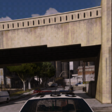


I have finally perfected this Reshade. The reason this release took me so long is because I took many attempts at this and wanted to make sure it was perfect. This looks good in almost any weather (Clear is my favorite) and fits each time very well too.
This Reshade relies on solely the free released StryVision by Natural Light Enhanced. No ENB is required.
I am ensure how this looks with other StryVision graphics
The free release StryVision has both SP and FiveM versions
I have provided where to download it from inside the Read Me document
This will more than likely not cause you any lag while still looking good.
Short Description
Can be used in both SP and FiveM
Reshade and Natural Light Enhanced

![Blaine County Sheriff Department [DLS v2,REFLECTIVE,ADDON]](http://s3-screenshots.int-cdn.lcpdfrusercontent.com/resize/500/-/monthly_2026_06/GTA52026-06-2115-24-24.thumb.png.ee754c55d1965a17c363ae191f88ae13.png)





![North Carolina State Highway Patrol EUP Minipack [FIVEM & SP]](http://s3-screenshots.int-cdn.lcpdfrusercontent.com/resize/500/-/monthly_2026_06/2676230_20260624200529_1.thumb.png.9a069679af96ceeb7f8a335b86869831.png)





.thumb.png.aba303ef3347895c10dd77447e0939d1.png)
.thumb.png.48f7634114fcf3c9dcd9640b767efa15.png)
.thumb.png.36a20ba37d2f72ab290a620325b92fcf.png)
Recommended Comments
Create an account or sign in to comment