Skip to content
View in the app

A better way to browse. Learn more.

LCPDFR.com

A full-screen app on your home screen with push notifications, badges and more.

To install this app on iOS and iPadOS
  1. Tap the Share icon in Safari
  2. Scroll the menu and tap Add to Home Screen.
  3. Tap Add in the top-right corner.
To install this app on Android
  1. Tap the 3-dot menu (⋮) in the top-right corner of the browser.
  2. Tap Add to Home screen or Install app.
  3. Confirm by tapping Install.

FPIU 2020 BPD 1.0.0

(0 reviews)

1 Screenshot

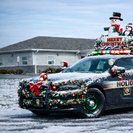
One of my first LSPDFR uploads, the File route is placed in the README.txt

If theres any QUESTIONS please ask in the comments


THE READ ME MAY NOT BE THERE IF ITS NOT the file location is GtaV>Mods>Update>X64>dlcpacks>patchdayXX>dlc.rpf>levels>gtav>vehicles.rpf then find your FPIU 2020 or 2024 and drop in the police3.ytd "livery_sign_1" press "replace" and drop the png to the file.

Edited by TrooperSmith453
The READ ME may have not worked


Short Description

This may be the first Bethlehem Police Livery made

User Feedback

Recommended Comments

There are no comments to display.

Create an account or sign in to comment

Latest Mods

Account

Navigation

Search

Search

Configure browser push notifications

Chrome (Android)
  1. Tap the lock icon next to the address bar.
  2. Tap Permissions → Notifications.
  3. Adjust your preference.
Chrome (Desktop)
  1. Click the padlock icon in the address bar.
  2. Select Site settings.
  3. Find Notifications and adjust your preference.













