Skip to content
View in the app

A better way to browse. Learn more.

LCPDFR.com

A full-screen app on your home screen with push notifications, badges and more.

To install this app on iOS and iPadOS
  1. Tap the Share icon in Safari
  2. Scroll the menu and tap Add to Home Screen.
  3. Tap Add in the top-right corner.
To install this app on Android
  1. Tap the 3-dot menu (⋮) in the top-right corner of the browser.
  2. Tap Add to Home screen or Install app.
  3. Confirm by tapping Install.

[8K] Lore Friendly Los Santos Police Department Skins! 2.0.0

(0 reviews)

14 Screenshots

**THANKS FOR VIEWING!***
These are my first 8k textures! I hope you all enjoy it! I also did downscale the 8k textures to 4k and 2k for those of you who prefer those.


***HOW TO INSTALL***
Info on how to install it in the "Easy Install + info" XML that I included ; )


***SKINNED VEHICLES INCLUDE***
1. 2014 Dodge Charger
2. 2013 Chevy Caprice

3. 2016 Chevy Tahoe K9 UNIT


***DOWNLOAD LINK***


What's New in Version 2.0.0

Released

New screenshots + Updated ELS file + Updated troubleshooting.XML

User Feedback

Recommended Comments

JamFan

Members

4K Screenshots!

Roulge

Members Author

1 hour ago, grizzleftw said:

4K Screenshots!

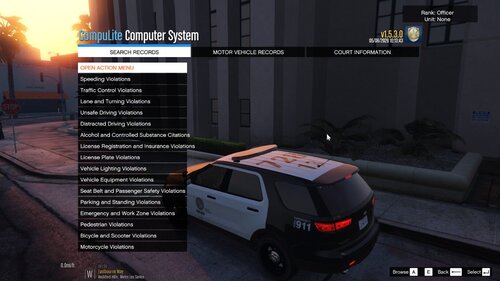
The vehicles in the screenshots have the 8k textures on them

JamFan

Members

You need better pics?

Roulge

Members Author

18 minutes ago, grizzleftw said:

You need better pics?

sure, just message me them on lspdfr, it would be greatly appreciated

Deactivated Member

Deactivated

amazing skins but 8k will definitely cause some texture loss

Roulge

Members Author

2 hours ago, Mauvzel said:

amazing skins but 8k will definitely cause some texture loss

I'm pretty sure i included some 4k and 2k downscaled textures in the pack as well for people who do have those kinds of issues 😉

Create an account or sign in to comment

Account

Navigation

Search

Search

Configure browser push notifications

Chrome (Android)
  1. Tap the lock icon next to the address bar.
  2. Tap Permissions → Notifications.
  3. Adjust your preference.
Chrome (Desktop)
  1. Click the padlock icon in the address bar.
  2. Select Site settings.
  3. Find Notifications and adjust your preference.