


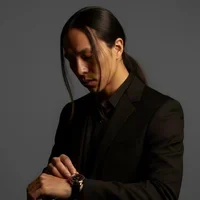


[RELEASE] Multi-Vehicle Livery Pack (With Ghost & Color Variants!)
Welcome to my latest texture release! This pack brings a fresh, aggressive, and highly detailed look to your patrol fleet. Whether you are running standard marked units, low-profile slick-tops, or specialized colored variants, this pack has something to elevate your patrol experience.
🚔 Supported Vehicles:
2016 Ford Taurus PPV (FPIS)
2013 Ford Explorer PPV (FPIU) (Includes Bonus Variants!)
2014 Dodge Charger PPV
2020 Ford Explorer PPV (FPIU)
🚘 Required Vehicle Models
This livery pack was designed specifically to fit the vehicle models found in RYM1BR's awesome Asheville/LSPD Mega Pack.
You will need to download and install their vehicle pack first for these textures to work correctly: 🔗 Download the Base Vehicles Here: [ELS] [R/B or B/B] [Addon/Replace] Asheville/LSPD Mega Pack
⚠️ Disclaimer & Credits
Textures Only: My release contains ONLY the custom livery/skin files (
.png/.ddstexture assets) that I created.Not My Vehicle Models: The actual emergency vehicle 3D models, ELS configurations, and parts shown in screenshots ARE NOT my creation. All credits for the vehicle development, modeling, and assembly go entirely to RYM1BR and the creators listed in their documentation (Kane104, GeorgieMoon, OfficerUnderwood, etc.).
Please make sure to show love to the original vehicle authors for their incredible work!
✨ Special Features:
Stealth Operations: Custom Ghost Skins included specifically for slick-top versions.
2013 FPIU Custom Editions: Features an aggressive Red Variant and a striking Gold/Yellow Variant.
Note on the 2011 CVPI: I didn't include the Crown Vic in this initial drop as I'm tweaking the design to fit its body lines perfectly. If the demand is there, I'll drop it in a future update!
If you enjoy the pack, please leave a review and hit that Upvote button! Feel free to share your showcase screenshots in the comments.
🛠️ Installation Instructions
⚠️ CRITICAL STEP FIRST: Always BACK UP your original
.ytdfiles before making any modifications. If something goes wrong or a file gets corrupted, you will want an easy way to restore your game!
To replace the liveries using OpenIV, follow these exact steps:
Activate Edit Mode: Open OpenIV and click the Edit Mode button at the top right.
Navigate to your Vehicles: Go to your
modsfolder and locate the directory where your target police vehicles are installed. *(e.g.,mods \ update \ x64 \ dlcpacks \ patchday22ng (or your custom pack) \ dlc.rpf \ x64 \ levels \ gta5 \ vehicles.rpf)_Open the Texture Dictionary: Find the
.ytdfile for the vehicle you want to reskin (for example:police3.ytd). Double-click it to open the Texture Viewer.Locate the Old Livery: Scroll through the texture list to find the current sign/livery file. It is usually named something like
vehicle_sign_1,car_sign_1, ortaurus_sign_1.Replace the Texture:
Click the Replace button at the top of the OpenIV Texture Viewer window.
Navigate to where you extracted this download pack, select the corresponding new livery
.pngor.ddsfile, and click Open.(Optional) If the vehicle model supports multiple liveries, you can replace
_sign_2,_sign_3, etc., with the different color variants provided in this pack.
Save Changes: Click the Save button at the bottom right of the texture window.
Close OpenIV, launch your game, and hit the streets!
CARS WERE NOT MADE BY ME
ALL CARS WERE MADE BY RYM1BR
Edited by KID EUPHORIC Designs
Bio Updated Forgot To Add A Couple Of Lines To The Bio Such As Car Pack Link Used
.thumb.png.0687db78b4134e317cdafa314a9b9fff.png)


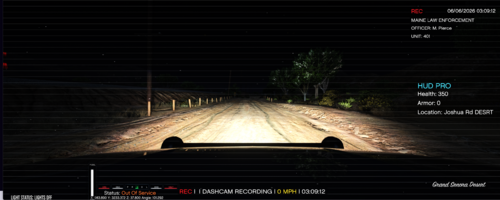
![Blaine County Sheriff's Office EUP Package [ADDON & REPLACE]](http://s3-screenshots.int-cdn.lcpdfrusercontent.com/resize/500/-/monthly_2026_06/Screenshot2026-06-06000350.thumb.png.fe09a5cf104f4c60ed93663b24da91c1.png)







![Texas DPS EUP Package [ADDON & REPLACE]](http://s3-screenshots.int-cdn.lcpdfrusercontent.com/resize/500/-/monthly_2026_06/Screenshot2026-06-05005718.thumb.png.371b7aedeca385b6384ad05056d122ab.png)



Recommended Comments
Create an account or sign in to comment